Published by Spark Planet
Updated May 5, 2026
Most awaited Win 10 Launcher is now out for Android TM!
| Version | 9.43 |
| Size | 25.7 MB |
| What's New | - Grid size changed - Wallpaper section design updated - Design fixes- Widget touch issue fixed- Page scroll animations improved- Bug fixes |
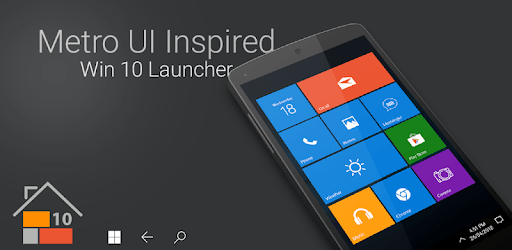
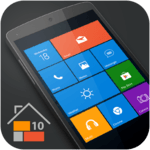
Win 10 Launcher is an Android app developed and published by Spark Planet at Google Play Store on Aug 21, 2015 for Android users. Win 10 Launcher is so popular that it has gained 1000000 installs so far and growing.
Are you a fan of the sleek and user-friendly interface of Windows 11? Do you wish to bring the Windows experience to your Android phone? Look no further than Win 10 Launcher, the ultimate app that allows you to enjoy the best of Windows on your mobile device. With its stunning wallpapers and intuitive design, this launcher is a must-have for anyone seeking a unique and immersive smartphone experience.
One of the standout features of Win 10 Launcher is its visually stunning wallpapers. The app offers a wide range of glorious wallpapers that will transform your Android screen into a window to the world of Windows. Whether you prefer minimalist designs or vibrant landscapes, there is a wallpaper to suit every taste. Say goodbye to the mundane and embrace the beauty of Windows with every glance at your phone.
What sets Win 10 Launcher apart is the intriguing comparison it draws between two tech giants: Bill Gates and Steve Jobs. As you navigate through the app, you can't help but reflect on the history of computing and the impact these visionaries have had. While Bill Gates is synonymous with Windows, Steve Jobs represents the world of Apple and Macintosh. Win 10 Launcher allows you to experience the best of both worlds, combining the familiarity of Windows with the flexibility of Android.
One of the key strengths of Win 10 Launcher is its user-friendly interface. Designed with simplicity in mind, the app ensures that even the most technologically challenged individuals can navigate through its features effortlessly. Whether you are a seasoned Android user or new to the world of smartphones, Win 10 Launcher provides a seamless and intuitive experience for all.
While Win 10 Launcher offers an exceptional Windows experience on your Android device, some users have reported a minor inconvenience. Occasionally, when pressing the home button, the launcher reverts back to the default Android interface instead of staying on Windows 11. However, this can be easily remedied by reopening the app. Despite this small setback, the overall experience of Win 10 Launcher remains enjoyable and captivating.
Installing Win 10 Launcher is a breeze, and within minutes you can transform your Android phone into a Windows powerhouse. What sets this app apart from others is its commitment to data protection and privacy. With Win 10 Launcher, you can rest assured that your personal information is safeguarded from invasive practices. Your privacy matters, and this app ensures that your data remains secure and protected.
Yes, Win 10 Launcher offers a wide range of customizable wallpapers to suit your preferences. You can choose from various categories and even set your own images as wallpapers.
Yes, Win 10 Launcher is compatible with most Android devices. However, it is always recommended to check the app's compatibility with your specific device before installation.
No, Win 10 Launcher is designed to optimize performance and ensure smooth operation. It has minimal impact on your phone's speed and responsiveness.
Yes, if you ever wish to switch back to the default Android interface, you can easily do so by changing your launcher settings in the device's settings menu.
Experience the best of Windows on your Android phone with Win 10 Launcher. Transform your screen into a window to the world of Windows and enjoy a seamless and visually captivating experience. Download Win 10 Launcher now and embark on a new journey with your smartphone.
Yes, you can run Win 10 Launcher on PC, but first, you will need emulator software installed on your Windows or MAC, which you can download for free. In the below video, you will find Win 10 Launcher in action. Before you install the emulator, check out the minimum and recommended system requirements to run it seamlessly. They may change depending on which version of the emulator you choose. Therefore, we recommend you download the latest version of the emulator. Below you will find three free Android emulators that we have shortlisted based on their popularity:
Up to date graphics drivers from Microsoft or the chipset vendor.
Storage: 1 GB available under installation path, 1.5GB available hard drive space
Internet: Broadband Internet connection
Regardless of which Android emulator you install, the steps to install, configure, and running the Win 10 Launcher app on PC are the same.