
Published by Player FM Podcasts
Updated November 28, 2025
The ad-free podcast app that refuses to compromise. 💓🎙️
| Version | 7.4.3(27863) |
| Size | 81.1 MB |
| What's New | A new version of PlayerFM is here! Here’s what’s new:- New “Discover” Section: Find new offers, inspiring content, articles & more- General optimizations & stability improvementsThanks for using PlayerFM! Have questions or feedback? Email us at [email protected] for fast & friendly support. |
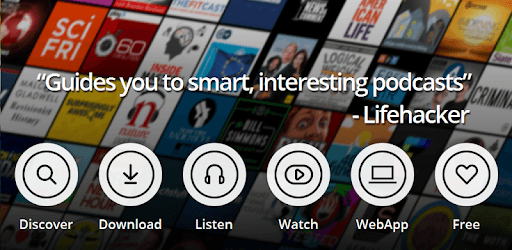
Podcast App: Free & Offline Podcasts by Player FM is an Android app developed and published by Player FM Podcasts at Google Play Store on Apr 28, 2013 for Android users. Podcast App: Free & Offline Podcasts by Player FM is so popular that it has gained 1000000 installs so far and growing.
Are you a podcast enthusiast looking for a reliable and user-friendly app to listen to your favorite shows? Look no further than the Podcast App: Free & Offline Podcasts by Player FM. This app has been a go-to choice for podcast lovers since its launch, offering a seamless listening experience with a wide range of features.
One of the standout features of the Podcast App is its simplicity and ease of use. Whether you're new to podcasts or a seasoned listener, this app makes it effortless to find, subscribe to, and listen to your favorite shows. The intuitive interface allows you to navigate through episodes with ease, ensuring a hassle-free experience every time.
With the Podcast App, you'll never run out of content to listen to. The app boasts an extensive library of podcasts covering various genres and topics, ensuring there's something for everyone. Whether you're into true crime, comedy, self-improvement, or news, you'll find a podcast that suits your interests.
One of the standout features of the Podcast App is its ability to download episodes for offline listening. This means you can enjoy your favorite shows even when you don't have an internet connection. Simply download the episodes you want to listen to and access them anytime, anywhere, without worrying about data usage.
The Podcast App offers a range of personalization options to enhance your listening experience. You can mark your favorite episodes, create playlists, and even receive personalized recommendations based on your listening habits. This level of customization allows you to tailor the app to your preferences and discover new podcasts that align with your interests.
Yes, the Podcast App allows you to download episodes for offline listening. This means you can enjoy your favorite shows even without an internet connection.
Absolutely! The Podcast App is designed with user-friendliness in mind. Its intuitive interface makes it easy to navigate through episodes and find the podcasts you love.
Yes, the Podcast App offers various personalization options. You can mark your favorite episodes, create playlists, and receive personalized recommendations based on your listening habits.
Definitely! The Podcast App boasts an extensive content library covering various genres and topics. Whether you're into true crime, comedy, self-improvement, or news, you'll find a podcast that suits your interests.
Yes, the Podcast App is free to download and use. However, there is also an option to upgrade to a premium subscription for additional features and benefits.
Overall, the Podcast App: Free & Offline Podcasts by Player FM is a top-notch choice for podcast enthusiasts. With its user-friendly interface, extensive content library, and offline listening capabilities, it offers a seamless and enjoyable listening experience. Download the app today and embark on a podcast journey like never before!
Yes, you can run Podcast App: Free & Offline Podcasts by Player FM on PC, but first, you will need emulator software installed on your Windows or MAC, which you can download for free. In the below video, you will find Podcast App: Free & Offline Podcasts by Player FM in action. Before you install the emulator, check out the minimum and recommended system requirements to run it seamlessly. They may change depending on which version of the emulator you choose. Therefore, we recommend you download the latest version of the emulator. Below you will find three free Android emulators that we have shortlisted based on their popularity:
Up to date graphics drivers from Microsoft or the chipset vendor.
Storage: 1 GB available under installation path, 1.5GB available hard drive space
Internet: Broadband Internet connection
Regardless of which Android emulator you install, the steps to install, configure, and running the Podcast App: Free & Offline Podcasts by Player FM app on PC are the same.





![Musicolet Music Player [Free, No ads] icon](https://cdn.desktoptwo.com/img/in.krosbits.musicolet-logo.png)