Published by Karuma
Updated July 20, 2026
Thing Counter is a free tool to count clicks like a tally counter.
| Version | 1.6 |
| Size | 1.9 MB |
| What's New | V1.6- improved display of counter statistics- time of last value change is now shown in the details and history- optional speech output (experimental)- reset all counters from the list (thanks to Alicia L. Wright for this feature request)- new "about" section with program information |
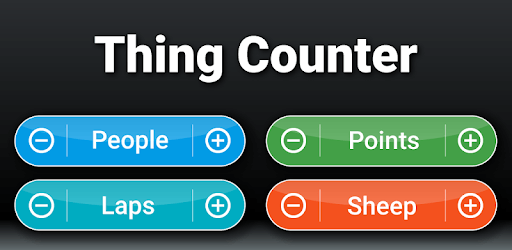
Thing Counter is an Android app developed and published by Karuma at Google Play Store on Nov 7, 2012 for Android users. Thing Counter is so popular that it has gained 100000 installs so far and growing.
Looking for a simple and efficient way to count and track occurrences? Look no further than Thing Counter, the ultimate app that allows you to effortlessly keep tabs on various activities and objects. Whether you need to count how many times someone says something to you or track your daily workouts, this app has got you covered.
Thing Counter is a great little app that works perfectly for counting the occurrences of something or several different things. With its user-friendly interface, you can easily set up category names and increment or decrement in each category. It's like having your own personal assistant to help you keep track of everything!
One of the standout features of Thing Counter is its versatility. You can quickly tabulate many things within different categories, making it an indispensable tool for a wide range of activities. Whether you're a teacher keeping track of student behavior or a window cleaner counting window panes, this app is your go-to solution.
Thing Counter prides itself on its simplicity and ease of use. The app is designed to be user-friendly, allowing you to navigate through its features effortlessly. Its long-time memory-saving capability ensures that you can easily access your past counts, while the easy configuration and heads-up display (HUD) make managing and using the app a breeze.
Unlike many other apps that bombard you with ads, Thing Counter is refreshingly free of any intrusive advertisements. It's a breath of fresh air to find an app that focuses solely on providing a seamless counting experience without any distractions.
Thing Counter has garnered a loyal user base over the years, and it's easy to see why. Users have been relying on this app for seven years and counting, making it their go-to solution for tracking various activities. Its stability and usefulness have stood the test of time, making it a trusted companion for countless individuals.
But what sets Thing Counter apart from other similar apps? For starters, it does exactly what it says on the tin. There are no hidden surprises or unnecessary features. It's a straightforward utility app that delivers on its promise.
Yes, Thing Counter allows you to color code your counters, making it easier to differentiate between multiple counters on the same screen.
Currently, Thing Counter does not offer synchronization between devices. However, you can manually transfer your counts if needed.
Yes, Thing Counter is available for both Android and iOS devices. You can download it from the respective app stores.
No, Thing Counter is completely free to use without any in-app purchases. Enjoy all its features without any limitations!
In conclusion, Thing Counter is the ultimate app for counting and tracking various activities. Its simplicity, versatility, and user-friendly interface make it a must-have tool for anyone in need of a reliable counter. Download Thing Counter today and experience the convenience of effortless counting!
Yes, you can run Thing Counter on PC, but first, you will need emulator software installed on your Windows or MAC, which you can download for free. In the below video, you will find Thing Counter in action. Before you install the emulator, check out the minimum and recommended system requirements to run it seamlessly. They may change depending on which version of the emulator you choose. Therefore, we recommend you download the latest version of the emulator. Below you will find three free Android emulators that we have shortlisted based on their popularity:
Up to date graphics drivers from Microsoft or the chipset vendor.
Storage: 1 GB available under installation path, 1.5GB available hard drive space
Internet: Broadband Internet connection
Regardless of which Android emulator you install, the steps to install, configure, and running the Thing Counter app on PC are the same.