Published by Zonmob Game Studio
Updated November 18, 2026
Tower Defense Zone 2 - One of the best attractive Tower Defense game in 2016
| Version | 1.2 |
| Size | 51.3 MB |
| What's New | Change the 6th map balance |
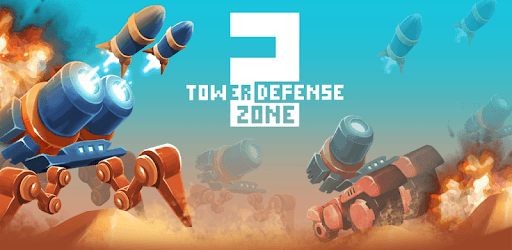
Tower Defense Zone 2 is an Android app developed and published by Zonmob Game Studio at Google Play Store on Aug 18, 2016 for Android users. Tower Defense Zone 2 is so popular that it has gained 100000 installs so far and growing.
Are you looking for an enjoyable and fun game to play? Look no further than Tower Defense Zone 2! This game offers an exciting and challenging experience that will keep you entertained for hours on end. With its strategic gameplay and engaging features, it's no wonder why players are raving about this fantastic game.
Tower Defense Zone 2 stands out from other strategy games with its immersive gameplay and captivating storyline. From the moment you start playing, you'll be hooked. The game challenges you to think strategically and come up with the best tactics to defeat your enemies. It's a game that will truly put your skills to the test.
One of the standout features of Tower Defense Zone 2 is its variety of mods and upgrades. Unlike other games that bombard you with ads and in-game purchases, Tower Defense Zone 2 offers the option to buy all mods and upgrades upfront. This means you can enjoy the game without any interruptions or distractions. It's a refreshing change that truly enhances the gaming experience.
Players have praised Tower Defense Zone 2 for its addictive nature. Once you start playing, it's hard to put down. The game keeps you engaged and entertained with its challenging missions and thought-provoking gameplay. Each level presents a new obstacle that you must overcome, making every playthrough a unique and thrilling experience.
While some players have mentioned the in-app purchases for extra weapons, Tower Defense Zone 2 still provides a well-rounded game even without them. The ability to upgrade your turrets with any extra cash left over from completing levels adds an extra layer of strategy to the game. It's a feature that keeps players coming back for more, eager to improve their defenses and conquer new challenges.
Tower Defense Zone 2 has received praise from players of all ages and skill levels. Whether you're a seasoned strategy game enthusiast or a casual gamer looking for some fun, this game has something to offer. Its balanced difficulty level ensures that it's not excessively hard or too easy, providing a satisfying and enjoyable experience for all.
With its fantastic gameplay, engaging features, and strategic challenges, Tower Defense Zone 2 has quickly become a fan-favorite. It's a game that will keep you entertained and coming back for more. So why wait? Dive into the world of Tower Defense Zone 2 and experience the thrill for yourself!
Yes, Tower Defense Zone 2 is available for both Android and iOS devices. You can download it from the respective app stores and start playing right away.
While Tower Defense Zone 2 does offer in-app purchases for extra weapons, it is not necessary to make these purchases to enjoy the game fully. The option to buy all mods and upgrades upfront provides a seamless gaming experience without any interruptions.
Absolutely! Tower Defense Zone 2 caters to players of all ages and skill levels. Whether you're a seasoned gamer or new to strategy games, you'll find the gameplay engaging and enjoyable.
Tower Defense Zone 2 offers 20 exciting missions for you to conquer. While some players have expressed a desire for more missions, the game's challenging nature ensures that each mission is a thrilling experience.
Yes, you have the option to upgrade your turrets in Tower Defense Zone 2. You can use any extra cash left over from completing levels to improve your defenses and enhance your gameplay strategy.
Yes, you can run Tower Defense Zone 2 on PC, but first, you will need emulator software installed on your Windows or MAC, which you can download for free. In the below video, you will find Tower Defense Zone 2 in action. Before you install the emulator, check out the minimum and recommended system requirements to run it seamlessly. They may change depending on which version of the emulator you choose. Therefore, we recommend you download the latest version of the emulator. Below you will find three free Android emulators that we have shortlisted based on their popularity:
Up to date graphics drivers from Microsoft or the chipset vendor.
Storage: 1 GB available under installation path, 1.5GB available hard drive space
Internet: Broadband Internet connection
Regardless of which Android emulator you install, the steps to install, configure, and running the Tower Defense Zone 2 app on PC are the same.