Published by Games Station
Updated October 22, 2025
Lead legions of soldiers to defend your empire!
| Version | 1.61.45 |
| Size | 168.7 MB |
| What's New | Get ready to experience Grow Empire: Rome with a refreshed and more epic look!⚔️ Redesigned Characters & Units – Cleaner, more expressive visuals to bring every battle to life.🏛️ Updated Environments & Buildings – A renewed aesthetic that makes your empire feel richer and more immersive.🎨 Enhanced UI & Visual Effects – Smoother, more polished interface and animations.🐞 Bug Fixes & Performance Improvements.Update now and keep expanding your empire! |
Grow Empire: Rome is an Android app developed and published by Games Station at Google Play Store on May 3, 2017 for Android users. Grow Empire: Rome is so popular that it has gained 10000000 installs so far and growing.
Grow Empire: Rome is a captivating strategy game that brings a unique blend of tower defense and role-playing elements to mobile devices. As you dive into the world of ancient Rome, you'll find yourself building, defending, and expanding your empire against a variety of enemies. Here's why this game stands out and is worth your time.
The core of Grow Empire: Rome lies in its strategic gameplay. Players are tasked with defending their city from waves of enemies while also expanding their territory. The game offers a multitude of strategies, from deploying different types of units to upgrading defenses. This makes each battle an exciting challenge that requires careful planning and quick thinking.
One of the key features of the game is its diverse range of enemies. Every enemy type has its unique strengths and weaknesses, prompting players to constantly adapt their tactics. This variety keeps the gameplay fresh and engaging, as you never know what to expect in the next wave.
Another standout aspect of Grow Empire: Rome is the evolution of its characters and soldiers. As you progress through the game, you can upgrade your soldiers and unlock new abilities. This adds depth to the gameplay, as you need to decide how best to evolve your troops to face the ever-increasing challenges.
Upgrading characters might seem a bit expensive, but the rewards in terms of improved capabilities make it worthwhile. Additionally, focusing on the right upgrades and strategies can help you overcome even the toughest levels in the game.
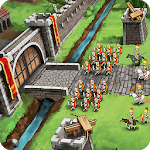
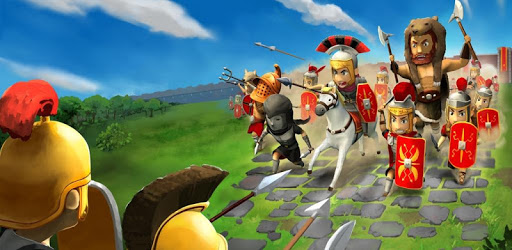
The graphics in Grow Empire: Rome are simple yet effective, providing a clear and visually appealing experience. While some players might prefer 3D animation, the current animation style fits well with the overall aesthetic of the game. It's easy to differentiate between units and enemies, which is crucial in a strategy game.
Despite the desire for more advanced graphics, the current design does the job well and contributes to the game's charm. The characters are well-designed, and their movements are smooth, making for an overall pleasant visual experience.
One of the major advantages of Grow Empire: Rome is its ability to be played offline. This makes it an excellent choice for those moments when you don't have access to the internet but still want to enjoy some gaming. It's perfect for passing the time during commutes or simply unwinding after a long day.
The game is also fairly easy to pick up, with intuitive controls and straightforward mechanics. This makes it suitable for a wide range of players, from novices to seasoned strategy game enthusiasts.
While the game is free to play, it does have in-game purchases that can accelerate progress. However, it's entirely possible to enjoy and progress in Grow Empire: Rome without spending any money. Patience and strategic planning are key to making the most of your resources.
Additionally, some players have noted that the game can get repetitive after a while, especially as the costs for upgrades increase. Yet, the game's addictive nature often keeps players coming back for more, making it a great way to kill time and enjoy some strategic fun.
Grow Empire: Rome is a remarkable strategy game that offers a blend of exciting battles, strategic planning, and character development. Whether you're a fan of history, strategy, or simply looking for a good time, this game has something to offer.
Yes, you can run Grow Empire: Rome on PC, but first, you will need emulator software installed on your Windows or MAC, which you can download for free. In the below video, you will find Grow Empire: Rome in action. Before you install the emulator, check out the minimum and recommended system requirements to run it seamlessly. They may change depending on which version of the emulator you choose. Therefore, we recommend you download the latest version of the emulator. Below you will find three free Android emulators that we have shortlisted based on their popularity:
Up to date graphics drivers from Microsoft or the chipset vendor.
Storage: 1 GB available under installation path, 1.5GB available hard drive space
Internet: Broadband Internet connection
Regardless of which Android emulator you install, the steps to install, configure, and running the Grow Empire: Rome app on PC are the same.