Published by WAWOO Studio
Updated April 3, 2026
New Enemy AI System.More Weapon bullets.*Shooting war competitive game!*
| Version | 1.11.56 |
| Size | 63.2 MB |
| What's New | Minor bug fixes and improvements. Install or update to the newest version to check it out! |
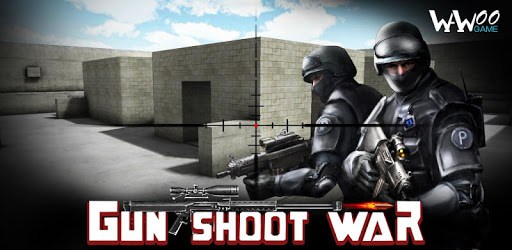
Gun Shoot War is an Android app developed and published by WAWOO Studio at Google Play Store on Jul 1, 2014 for Android users. Gun Shoot War is so popular that it has gained 57749303 installs so far and growing.
Gun Shoot War is an exhilarating first-person shooter game that promises an immersive experience. From the start, the game envelops players in a world where precision, strategy, and quick reflexes are key. The action-packed environment makes this game a standout in the genre.
One of the top features of Gun Shoot War is its engaging gameplay. The game boasts a variety of maps that challenge players' skills and tactics. Whether you are navigating through dense forests or abandoned buildings, the game keeps you on your toes. The ability to control and handle the gun with ease adds to the enjoyment, ensuring a smooth playing experience.
Gun Shoot War offers an impressive array of weapons, including classics like the M16, sniper rifles, bolt action rifles, and the powerful minigun. The game encourages exploration and experimentation with different firearms, perfect for those who love variety. A helpful suggestion would be to continually update the arsenal, adding new guns periodically to keep the excitement going.
In addition to the standard guns, adding scopes to all weapons, similar to those seen in games like PUBG Mobile, could significantly enhance the shooting experience. More upgrades in the shop could allow players to customize their weapons, making the game even more immersive.
The enemy models in Gun Shoot War keep players engaged and on the edge of their seats. From zombie hordes to armed adversaries, each encounter is thrilling. Players have to be strategic, using the environment to their advantage, running to safe spots, or hiding when necessary. New enemy models and increased sensitivity could make these encounters even more exciting.
The graphics in Gun Shoot War are top-notch, adding to the overall immersive experience. The visual detail helps players feel as though they are inside the game, which is a testament to the developers' attention to detail. However, continuous improvement and updates in this area can only enhance the game’s appeal further.
Despite the superb development of Gun Shoot War, there’s always room for enhancement. Players have suggested adding grenades for a more rounded combat experience. Improving sniper zoom functions to bring targets closer and tweaking the game’s sensitivity are some potential upgrades that could make the game even more engaging.
Introducing a knife feature would be a significant addition for close combat situations. More ammunition for weapons like the M16 and minigun can ensure longer play times without the constant need for reloading.
Gun Shoot War excels in its single-player mode, allowing players to hone their skills before competing with others. This mode is ideal for those who enjoy a solo gaming experience, perfecting their strategies and becoming formidable opponents.
The fact that Gun Shoot War is a free download is another highlight. Gamers can plunge into the action without any upfront costs, making it accessible to a wide audience.
Yes, you can run Gun Shoot War on PC, but first, you will need emulator software installed on your Windows or MAC, which you can download for free. In the below video, you will find Gun Shoot War in action. Before you install the emulator, check out the minimum and recommended system requirements to run it seamlessly. They may change depending on which version of the emulator you choose. Therefore, we recommend you download the latest version of the emulator. Below you will find three free Android emulators that we have shortlisted based on their popularity:
Up to date graphics drivers from Microsoft or the chipset vendor.
Storage: 1 GB available under installation path, 1.5GB available hard drive space
Internet: Broadband Internet connection
Regardless of which Android emulator you install, the steps to install, configure, and running the Gun Shoot War app on PC are the same.