Published by wakdev
Updated November 1, 2025
NFC Tools can read and write NFC tags.
| Version | 9.1 |
| Size | 8.5 MB |
| What's New | Minor bug fixes and improvements. Install or update to the newest version to check it out! |
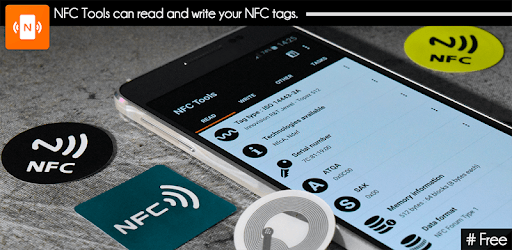
NFC Tools is an Android app developed and published by wakdev at Google Play Store on Jun 14, 2013 for Android users. NFC Tools is so popular that it has gained 1000000 installs so far and growing.
Are you ready to dive into the world of NFC (Near Field Communication) technology? Look no further than NFC Tools, a user-friendly app that streamlines the process of reading and writing NFC tags. Whether you're a novice or a tech-savvy individual, NFC Tools makes managing NFC tags simple and efficient.
NFC Tools comes packed with a variety of features that are useful for any NFC enthusiast. Its straightforward interface ensures that you can navigate through options without any headaches. Unlike other apps, NFC Tools does not bombard you with pop-up ads, so your experience remains smooth and uninterrupted.
One of the standout features of NFC Tools is its ability to program NFC tags in minutes. You can quickly set up tasks like sending messages, sharing social media profiles, or even automating home functions. For those looking to get more out of their NFC tags, the app offers a Pro version with extra features, making it a versatile tool for various needs.
Businesses can also tap into the power of NFC Tools. With the ability to quickly read and write NFC tags, the app can drastically improve business operations. Imagine automating business cards, inventory management, and access control—all possible with NFC Technology.
NFC Tools proves to be a reliable companion whether you’re reading or copying RFID tags, saving valuable time. It supports a variety of tags and devices so you can easily integrate it into your projects. The app’s dependability extends to even complex tasks, ensuring that it performs when you need it most.
Flexibility and simplicity are at the core of NFC Tools. The intuitive design ensures that users can set up their NFC tags without hassle. The app supports multiple functions, from reading tags to executing advanced commands, albeit with a word of caution to avoid causing any issues to devices or tags.
For those who frequently work with NFC tags, NFC Tools is a must-have. It’s useful for everyday tasks like programming NFC rings to share information secretly, sending emails, or even managing potted seeds without spilling dirt. The seamless experience makes it a dependable application for daily use.
NFC Tools serves as an excellent learning tool for those interested in NFC technology. Whether it's simple operations or more advanced tasks, the app guides you through each step, making learning both fun and informative. Its potential for creative uses ensures that you can explore and experiment to your heart’s content.
If you’re looking to manage NFC tags efficiently, NFC Tools is your go-to solution. Its user-friendly interface, versatility, and reliability make it a top choice. Whether you’re running a business, learning about NFC, or simply automating daily tasks, NFC Tools has got you covered.
Yes, you can run NFC Tools on PC, but first, you will need emulator software installed on your Windows or MAC, which you can download for free. In the below video, you will find NFC Tools in action. Before you install the emulator, check out the minimum and recommended system requirements to run it seamlessly. They may change depending on which version of the emulator you choose. Therefore, we recommend you download the latest version of the emulator. Below you will find three free Android emulators that we have shortlisted based on their popularity:
Up to date graphics drivers from Microsoft or the chipset vendor.
Storage: 1 GB available under installation path, 1.5GB available hard drive space
Internet: Broadband Internet connection
Regardless of which Android emulator you install, the steps to install, configure, and running the NFC Tools app on PC are the same.