
Published by Wahoo Fitness
Updated October 26, 2025
ELEMNT - Companion App for Wahoo Fitness ELEMNT GPS Bike Computer
| Version | 1.77.3.6 |
| Size | 134.7 MB |
| What's New | Fixed: User interface bug which caused certain visual elements to be inaccessible. |
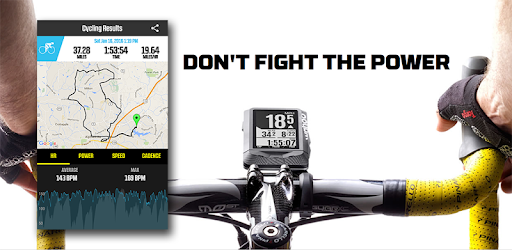
ELEMNT is an Android app developed and published by Wahoo Fitness at Google Play Store on Feb 26, 2016 for Android users. ELEMNT is so popular that it has gained 732637 installs so far and growing.
ELEMNT has set a new standard for bike computers, garnering widespread acclaim for its intuitive design and functionality. This innovative device, developed by Wahoo, seamlessly integrates with various cycling services, making it a popular choice among cycling enthusiasts. The combination of ease of use and advanced features allows cyclists to focus on their ride while effortlessly tracking essential data.
One of ELEMNT's standout features is its user-friendly interface. Setting up the device is straightforward, whether you're using an Android or iOS device. Even those who are not tech-savvy find the setup process simple and quick. The companion app enables users to connect their ELEMNT easily, and the device's interface is responsive and intuitive.
With ELEMNT, connectivity is a breeze. The device pairs effortlessly with popular cycling applications such as Strava and RWGPS. Cyclists can sync their routes, analyze their performance, and upload ride data without hassle. The companion app also supports various other services, giving users the flexibility to choose their preferred platforms.
Cyclists can depend on ELEMNT for consistent performance. The device works straight out of the box and continues to deliver reliable results. Firmware updates enhance the functionality, ensuring that users have access to the latest features and improvements. This level of reliability fosters confidence in users, knowing that ELEMNT will perform as expected on every ride.
ELEMNT offers comprehensive data tracking capabilities that cater to the needs of avid cyclists. The device records crucial metrics such as speed, distance, and power output. Users appreciate the detailed analysis provided by the companion app, with navigable charts that present data in an easy-to-understand format. This level of detail helps cyclists monitor their performance and make informed decisions to improve their riding experience.
The ability to load and follow custom routes is another impressive feature of ELEMNT. Cyclists can create and load bike routes, ensuring they stay on track during their rides. Whether embarking on a self-supported tour or participating in club rides, ELEMNT offers reliable navigation. The device supports various map options, allowing users to navigate with confidence, even in unfamiliar territories.
ELEMNT's development team is committed to continuous improvement, regularly releasing updates that enhance the device's functionality. Recent updates have introduced features like power curve analysis and improved ride analytics, further enriching the user experience. These updates reflect the developers' dedication to meeting the evolving needs of cyclists and ensuring that ELEMNT remains at the forefront of bike computer technology.
ELEMNT's compatibility with different devices and services adds to its appeal. The device works seamlessly with both Android and iOS platforms, although certain features may vary between versions. Additionally, ELEMNT supports Bluetooth and ANT+ connectivity, allowing users to pair various sensors and accessories to enhance their ride data.
The sleek and modern design of ELEMNT contributes to its popularity. The device's look and feel have been refined to offer a clean and organized interface. Users appreciate the ability to scroll through data easily, and the aesthetic design enhances the overall user experience. The thoughtful design also ensures that ELEMNT is not just functional but also visually appealing.
While ELEMNT already offers a robust set of features, there is always room for future enhancements. Users have expressed interest in additional functionalities, such as building and syncing custom workouts directly within the app. Suggestions for features like auto-pause during low-speed scenarios also demonstrate the community's engagement and desire for continuous improvement.
ELEMNT continues to set a high standard in the realm of bike computers, offering intuitive design, reliable performance, and comprehensive data tracking. The device's seamless integration with popular cycling services and continuous updates make it a top choice for cyclists looking to enhance their riding experience.
Yes, you can run ELEMNT on PC, but first, you will need emulator software installed on your Windows or MAC, which you can download for free. In the below video, you will find ELEMNT in action. Before you install the emulator, check out the minimum and recommended system requirements to run it seamlessly. They may change depending on which version of the emulator you choose. Therefore, we recommend you download the latest version of the emulator. Below you will find three free Android emulators that we have shortlisted based on their popularity:
Up to date graphics drivers from Microsoft or the chipset vendor.
Storage: 1 GB available under installation path, 1.5GB available hard drive space
Internet: Broadband Internet connection
Regardless of which Android emulator you install, the steps to install, configure, and running the ELEMNT app on PC are the same.