Published by TrainingPeaks
Updated April 11, 2026
Sync with your TrainingPeaks.com account to track, analyze and plan training.
| Version | 12.95.1 |
| Size | 167.7 MB |
| What's New | Celebrate your 2025 with TrainingPeaks365—a personalized look back at your biggest achievements and training milestones from 2025! |
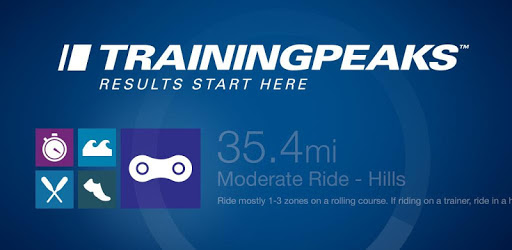
TrainingPeaks is an Android app developed and published by TrainingPeaks at Google Play Store on May 4, 2011 for Android users. TrainingPeaks is so popular that it has gained 1829762 installs so far and growing.
Are you looking for a comprehensive training app that can take your athletic performance to the next level? Look no further than TrainingPeaks. With its user-friendly interface and powerful features, TrainingPeaks has become the go-to app for athletes of all levels, from beginners to professionals. Let's dive into what makes this app a must-have for anyone serious about their training.
One of the standout features of TrainingPeaks is its ability to track and analyze your training progress effortlessly. Whether you're a cyclist, triathlete, or any other type of athlete, this app provides you with detailed metrics and insights to help you understand how your training is impacting your performance.
With TrainingPeaks, you can easily review your workouts and plan for upcoming sessions. The app seamlessly integrates with Garmin devices, allowing you to sync your data and analyze it in-depth. Whether you're a coach or an individual athlete, TrainingPeaks offers more features than you'll probably ever use, making it a professional training platform that caters to all your needs.
TrainingPeaks goes beyond just tracking your workouts. It offers personalized training plans tailored to your specific goals and abilities. Whether you're training for a marathon, a triathlon, or simply aiming to improve your overall fitness, TrainingPeaks has got you covered.
By utilizing the app's drag and drop calendar feature, you can easily plan and organize your training sessions according to your schedule. The intuitive interface and easy visual reference on difficulty make it a breeze to stay on top of your training program. Plus, the ability to communicate with your coach directly within the app ensures you're always on the same page and can make adjustments as needed.
TrainingPeaks is not just a training app; it's a powerful tool that empowers athletes to reach their full potential. The app's detailed performance graphs provide valuable insights into your fitness, fatigue, and overall form. By understanding these metrics, you can make informed decisions about your training and optimize your performance.
As an athlete, having access to a tool that tells you exactly what to do and when can be a game-changer. TrainingPeaks does just that. It keeps you motivated, helps you stay on track, and ensures you're making progress towards your goals. Whether you're a coach or an athlete, the simplicity and usefulness of TrainingPeaks make it an invaluable asset for enhancing performance.
Absolutely! TrainingPeaks is designed to cater to both coached and uncoached athletes. The app provides all the necessary features and tools for individuals who prefer to train on their own.
Yes, TrainingPeaks seamlessly integrates with popular fitness apps such as Zwift, Garmin, and Strava. This allows you to upload your training plans and record your workouts across multiple platforms, making it convenient and accessible.
Yes, TrainingPeaks is suitable for athletes of all levels and disciplines. Whether you're a cyclist, triathlete, runner, or engage in any other sport, TrainingPeaks offers the features and flexibility to meet your specific training needs.
Absolutely! TrainingPeaks provides you with the tools and insights to optimize your training and reach new personal records. By analyzing your efforts, fatigue levels, and other statistics, you can make informed decisions that will push you towards achieving your goals.
Yes, TrainingPeaks is designed with user-friendliness in mind. The app's intuitive interface and clear visuals make it easy for athletes and coaches to navigate and utilize all the features effectively.
Don't miss out on the opportunity to take your training to new heights. Download TrainingPeaks today and unlock your full potential as an athlete!
Yes, you can run TrainingPeaks on PC, but first, you will need emulator software installed on your Windows or MAC, which you can download for free. In the below video, you will find TrainingPeaks in action. Before you install the emulator, check out the minimum and recommended system requirements to run it seamlessly. They may change depending on which version of the emulator you choose. Therefore, we recommend you download the latest version of the emulator. Below you will find three free Android emulators that we have shortlisted based on their popularity:
Up to date graphics drivers from Microsoft or the chipset vendor.
Storage: 1 GB available under installation path, 1.5GB available hard drive space
Internet: Broadband Internet connection
Regardless of which Android emulator you install, the steps to install, configure, and running the TrainingPeaks app on PC are the same.