Published by Linerock Investments LTD
Updated October 20, 2025
Toon up your photos with hundreds of styles and most sophisticated AI ever!
| Version | 0.7.19 |
| Size | 46.6 MB |
| What's New | Hey! Isn't it a TOONtastic day for an update? To us it definitely is, so get ready for new cartoon arrivals (and also some bug fixes that are not visible to the naked eye). ;) |
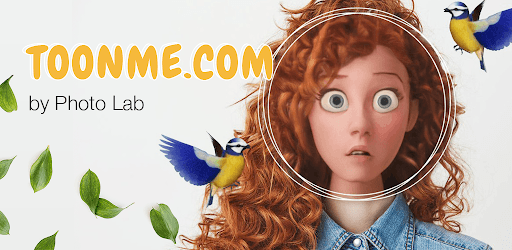
ToonMe - Cartoon yourself photo editor is an Android app developed and published by Linerock Investments LTD at Google Play Store on Nov 5, 2020 for Android users. ToonMe - Cartoon yourself photo editor is so popular that it has gained 15854400 installs so far and growing.
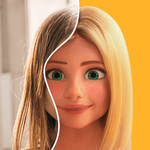
ToonMe - Cartoon yourself photo editor is a fun and creative app that brings out the artist in everyone. Whether you're looking to transform your everyday photos into quirky cartoon renditions or give your family photos a new twist, ToonMe has got you covered. This app turns regular pictures into delightful and humorous cartoons that bring joy and laughter to users of all ages.
One of the standout features of ToonMe is the wide variety of filters and effects. With just a few taps, you can alter your photos into different settings, ranging from vintage themes to modern cartoon styles. The app allows you to experiment with different looks, making each photo session a new adventure.
Additionally, the app makes photo editing easy and accessible. Even if you’re not a professional in graphics or app design, the user-friendly interface ensures you can create impressive cartoon versions of yourself and others with ease. Whether it's for fun family pictures or character references for books, ToonMe offers a multitude of creative options.
Using ToonMe is straightforward. When you open the app, you get to see all your pictures. Select a photo, and the app takes care of the rest. You'll see messages like "Loading," "Almost Finished," or "Fine, tooning your picture" as it works its magic. Soon enough, your tooned face appears on the screen, ready to be shared with others.
Even for those who love making faces and drawing cartoons, this app provides a fulfilling experience without the need for extensive artistic skills. The drawings are recognizable, even if some details might get smoothed over in the process. Regardless, the end results are satisfying and bring a smile to your face.
The app offers a high level of customization so each user can achieve the desired outcome. You can adjust the precision of the selected area after tooning by tapping on a small outlined torso icon within the app. This feature helps in creating exact and detailed cartoon renditions.
Moreover, ToonMe provides an option to look up other faces from Google, which can be quite handy for those needing character references or just curious to see famous personalities in cartoon form. Simply type the name of the person, select a picture, and the app will toon it for you.
An essential aspect of any photo editing app is user privacy. ToonMe addresses this concern by ensuring your data and photos are safe. Though some users may initially feel uneasy about privacy, the app developers have taken steps to provide clarifications and updates, ensuring users feel secure and protected.
In terms of performance, ToonMe generally works well, although users might experience occasional lags. However, these minor issues do not significantly affect the overall usability of the app. Whether you are using it on an advanced device like the Note20 or an older model, the app performs efficiently and completes tasks in a reasonable time frame.
Yes, you can run ToonMe - Cartoon yourself photo editor on PC, but first, you will need emulator software installed on your Windows or MAC, which you can download for free. In the below video, you will find ToonMe - Cartoon yourself photo editor in action. Before you install the emulator, check out the minimum and recommended system requirements to run it seamlessly. They may change depending on which version of the emulator you choose. Therefore, we recommend you download the latest version of the emulator. Below you will find three free Android emulators that we have shortlisted based on their popularity:
Up to date graphics drivers from Microsoft or the chipset vendor.
Storage: 1 GB available under installation path, 1.5GB available hard drive space
Internet: Broadband Internet connection
Regardless of which Android emulator you install, the steps to install, configure, and running the ToonMe - Cartoon yourself photo editor app on PC are the same.