Published by Lyrebird Studios
Updated April 26, 2026
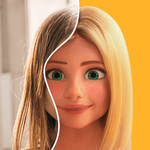
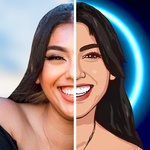
Cartoon photo editor with fun cartoon face filters. Cartoon Maker free, toon me!
| Version | 3.1.47 |
| Size | 76.1 MB |
| What's New | Minor bug fixes and improvements. Install or update to the newest version to check it out! |

ToonApp: AI Cartoon Photo Editor, Cartoon Yourself is an Android app developed and published by Lyrebird Studios at Google Play Store on Dec 22, 2020 for Android users. ToonApp: AI Cartoon Photo Editor, Cartoon Yourself is so popular that it has gained 10485821 installs so far and growing.
If you’ve ever wanted to see yourself or your friends as cartoon characters, ToonApp: AI Cartoon Photo Editor, Cartoon Yourself is the app you've been looking for. This app makes turning photos into cartoons an easy and fun activity. From transforming selfies to editing photos of your favorite celebrities, ToonApp brings a world of creativity to your fingertips.
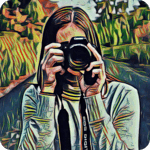
ToonApp sets itself apart from other cartoon photo editors with its unique and high-quality transformations. Unlike many other apps which simply alter colors or trace boundaries, ToonApp creates images that genuinely look hand-drawn. This authenticity and attention to detail make it a top choice for anyone looking to cartoon themselves.
One of ToonApp's greatest strengths is its easy-to-use interface. Even without a subscription, users can enjoy a wide array of features. The app is designed in such a way that ads do not overly disrupt the user experience, making it enjoyable even for those on the free plan.
ToonApp uses advanced AI technology to accurately transform faces into cartoons. This feature ensures that each cartoon image is unique and true to the original photo. This capability is a significant improvement over other apps that often struggle with facial recognition and provide less personalized results.
While ToonApp excels in many areas, it is not without its minor downsides. Some users wish for an option to crop input pictures directly within the app. Additionally, there is room to expand its capabilities to do more with full-body images, rather than just focusing on faces.
A feature that many users would love to see is pet face recognition. As it stands, to cartoonify a pet, you need to be in the picture with them. Incorporating this feature would undoubtedly widen the app’s appeal to animal lovers.
Whether you're a wattpad writer looking to customize pictures for your stories or just looking to have fun with friends and family, ToonApp has something to offer. It provides simple yet beautiful animation capabilities that can bring a creative spark to any project.
The app is supported by ads, which might be bothersome to some users. However, if you find the frequency of ads disturbing, you can opt for the pro version, which offers an ad-free experience. Developers could consider reducing the number of ads to further enhance user satisfaction.
The app has proven to be a source of joy and amusement for many. It adeptly turns photos into charming cartoons, making it a standout choice among similar apps. Though it has a few areas that could be improved, its current features make it highly recommendable for anyone looking to dive into the world of cartoon photo editing. If you're searching for a fun and reliable way to cartoonize yourself, ToonApp is definitely worth trying.
Yes, you can run ToonApp: AI Cartoon Photo Editor, Cartoon Yourself on PC, but first, you will need emulator software installed on your Windows or MAC, which you can download for free. In the below video, you will find ToonApp: AI Cartoon Photo Editor, Cartoon Yourself in action. Before you install the emulator, check out the minimum and recommended system requirements to run it seamlessly. They may change depending on which version of the emulator you choose. Therefore, we recommend you download the latest version of the emulator. Below you will find three free Android emulators that we have shortlisted based on their popularity:
Up to date graphics drivers from Microsoft or the chipset vendor.
Storage: 1 GB available under installation path, 1.5GB available hard drive space
Internet: Broadband Internet connection
Regardless of which Android emulator you install, the steps to install, configure, and running the ToonApp: AI Cartoon Photo Editor, Cartoon Yourself app on PC are the same.