Published by Telkomsel
Updated August 5, 2025
Convenience way to buy data packages, add credit, redeem POIN & send gift
| Version | 9.1.0 |
| Size | 144.4 MB |
| What's New | Minor bug fixes and improvements. Install or update to the newest version to check it out! |
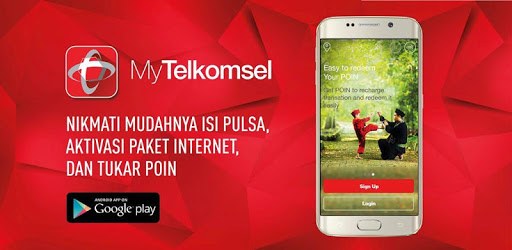
MyTelkomsel – Check Quota & Best Internet Packages is an Android app developed and published by Telkomsel at Google Play Store on May 18, 2013 for Android users. MyTelkomsel – Check Quota & Best Internet Packages is so popular that it has gained 170031300 installs so far and growing.
If you're looking for a way to easily manage your Telkomsel services, MyTelkomsel is a great solution. This app provides a user-friendly interface that helps you check your data quota and find the best internet packages available. Let's explore some of the key features and benefits of using MyTelkomsel.
One of the most convenient features of MyTelkomsel is the ability to check your data quota with just a few taps. This makes it easy to monitor your usage and avoid running out of data unexpectedly. The information is clearly displayed, so you can see exactly how much data you have left.
With MyTelkomsel, finding the best internet packages for your needs is straightforward. The app offers a variety of packages with different benefits, allowing you to choose the one that suits you best. Whether you need a lot of data for streaming videos or a smaller package for occasional browsing, MyTelkomsel has you covered.
You can also access special offers and discounts through the app, ensuring you get the most value for your money. This makes it easier to stay connected without breaking the bank.
MyTelkomsel makes it simple to top up your account anytime, anywhere. Instead of going to a store, you can add credit directly through the app. This is especially useful if you need to add credit quickly and don't want to spend time traveling to a physical location.
On top of checking your data quota and finding internet packages, MyTelkomsel offers other useful features. You can manage your account settings, view your billing history, and even get customer support directly through the app.
Occasionally, MyTelkomsel introduces new functionalities that enhance the user experience. For example, the app may provide updates on when your packages are set to expire, helping you stay on top of your account.
MyTelkomsel is continuously being improved to ensure the best user experience. New updates often include bug fixes and performance improvements, making the app smoother and more responsive. If you encounter any issues, you can expect them to be addressed in future updates.
To get the most out of MyTelkomsel, make sure to keep your app updated to the latest version. This helps avoid any bugs or performance issues that may have been fixed in recent updates. Additionally, ensure that you have a stable internet connection while using the app for the best performance.
Overall, MyTelkomsel is a valuable tool for managing your Telkomsel services. It offers a range of features designed to make your life easier, from checking your data quota to finding the best internet packages. By keeping your app updated and taking advantage of added functionalities, you can enjoy a seamless and efficient experience.
Yes, you can run MyTelkomsel – Check Quota & Best Internet Packages on PC, but first, you will need emulator software installed on your Windows or MAC, which you can download for free. In the below video, you will find MyTelkomsel – Check Quota & Best Internet Packages in action. Before you install the emulator, check out the minimum and recommended system requirements to run it seamlessly. They may change depending on which version of the emulator you choose. Therefore, we recommend you download the latest version of the emulator. Below you will find three free Android emulators that we have shortlisted based on their popularity:
Up to date graphics drivers from Microsoft or the chipset vendor.
Storage: 1 GB available under installation path, 1.5GB available hard drive space
Internet: Broadband Internet connection
Regardless of which Android emulator you install, the steps to install, configure, and running the MyTelkomsel – Check Quota & Best Internet Packages app on PC are the same.