Published by Supersolid
Updated July 20, 2026
Decorate and design a home of your dreams - be it a family house or mansion! 🏡
| Version | 0.59.6 |
| Size | 419.3 MB |
| What's New | Update now for exciting new content, amazing themes and special events! |
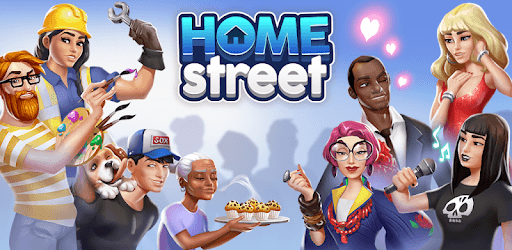
Home Street – Home Design Game is an Android app developed and published by Supersolid at Google Play Store on Oct 10, 2017 for Android users. Home Street – Home Design Game is so popular that it has gained 21376031 installs so far and growing.
Looking for a game that combines the joy of designing homes with a relaxing and enjoyable gameplay experience? Look no further than Home Street – Home Design Game. This delightful app offers a unique and immersive experience that will keep you entertained for hours on end.
If you're a fan of Sims Freeplay, then you're in for a treat with Home Street. This game offers a familiar experience with a twist, making it even better than its predecessor. The developers have put in a tremendous amount of work and effort to create a game that is not only visually stunning but also incredibly engaging.
One of the standout features of Home Street is its ability to keep you hooked without overwhelming you. Unlike many other games on the market, this app strikes the perfect balance, offering just the right amount of tasks and challenges to keep you busy without feeling overwhelmed. It's the ideal game for those who want to relax and unwind without the pressure of a fast-paced gameplay.
One of the biggest frustrations for gamers is the constant bombardment of ads or the need to constantly make in-app purchases to progress. With Home Street, you can say goodbye to those annoyances. This game is refreshingly free from annoying ads and does not follow a pay-to-play format. You can enjoy the game to its fullest without any interruptions or the need to spend real money.
Home Street offers endless possibilities when it comes to designing your dream home. Let your creativity run wild as you decorate and furnish your virtual space. The game also features exciting events that keep things fresh and interesting. From socializing with other players to participating in fun challenges, there's always something new to discover in Home Street.
You can join a group in Home Street once you reach level 14. Until then, you can enjoy all the other features and activities the game has to offer.
Yes, the developers regularly update Home Street with new items and upgrades to keep the game exciting for both new and long-time players. They strive to provide a fresh experience for everyone.
If you have made purchases in Home Street and want to restore them, reach out to the support team. They will assist you in recovering your purchases and ensuring that you can enjoy the full benefits of your investments.
Home Street – Home Design Game is a must-play for anyone who enjoys house games and wants to have fun with friends. With its easy-to-learn gameplay and captivating challenges, this game is sure to keep you entertained for hours. Download it now and start creating your dream home!
Yes, you can run Home Street – Home Design Game on PC, but first, you will need emulator software installed on your Windows or MAC, which you can download for free. In the below video, you will find Home Street – Home Design Game in action. Before you install the emulator, check out the minimum and recommended system requirements to run it seamlessly. They may change depending on which version of the emulator you choose. Therefore, we recommend you download the latest version of the emulator. Below you will find three free Android emulators that we have shortlisted based on their popularity:
Up to date graphics drivers from Microsoft or the chipset vendor.
Storage: 1 GB available under installation path, 1.5GB available hard drive space
Internet: Broadband Internet connection
Regardless of which Android emulator you install, the steps to install, configure, and running the Home Street – Home Design Game app on PC are the same.