
Published by ELECTRONIC ARTS
Updated September 21, 2025
Get Ready for the Holidays with Google Play’s Festive Updates!
| Version | 52.0.0.164239 |
| Size | 165.4 MB |
| What's New | Hey Simmers,This release marks the final update for TSM. On January 20, 2026, at 1:59 PM UTC, TSM will no longer be accessible and will sunset. All in-app purchases have been disabled. You can use any remaining in-game currencies until TSM sunsets.We're very grateful to everyone for playing. As a token of our appreciation, we've included a few surprises to help you experience all that TSM has to offer. We hope you enjoy the final update!On behalf of the entire TSM team, thank you. |
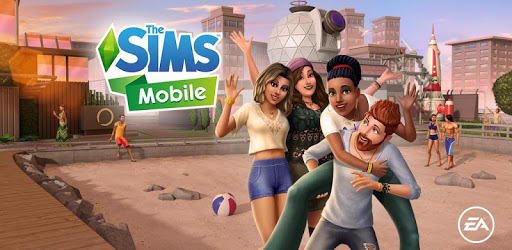
The Sims™ Mobile is an Android app developed and published by ELECTRONIC ARTS at Google Play Store on Mar 6, 2018 for Android users. The Sims™ Mobile is so popular that it has gained 10000000 installs so far and growing.
The Sims™ Mobile opens up a vibrant world where creativity and life management converge. In this delightful game, players get to craft and decorate their dream homes, build relationships, and experience the joys of life simulation right on their mobile phones. Whether you're a long-time fan of The Sims franchise or a newcomer, The Sims™ Mobile offers endless possibilities for fun and engagement.
One of the standout features of The Sims™ Mobile is the extensive customization options available for your Sims. From choosing hairstyles and outfits to selecting personality traits, the game allows you to create unique characters that reflect your imagination. Dive into the world of your Sims as they navigate through various life stages, including falling in love, starting families, and finding their dream jobs.
The fun doesn't stop at creating Sims; The Sims™ Mobile also enables you to design and decorate your home to your heart’s content. Choose from a plethora of furniture, appliances, and decor options to make your space truly your own. Whether you prefer a cozy cottage or a modern mansion, the game provides you with the tools to build the home of your dreams.
The Sims™ Mobile excels in delivering an emotional and engaging experience by simulating life's biggest moments and milestones. From weddings to birthdays, and even the arrival of new family members, the game captures the essence of life’s journey in a captivating way. Watch your Sims grow and evolve through various life stages, forging relationships and creating cherished memories along the way.
Social interactions are at the core of The Sims™ Mobile. Engage with other Sims in the game, build friendships, and even find love. The game makes it easy to connect with other players' Sims through parties, events, and various social activities. It’s a great way to share experiences and explore different aspects of the game together.
The Sims™ Mobile team continues to enhance the game with regular updates, introducing new features, themes, and seasonal content. These upgrades keep the gameplay fresh and exciting, offering new experiences for players to enjoy. Keep an eye out for special events and challenges that add a layer of excitement and reward to your gameplay.
The Sims™ Mobile offers a variety of career paths and hobbies for your Sims to explore. From becoming a chef to pursuing a career in fashion, the game provides multiple avenues for your Sims to develop their skills and passions. Dive into the hustle of career life or unwind with hobbies, allowing your Sims to grow and thrive in their chosen fields.
To keep the gameplay balanced and engaging, The Sims™ Mobile employs a resource management system where players need to manage their Sims' energy levels. Plan your actions wisely and make sure your Sims are well-rested and ready for their daily activities. This adds a strategic layer to the game, making it more immersive and challenging.
The Sims™ Mobile boasts impressive graphics and detailed animations that bring your Sims and their world to life. From the expressions on your Sims' faces to the intricate details in home decor, the game's visuals enhance the overall experience, making it a delight to play.
The Sims™ Mobile stands out as an accessible and engaging life simulation game that offers a rich and immersive experience. With its customizable Sims, home design options, and interactive social gameplay, it’s a game that invites players to unleash their creativity and manage the lives of their Sims in a captivating virtual world. Whether you're building your dream home, pursuing a career, or enjoying life's milestones, The Sims™ Mobile guarantees hours of fun and entertainment. Dive into this vibrant world and start creating your virtual life today!
Yes, you can run The Sims™ Mobile on PC, but first, you will need emulator software installed on your Windows or MAC, which you can download for free. In the below video, you will find The Sims™ Mobile in action. Before you install the emulator, check out the minimum and recommended system requirements to run it seamlessly. They may change depending on which version of the emulator you choose. Therefore, we recommend you download the latest version of the emulator. Below you will find three free Android emulators that we have shortlisted based on their popularity:
Up to date graphics drivers from Microsoft or the chipset vendor.
Storage: 1 GB available under installation path, 1.5GB available hard drive space
Internet: Broadband Internet connection
Regardless of which Android emulator you install, the steps to install, configure, and running the The Sims™ Mobile app on PC are the same.