Published by SkyBell Technologies, Inc.
Updated October 14, 2025
SkyBell HD - see and speak with the person at your door from a smartphone.
| Version | 4.4.12 |
| Size | 43.5 MB |
| What's New | - Update target SDK version |
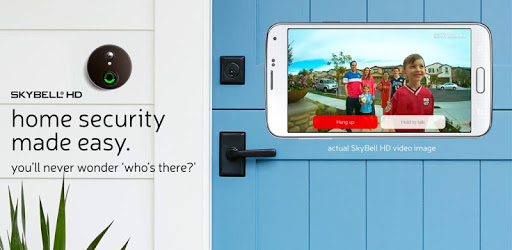
SkyBell HD is an Android app developed and published by SkyBell Technologies, Inc. at Google Play Store on Feb 1, 2016 for Android users. SkyBell HD is so popular that it has gained 100000 installs so far and growing.
SkyBell HD is an advanced video doorbell that has made waves in the home security market. With its continuous updates and features, it has quickly become a favorite for many households, making homes safer and more connected.
SkyBell HD has come a long way since its inception. Initially, there were a few hiccups, but with dedicated support and regular updates, many of the early issues have been ironed out. The motion detection feature, for instance, has significantly improved and now works flawlessly. It's so sensitive that it can detect even minor movements, ensuring that no visitor goes unnoticed.
One of the standout aspects of SkyBell HD is its robust customer service. Whether it's a firmware glitch or a hardware issue, the support team is always ready to assist. They offer replacements when necessary and provide timely, effective solutions. The company’s commitment to customer satisfaction is evident in their swift responses and hands-on approach to problem-solving.
The integration of SkyBell HD with existing security systems is seamless and efficient. Once installed, it syncs quickly and performs as expected. It works exceptionally well across various devices, be it a Nexus 5x or a Galaxy S8 Plus. This compatibility ensures that users can access their doorbell's features should their devices change.
SkyBell HD offers several useful features that enhance home security. The live video function allows homeowners to see and communicate with visitors in real-time, regardless of their location. Notifications are prompt, enabling users to respond swiftly when the doorbell rings or motion is detected. The bulk delete feature is also a highlight, making it easy to manage old footage.
Performance-wise, SkyBell HD stands out in comparison to many other video doorbells. The device opens up to live video without any lag, providing a clear, continuous stream. It works well even in challenging conditions, such as detecting a small moth flying close to the doorbell. Additionally, there are no monthly fees, offering an economical solution for long-term use.
The motion detection feature of SkyBell HD is exemplary. It quickly notifies homeowners of any activity near their door, making it an essential part of any security setup. Despite occasional false alerts, there have been significant improvements over time, making it more reliable and effective.
Installing SkyBell HD is straightforward. The process is well-documented and user-friendly, ensuring even those with limited technical knowledge can set it up without hassle. The product works best with a 2.4GHz WiFi router, and following the setup steps closely will guarantee optimal performance.
One of the most crucial aspects of a video doorbell is the speed of notifications, and SkyBell HD excels in this area. Notifications are instantaneous, allowing homeowners to act immediately. Whether it’s to instruct the post courier or to inform a visitor about availability, the real-time alerts make life easier and homes safer.
SkyBell HD has a solid track record when it comes to connectivity. Despite some early challenges with Android synchronization, recent updates have rectified these issues. The device now performs reliably across both iOS and Android platforms, ensuring consistent video streaming and responsiveness.
SkyBell HD has proven itself as a reliable and effective video doorbell. Its feature-rich design, excellent customer support, and continuous improvements make it a top choice for those looking to enhance their home security. Whether it’s for monitoring visitors or integrating into a broader security system, SkyBell HD stands out as a remarkable product.
Yes, you can run SkyBell HD on PC, but first, you will need emulator software installed on your Windows or MAC, which you can download for free. In the below video, you will find SkyBell HD in action. Before you install the emulator, check out the minimum and recommended system requirements to run it seamlessly. They may change depending on which version of the emulator you choose. Therefore, we recommend you download the latest version of the emulator. Below you will find three free Android emulators that we have shortlisted based on their popularity:
Up to date graphics drivers from Microsoft or the chipset vendor.
Storage: 1 GB available under installation path, 1.5GB available hard drive space
Internet: Broadband Internet connection
Regardless of which Android emulator you install, the steps to install, configure, and running the SkyBell HD app on PC are the same.