Published by Scalisoft
Updated August 26, 2026
multi-touch 3d-graphics - new ways of viewing, drawing & modeling
| Version | 1.3.3 |
| Size | 2.6 MB |
| What's New | fixed:- severe bug with large files in last version- menu rendering bug in last version |
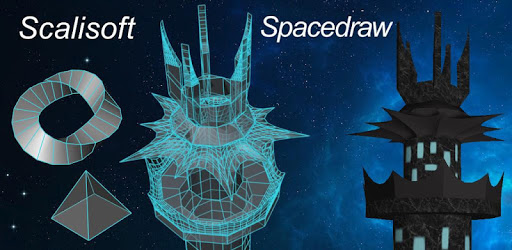
Spacedraw is an Android app developed and published by Scalisoft at Google Play Store on Oct 5, 2012 for Android users. Spacedraw is so popular that it has gained 100000 installs so far and growing.
Are you looking for a powerful 3D modeling app that you can use on your Android device? Look no further than Spacedraw! With its extensive set of tools and impressive capabilities, Spacedraw is the go-to app for both novices and professionals in the field of 3D modeling. Developed by a single individual, this app is a testament to the incredible possibilities that can be achieved with dedication and skill.
Spacedraw may lack an unwrapper to efficiently prepare UVs, but when it comes to pure modeling, it is second to none. The comprehensive set of tools offered by Spacedraw is exhaustive and impressive, allowing you to explore the limitless possibilities of 3D design. Whether you are a seasoned professional or just starting out, you'll find that Spacedraw offers a user-friendly experience that is easy to get used to.
Don't be discouraged if you've never worked with popular 3D modeling software like Maya, Max, or Blender. Spacedraw is designed to be accessible to all users, and you'll quickly find yourself adapting to its intuitive interface. Its power and efficiency are unmatched, making it the best 3D modeling app available for Android.
Spacedraw may be an underrated gem in the world of 3D modeling apps, but its potential is undeniable. While learning the app may seem daunting at first, it's only a temporary hurdle. The controls are meticulously designed to enhance productivity, and with a little familiarity, you'll be amazed at what you can accomplish.
From basic fundamentals to advanced techniques, Spacedraw offers a complete range of drawing features. Whether you're designing intricate objects, robots, or buildings, this app has everything you need to bring your ideas to life. And don't worry if you're new to the app – a clean tutorial guide is on its way to help you navigate Spacedraw with ease.
One user expressed frustration about not being able to find the item to save over 1k vertexes. While every app may have its minor flaws, Spacedraw is truly a genius creation. Its compact size of just 2 MB is astonishing considering the vast array of options and the ability to design complex objects. This app is a game-changer for anyone interested in 3D modeling.
For years, people have been searching for a free CAD app that delivers exceptional performance. Spacedraw is the answer to that search. While it may take some time to learn and may have a few annoying errors, the results it produces are truly amazing. Novices and professionals alike can benefit from the systematic approach to modeling in 3D space that Spacedraw offers.
Yes, Spacedraw is compatible with the latest version of Android. You may encounter a pop-up message on certain devices, but this can be resolved by checking for updates or contacting the developer.
While the app may have a slight learning curve, it offers excellent rotation and zoom capabilities. With a little practice, you'll be navigating your designs with ease.
At the moment, Spacedraw does not have a built-in rendering and export option. However, the developer is continuously working on improving the app, so keep an eye out for future updates.
Yes, Spacedraw is compatible with both smartphones and tablets. The app is designed to provide a seamless experience across different Android devices.
With Spacedraw, you have the power to unlock your creativity and bring your 3D modeling ideas to life. Don't miss out on this incredible app – download Spacedraw now and start creating!
Yes, you can run Spacedraw on PC, but first, you will need emulator software installed on your Windows or MAC, which you can download for free. In the below video, you will find Spacedraw in action. Before you install the emulator, check out the minimum and recommended system requirements to run it seamlessly. They may change depending on which version of the emulator you choose. Therefore, we recommend you download the latest version of the emulator. Below you will find three free Android emulators that we have shortlisted based on their popularity:
Up to date graphics drivers from Microsoft or the chipset vendor.
Storage: 1 GB available under installation path, 1.5GB available hard drive space
Internet: Broadband Internet connection
Regardless of which Android emulator you install, the steps to install, configure, and running the Spacedraw app on PC are the same.