Published by Samsung Electronics Co., Ltd.
Updated April 5, 2026
This application is a component for Galaxy Wearable Application.
| Version | 2.2.05.24020151 |
| Size | 86.9 MB |
| What's New | Minor bug fixes and improvements. Install or update to the newest version to check it out! |
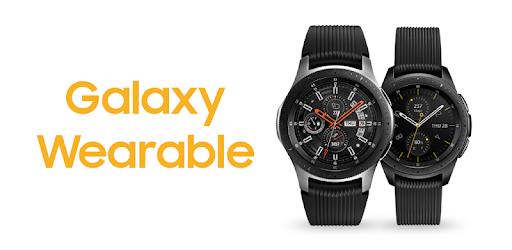
Galaxy Watch Plugin is an Android app developed and published by Samsung Electronics Co., Ltd. at Google Play Store on Aug 22, 2018 for Android users. Galaxy Watch Plugin is so popular that it has gained 4992957 installs so far and growing.
Discover the perfect companion for your Samsung Galaxy Watch with the Galaxy Watch Plugin app. Whether you're a fitness enthusiast or a fashion-forward individual, this app offers a wide range of features and watch faces to enhance your smartwatch experience. With its user-friendly interface and seamless compatibility, you'll find yourself falling in love with this app in no time.
One of the standout features of the Galaxy Watch Plugin is its extensive collection of watch faces. With so many options to choose from, you can easily find the perfect style to match your mood and outfit. From classic designs to festive themes like Christmas and Halloween, there's something for everyone. Plus, the prices for the premium watch faces are incredibly reasonable, making it even more enticing to explore new looks.
Whether you own a Samsung phone or a Motorola phone, rest assured that the Galaxy Watch Plugin works flawlessly on both devices. Users have reported using this app with their Samsung and Motorola phones without any major issues. In fact, some have even used the app for three years straight without encountering any problems. This level of reliability is a testament to the app's excellent compatibility and performance.
If you're a fitness enthusiast, you'll be delighted to know that the Galaxy Watch Plugin is a perfect companion for your workout sessions. With its seamless integration with your smartwatch, you can track your bike rides, walks, and even lap times during calm water exercises. The app takes away the hassle of worrying about timing and waterproofing, allowing you to focus on your fitness goals. Plus, users have expressed their desire for an option to access exercise data anytime, and we're constantly working to make this feature available.
We understand that technical issues can be frustrating, but rest assured that the Galaxy Watch Plugin has a dedicated support team ready to assist you. Users have praised the prompt and efficient response from Samsung tech support when they encountered issues. Whether it's a lack of support from other phone manufacturers or minor glitches, the support team is always there to help you rectify the problem. You can count on their expertise to ensure a smooth and enjoyable experience with the app.
Yes, the Galaxy Watch Plugin offers a wide range of customizable watch faces to suit your style and preferences. You can easily personalize your smartwatch by selecting different designs, colors, and complications.
Yes, the Galaxy Watch Plugin is designed to be compatible with all Samsung Galaxy watches. Whether you own the latest model or an older version, you can enjoy the full functionality of the app.
If you encounter any issues with the app not opening or updating, we recommend uninstalling and reinstalling the app. This simple step often resolves any software conflicts and ensures a smooth experience. If the problem persists, reach out to our support team for further assistance.
Currently, the Galaxy Watch Plugin is primarily designed to sync fitness data with your smartphone. However, we are constantly working on expanding compatibility with other devices to enhance your fitness tracking experience.
The Galaxy Watch Plugin is optimized to minimize battery consumption on your smartphone. While there may be a slight impact on battery life, it is generally negligible and should not significantly affect your overall usage.
Experience the best of what the Galaxy Watch Plugin has to offer. Download the app today and elevate your smartwatch experience to new heights!
Yes, you can run Galaxy Watch Plugin on PC, but first, you will need emulator software installed on your Windows or MAC, which you can download for free. In the below video, you will find Galaxy Watch Plugin in action. Before you install the emulator, check out the minimum and recommended system requirements to run it seamlessly. They may change depending on which version of the emulator you choose. Therefore, we recommend you download the latest version of the emulator. Below you will find three free Android emulators that we have shortlisted based on their popularity:
Up to date graphics drivers from Microsoft or the chipset vendor.
Storage: 1 GB available under installation path, 1.5GB available hard drive space
Internet: Broadband Internet connection
Regardless of which Android emulator you install, the steps to install, configure, and running the Galaxy Watch Plugin app on PC are the same.