Published by RupiApps
Updated October 19, 2025
Please see list of supported cameras before installing
| Version | 6.12.8 |
| Size | 15.8 MB |
| What's New | minor fixes and stability improvements |
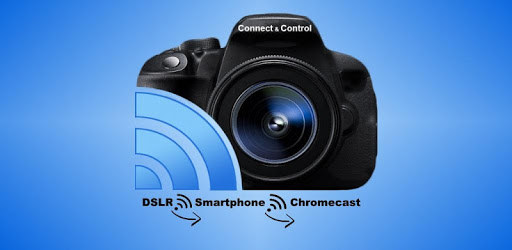
Camera Connect & Control is an Android app developed and published by RupiApps at Google Play Store on Jun 4, 2016 for Android users. Camera Connect & Control is so popular that it has gained 4266093 installs so far and growing.
Camera Connect & Control stands out in the realm of mobile applications designed for photographers. This handy tool significantly overshadows the original Canon app, offering robust features that enhance the photography experience. From remote shooting to seamless photo transfers, this app brings a wealth of benefits to the table.
One of the most exciting features is the ability to use your phone as a remote control for your camera. Whether you own a Canon T3i, Nikon D3400, or Nikon D7100, Camera Connect & Control lets you operate your camera from a distance. This feature is perfect for situations where you need to avoid camera shake, like astrophotography or capturing wildlife. The remote live view screen is also a game-changer, allowing you to preview photos with ease.
The app offers a convenient way to back up your photos directly to the cloud. This feature is perfect for those who want to ensure their precious memories are stored safely and can be accessed anytime, anywhere. While there are some minor limitations, like the basic folder selector for choosing download locations, the ability to upload photos to services like Google Drive adds significant value.
Whether you use a Canon, Nikon, or even a Samsung device, Camera Connect & Control provides a seamless connection. It works flawlessly with models like the Canon T6i and R5 and even older versions like the Canon 1100d. Moreover, it supports direct USB connections and doesn’t necessarily require a Wi-Fi enabled camera. This makes it incredibly versatile and user-friendly.
Camera Connect & Control shines when it comes to manual focusing and control. Features like double-tap to zoom and manual focus adjustments allow for more precise shots, especially beneficial for professional photography. These tools give users more creative control, resulting in higher-quality images compared to relying solely on automatic settings.
The app also includes options to embed GPS locations into your photos. Although some users may not see this data in the exif window, ensuring that location services are activated can help. Another impressive aspect is the ability to download RAW files, allowing photographers to work with uncompressed, high-quality images straight from the camera.
Camera Connect & Control offers an intuitive user interface that is easy to navigate. The support is fast and efficient, ensuring that any minor glitches can be quickly resolved. The app is described as both functional and responsive, delivering a smooth experience. Even though it’s not super flashy, it’s notably reliable.
Investing in the Pro version of Camera Connect & Control can be highly rewarding. Though the Lite version also offers a great range of features, the Pro version enables users to fully appreciate the developer’s efforts. With a price that reflects its comprehensive capabilities, this app proves to be a solid investment for both amateur and professional photographers alike.
Yes, you can run Camera Connect & Control on PC, but first, you will need emulator software installed on your Windows or MAC, which you can download for free. In the below video, you will find Camera Connect & Control in action. Before you install the emulator, check out the minimum and recommended system requirements to run it seamlessly. They may change depending on which version of the emulator you choose. Therefore, we recommend you download the latest version of the emulator. Below you will find three free Android emulators that we have shortlisted based on their popularity:
Up to date graphics drivers from Microsoft or the chipset vendor.
Storage: 1 GB available under installation path, 1.5GB available hard drive space
Internet: Broadband Internet connection
Regardless of which Android emulator you install, the steps to install, configure, and running the Camera Connect & Control app on PC are the same.