Published by SyncTech Pty Ltd
Updated April 14, 2026
A simple app to backup and restore SMS (text) messages and call logs.
| Version | 10.24.003 |
| Size | 19.0 MB |
| What's New | - Updated Google Ads library in an attempt to fix the blank screen issue reported by some users.- Updated to latest Dropbox library for upcoming Dropbox certificate changes. |
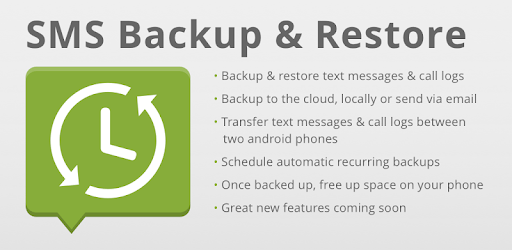
SMS Backup & Restore is an Android app developed and published by SyncTech Pty Ltd at Google Play Store on for Android users. SMS Backup & Restore is so popular that it has gained 39166121 installs so far and growing.
Are you tired of losing all your SMS texts when switching to a new phone or upgrading? Look no further than SMS Backup & Restore, the app that ensures a seamless transition and keeps all your precious messages intact. With its amazing features and flawless execution, this app is a game-changer for anyone who values their SMS conversations.
Unlike other transfer apps that promise but fail to deliver, SMS Backup & Restore lives up to its reputation. It effortlessly transfers your SMS texts and call logs, even if you have a massive amount of data. One user reported successfully transferring 53,000 text messages and 5000 call logs using the free version of the app. Now, that's impressive!
But what if you encounter issues while restoring your backup on the new phone? Don't worry, SMS Backup & Restore has got you covered. Simply save the backup file locally on your old phone, transfer it to the new phone via USB, and then restore from the transferred local backup. It's a simple workaround that ensures a smooth restoration process.
If you're not using Google Messages and Dialer, switching to a different brand of phone can be a headache. But with SMS Backup & Restore, you can breathe easy. This app is the perfect choice for those facing compatibility issues due to different messaging and dialing apps. It seamlessly transfers your SMS texts, regardless of the brand of your new phone.
What sets SMS Backup & Restore apart from other apps is its outstanding customer support. One user shared their experience of receiving prompt assistance from the tech support team, who helped them overcome an issue they were facing. This level of support ensures that you can rely on the app to solve any problems you encounter.
Moreover, SMS Backup & Restore boasts a user-friendly interface that makes the entire process a breeze. It's designed to be simple and intuitive, allowing you to navigate through the app effortlessly. Whether you're a tech-savvy individual or a beginner, you'll find this app easy to use and highly effective.
Absolutely! SMS Backup & Restore is specifically designed to make transferring SMS texts a seamless process. It ensures that you don't lose any important conversations when switching to a new phone.
If you face any difficulties during the restoration process, don't worry. Simply save the backup file locally on your old phone, transfer it to the new phone via USB, and then restore from the transferred local backup. This workaround ensures a successful restoration.
Yes, SMS Backup & Restore is the perfect solution for users who are not using Google Messages and Dialer. It seamlessly transfers your SMS texts, regardless of the brand of your new phone.
Absolutely! SMS Backup & Restore provides efficient customer support. If you encounter any issues or have questions, you can reach out to their tech support team for prompt assistance.
Don't let the fear of losing your SMS texts hold you back from upgrading or switching to a new phone. With SMS Backup & Restore, you can confidently make the transition, knowing that all your valuable conversations will be safely transferred and restored. Say goodbye to starting from scratch and hello to a seamless transfer process. Try SMS Backup & Restore today and experience the convenience it offers!
Yes, you can run SMS Backup & Restore on PC, but first, you will need emulator software installed on your Windows or MAC, which you can download for free. In the below video, you will find SMS Backup & Restore in action. Before you install the emulator, check out the minimum and recommended system requirements to run it seamlessly. They may change depending on which version of the emulator you choose. Therefore, we recommend you download the latest version of the emulator. Below you will find three free Android emulators that we have shortlisted based on their popularity:
Up to date graphics drivers from Microsoft or the chipset vendor.
Storage: 1 GB available under installation path, 1.5GB available hard drive space
Internet: Broadband Internet connection
Regardless of which Android emulator you install, the steps to install, configure, and running the SMS Backup & Restore app on PC are the same.