Published by PLOKia
Updated December 12, 2025
Schedule, Note for Students
| Version | 9.1.9 |
| Size | 10.8 MB |
| What's New | ClassUp v9 - New way to explore your schedule- Swipe your schedule- Specify a class's duration- Support week A/B and biweekly class- Maximum 10 time periods per class- Performance optimization and bug fixedv9.1.9- Fixed bugs.If you have any bugs or suggestions, text me please.Contact Page : https://classup.plokia.com/contactPhone : +82 - 10 - 2699 - 7042Email : [email protected] |
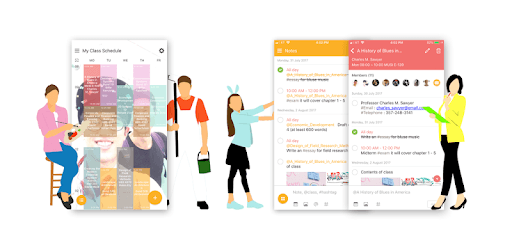
ClassUp - Schedule, Note for Students is an Android app developed and published by PLOKia at Google Play Store on Aug 22, 2012 for Android users. ClassUp - Schedule, Note for Students is so popular that it has gained 500000 installs so far and growing.
Are you tired of constantly losing track of your class schedule? Look no further, because ClassUp is here to save the day! With its user-friendly interface and customizable features, this app is a game-changer for students who want to stay organized and on top of their academic responsibilities.
One of the standout features of ClassUp is its ability to seamlessly transfer your class schedule from one device to another. Imagine losing your phone and fearing that all your important class information is gone forever. But fear not, because with ClassUp, you can simply log in with your email and voila! Your class schedule is back, making the transition to a new device stress-free.
Not only does ClassUp keep your schedule intact, but it also allows you to personalize your lock screen with beautiful backgrounds and themes. Say goodbye to a boring lock screen and hello to a visually appealing and aesthetic display that reflects your unique style.
With ClassUp, you no longer need to juggle multiple apps to check your next class. By placing your schedule on your lock screen, you can easily glance at your phone and know exactly where you need to be. This convenient feature saves you time and eliminates the hassle of switching between different apps.
Furthermore, ClassUp offers a variety of customization options to make your schedule truly your own. You can change the wallpaper, adjust transparency, and even add details such as professors and classrooms. This level of personalization ensures that your schedule is not only functional but also visually appealing.
ClassUp prides itself on its straightforward and clean design. The app does its job flawlessly, without bombarding you with annoying ads. Its simplicity and efficiency make it a pleasure to use, allowing you to focus on what truly matters – your studies.
Don't just take our word for it – ClassUp has received rave reviews from students who have experienced its benefits firsthand. Users have described it as perfect, elegant, and efficient. The developers behind ClassUp have clearly put in the effort to create an app that meets the needs of students seeking a reliable and user-friendly scheduling tool.
Yes, ClassUp offers a range of customization options, allowing you to change the wallpaper, adjust transparency, and add details such as professors and classrooms. Make your schedule truly your own!
Absolutely! Simply log in with your email, and your class schedule will be seamlessly transferred to your new device. No more worries about losing important information.
Yes, ClassUp allows you to display your schedule on your lock screen. This way, you can easily check your next class with just a glance at your phone.
Yes, ClassUp is completely ad-free, ensuring a seamless and uninterrupted user experience.
ClassUp is designed with simplicity and efficiency in mind. Its clean and intuitive interface makes it easy for students to navigate and utilize all its features without any hassle.
In conclusion, ClassUp is the ultimate app for students who want to take control of their academic life. With its seamless schedule transfer, customization options, and user-friendly interface, this app is a must-have for anyone looking to stay organized and efficient. Download ClassUp today and experience the difference it can make in your student journey!
Yes, you can run ClassUp - Schedule, Note for Students on PC, but first, you will need emulator software installed on your Windows or MAC, which you can download for free. In the below video, you will find ClassUp - Schedule, Note for Students in action. Before you install the emulator, check out the minimum and recommended system requirements to run it seamlessly. They may change depending on which version of the emulator you choose. Therefore, we recommend you download the latest version of the emulator. Below you will find three free Android emulators that we have shortlisted based on their popularity:
Up to date graphics drivers from Microsoft or the chipset vendor.
Storage: 1 GB available under installation path, 1.5GB available hard drive space
Internet: Broadband Internet connection
Regardless of which Android emulator you install, the steps to install, configure, and running the ClassUp - Schedule, Note for Students app on PC are the same.