Published by TAPCLAP
Updated June 21, 2026
Collect recipes for the most delicious sweets in the sweetest match-3 game!
| Version | 1.5.0 |
| Size | 85.0 MB |
| What's New | Minor bug fixes and improvements. Install or update to the newest version to check it out! |
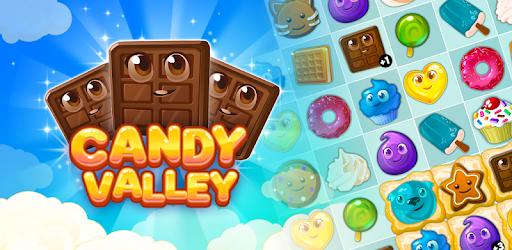
Candy Valley - Match 3 Puzzle is an Android app developed and published by TAPCLAP at Google Play Store on Jun 29, 2016 for Android users. Candy Valley - Match 3 Puzzle is so popular that it has gained 8766685 installs so far and growing.
Welcome to Candy Valley - Match 3 Puzzle, a fun and addictive game that promises hours of entertainment. Whether you're a casual gamer or a puzzle enthusiast, there's something for everyone here. Let's dive into what makes Candy Valley - Match 3 Puzzle so appealing.
If you're looking for a game that is as sweet as candy, then Candy Valley - Match 3 Puzzle is perfect for you. Players find themselves hooked almost instantly. The game combines colorful graphics, adorable characters, and challenging puzzles that keep you coming back for more. Best of all, it's suitable for players of all ages, making it a family-friendly option.
Candy Valley - Match 3 Puzzle is designed to keep you engaged. The game features numerous levels, each becoming progressively more challenging. The difficulty curve is gradual, so you won't find yourself frustrated. This ensures that you can enjoy the gameplay at your own pace. You can play for hours and lose track of time without feeling overwhelmed.
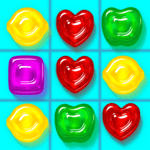
The graphics in Candy Valley - Match 3 Puzzle are delightful. The bright, colorful designs and cute characters make the game visually appealing. Kids especially love the charming visuals, making it a hit for family game nights. Even adults will find the aesthetics pleasing, adding to the overall enjoyment of the game.
One of the standout features of Candy Valley - Match 3 Puzzle is its family-friendly nature. It's not rated for adults, making it a perfect choice for younger players. Parents can feel confident allowing their kids to play this game. The easy-to-understand mechanics mean that even younger children can join in on the fun.
Looking for a game to help you wind down after a long day? Candy Valley - Match 3 Puzzle fits the bill. It’s a great way to relax and de-stress. The game provides a soothing experience, making it ideal for playing before bed or during downtime. You can enjoy the puzzles without feeling rushed or stressed.
The game offers a variety of puzzles that gradually increase in difficulty. However, these puzzles don't become overly stressful or frustrating. The challenges are designed to be fun and rewarding. As you progress through the levels, you’ll find yourself eager to see what comes next. The game keeps you motivated with small rewards and incentives.
Like any game, Candy Valley - Match 3 Puzzle has areas that could use some improvement. Some players have noted issues with restarting levels or in-game purchases not working correctly. However, these concerns are minor compared to the overall enjoyment of the game. The support team is often quick to address any issues, ensuring a smooth gaming experience.
Despite these minor hiccups, Candy Valley - Match 3 Puzzle remains a favorite among puzzle game enthusiasts. Its addictive gameplay, beautiful graphics, and family-friendly content make it a standout choice for anyone looking to enjoy a match-3 puzzle game. So, why wait? Dive into Candy Valley - Match 3 Puzzle and discover the fun for yourself!
Yes, you can run Candy Valley - Match 3 Puzzle on PC, but first, you will need emulator software installed on your Windows or MAC, which you can download for free. In the below video, you will find Candy Valley - Match 3 Puzzle in action. Before you install the emulator, check out the minimum and recommended system requirements to run it seamlessly. They may change depending on which version of the emulator you choose. Therefore, we recommend you download the latest version of the emulator. Below you will find three free Android emulators that we have shortlisted based on their popularity:
Up to date graphics drivers from Microsoft or the chipset vendor.
Storage: 1 GB available under installation path, 1.5GB available hard drive space
Internet: Broadband Internet connection
Regardless of which Android emulator you install, the steps to install, configure, and running the Candy Valley - Match 3 Puzzle app on PC are the same.