Published by National Education Technologies Inc.
Updated November 10, 2025
Filters MILLIONS of Pornographic websites and keeps your Google searches safe.
| Version | 70.3.0 |
| Size | 101.6 MB |
| What's New | Bug fixes, extensions fixed and more under the hood improvements. Thanks for your patience and feedback! |
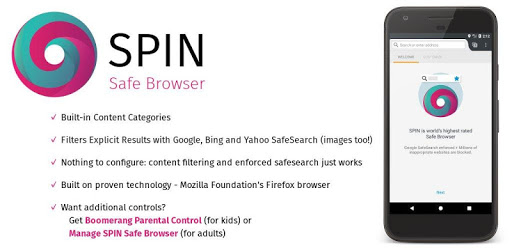
SPIN Safe Browser is an Android app developed and published by National Education Technologies Inc. at Google Play Store on Dec 16, 2015 for Android users. SPIN Safe Browser is so popular that it has gained 1216002 installs so far and growing.
Welcome to the ultimate online browsing experience with SPIN Safe Browser! If you are looking for a safe, secure, and enjoyable way to surf the internet, SPIN Safe Browser is your perfect tool. Let's dive into what makes this browser exceptional and why it’s a must-have for everyone.
SPIN Safe Browser is designed to provide a secure and controlled surfing environment, separating it from other browsers. Its unique features cater to those who want a cleaner internet experience, free from inappropriate content. This makes it an excellent choice for both personal and family use.
Enhance your browsing safety by combining SPIN Safe Browser with other tools like Bulldog Blocker App, AppBlock, and BlockerHero. These collaborations can offer comprehensive protection across various content types, ensuring a secure experience on all fronts.
SPIN Safe Browser is second to none when it comes to filtering explicit material. It blocks harmful websites effectively, offering an internet safe from unethical content. This capability not only ensures a secure browsing experience but also helps in productive use of the internet. The browser achieves nearly a 0.001% chance of encountering inappropriate sites.
One of the outstanding features of SPIN Safe Browser is its ad-free environment. This results in a smoother and more enjoyable internet experience. No more annoying pop-ups or distracting advertisements – just pure, undisturbed browsing.
SPIN Safe Browser comes with a user-friendly interface that makes it simple to navigate. It also includes useful extensions such as an ad blocker and a Google Search fixer, enhancing your overall browsing experience. While the browser is already quite powerful, introducing features like customizable wallpapers could make it even better.
If you're on a journey of rejuvenation or struggling with distractions like internet addiction, SPIN Safe Browser can offer significant support. By removing all other browsers and relying solely on SPIN Safe Browser, you can focus more on productivity and less on unwanted distractions.
Support is responsive and takes user complaints seriously. Whether it's refining the app further or addressing specific issues, users can rely on timely assistance to keep their browsing experience smooth and secure. The team behind SPIN Safe Browser is committed to continuous improvement, ensuring the app remains aligned with user expectations.
Parents can rest easy knowing their children are browsing in a safe environment. SPIN Safe Browser filters inappropriate content effectively, making it suitable for kids. With features like restricted mode activated by the administrator, it provides a controlled and safe browsing space for younger users.
While SPIN Safe Browser already delivers an excellent performance, there's always room for growth. Features like keyword blocking and filtering of social media sites like Facebook, Instagram, and Twitter could provide an added layer of security. Additionally, a touch of customization in terms of color schemes might make the app more visually appealing.
In a world where internet safety is paramount, SPIN Safe Browser stands out as a top choice for anyone looking to enhance their browsing experience. Whether you’re aiming for a secure, productive, or child-safe environment, SPIN Safe Browser has got you covered. Embrace a cleaner, safer, and more controlled way to surf the web with SPIN Safe Browser!
Yes, you can run SPIN Safe Browser on PC, but first, you will need emulator software installed on your Windows or MAC, which you can download for free. In the below video, you will find SPIN Safe Browser in action. Before you install the emulator, check out the minimum and recommended system requirements to run it seamlessly. They may change depending on which version of the emulator you choose. Therefore, we recommend you download the latest version of the emulator. Below you will find three free Android emulators that we have shortlisted based on their popularity:
Up to date graphics drivers from Microsoft or the chipset vendor.
Storage: 1 GB available under installation path, 1.5GB available hard drive space
Internet: Broadband Internet connection
Regardless of which Android emulator you install, the steps to install, configure, and running the SPIN Safe Browser app on PC are the same.