Published by MISTPLAY
Updated August 1, 2025
The rewards app for gamers.
| Version | 6.36.0 |
| Size | 86.0 MB |
| What's New | We have been working hard on our next update, we have made some exciting changes in this release! • We have tweaked some issues and bugs. • We are laying the foundation for some really exciting stuff coming next update. |
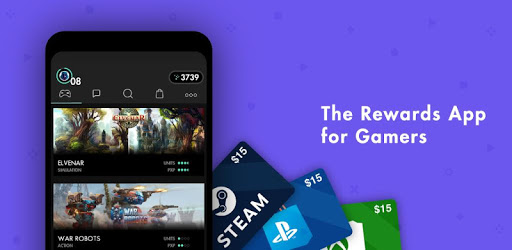
MISTPLAY is an Android app developed and published by MISTPLAY at Google Play Store on Jul 2, 2016 for Android users. MISTPLAY is so popular that it has gained 54478426 installs so far and growing.
MISTPLAY offers an innovative platform where you can turn your casual mobile gaming into tangible rewards. Perfect for anyone who loves gaming, this app lets you earn points by playing games you enjoy. It's a fun and easy way to earn gift cards while doing something you already love.
The concept behind MISTPLAY is simple. Download the app, play games through it, and earn points. These points can then be redeemed for a variety of gift cards, including popular choices like Google Play money and Amazon gift cards. The earning process varies depending on the game, but the app provides clear indications of which games earn the most points.
One of the standout features of MISTPLAY is its wide selection of games. From match-3 puzzles to hidden object adventures and more, there's something for every type of gamer. You also get exposed to new and exciting games you might not have tried otherwise. The app frequently updates its game library, keeping the experience fresh and engaging.
MISTPLAY ensures that the points you accumulate translate to real rewards quickly. Many users have reported fast payouts, often receiving them the same day. The app provides multiple payout options, including PayPal and direct gift card transfers, adding to its convenience. While some waiting periods might apply for certain gift cards, the overall process remains smooth and reliable.
Unlike many apps, MISTPLAY doesn't bombard you with ads. The few ads you do see are minimal and don't interfere with your gaming experience. This approach ensures you can focus on playing and earning without unnecessary distractions.
MISTPLAY features boosted games that allow you to earn points faster. These opportunities can significantly increase your earning potential. By following the app's suggestions and playing these boosted games, you can quickly rack up points and get closer to redeeming your rewards. The app also includes tasks that, when completed, can further accelerate your earnings.
One of the best aspects of MISTPLAY is its simplicity and ease of use. Even if you don't have much time to play, you can still earn decent rewards. The app's interface is intuitive, making it easy to navigate through different games and track your progress. Whether you play for a few minutes or hours each day, every bit contributes to your overall earnings.
MISTPLAY’s customer service is responsive and efficient. If you face any issues, like missing credits for purchases, the support team addresses them promptly. This reliability adds to the overall positive experience, ensuring that any problems are resolved quickly.
If you're an avid mobile gamer, MISTPLAY is a great way to monetize your hobby. With a wide selection of games, reliable payouts, and minimal ads, the app delivers a user-friendly experience that genuinely rewards your time and effort. Instead of just playing games for fun, why not earn some gift cards while you're at it?
Yes, you can run MISTPLAY on PC, but first, you will need emulator software installed on your Windows or MAC, which you can download for free. In the below video, you will find MISTPLAY in action. Before you install the emulator, check out the minimum and recommended system requirements to run it seamlessly. They may change depending on which version of the emulator you choose. Therefore, we recommend you download the latest version of the emulator. Below you will find three free Android emulators that we have shortlisted based on their popularity:
Up to date graphics drivers from Microsoft or the chipset vendor.
Storage: 1 GB available under installation path, 1.5GB available hard drive space
Internet: Broadband Internet connection
Regardless of which Android emulator you install, the steps to install, configure, and running the MISTPLAY app on PC are the same.