Published by Planning Center
Updated August 16, 2025
Service Planning & Scheduling
| Version | 6.7.5 |
| Size | 25.7 MB |
| What's New | - Multitracks previews are back in harmony- The “Remove Profile Photo” button is no longer playing hide-and-seek- Stability improvements for a smoother experience |
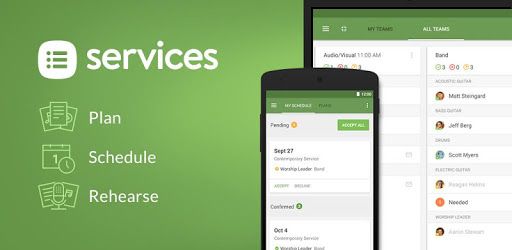
Planning Center Services is an Android app developed and published by Planning Center at Google Play Store on Sep 29, 2010 for Android users. Planning Center Services is so popular that it has gained 2619217 installs so far and growing.
Planning Center Services is a fantastic tool that makes organization simple and stress-free. Whether you're managing a praise team, coordinating events, or handling multiple volunteers, this tool will become your go-to companion for seamless planning.
If you’ve ever struggled with organizing schedules and events, Planning Center Services offers a radiant solution. Imagine having everything you need in one place, easily accessible and manageable. Here’s why this platform is a must-have:
This app excels at making scheduling a breeze. With its sleek and intuitive design, you can set up schedules for your praise team, media crew, or Sunday school teachers in no time. Accessing necessary files and resources has never been easier, keeping everyone on the same page without any confusion.
Connecting with your team is crucial, and Planning Center Services nails this aspect. Sending service requests to volunteers and receiving their responses is straightforward. Whether they accept or decline, you’ll know right away, making it simpler to manage all your volunteers effectively.
If you’re part of a praise team, you’ll love how easy it is to practice with this app. It lets you access all the songs you need for Sunday morning or any special events. The media player allows you to listen to sets during personal practice times, offering a way to stay in tune and well-prepared.
Planning Center Services offers a fantastic feature where multiple users can be set up under the same profile. This is perfect for families or teams where different members have various roles. You'll be able to manage different requests without any hassle, making the scheduling process personalized and efficient.
The customer support is second to none. If you ever run into issues, like trouble signing in after an update, their helpful team is quick to provide solutions. Simple steps like reinstalling the app can solve problems, and their guidance is clear and supportive.
This app helps leaders maintain a unified focus. It’s not just about scheduling; it's about ensuring everyone is aligned with the same goals and plans. That way, every event and service runs smoothly, creating a harmonious environment for both leaders and volunteers.
Planning Center Services comes packed with features that make it a standout choice. The addition of a dark theme adds a modern and sleek touch, catering to different user preferences. Navigation could be slightly improved, but the overall user experience remains intuitive and user-friendly.
The interface of Planning Center Services is designed to be as simple and organized as possible. You can easily find what you need and carry out tasks without any hiccups. It’s a low-effort, high-reward platform that brings out the best in your planning and organizing activities.
For those who rely on multiple platforms, there's a slight limitation as the app may not be available on all devices, like Amazon Kindle. However, its functionality on most popular devices ensures that you’re not missing out on its fantastic features.
Overall, Planning Center Services is an excellent tool for any organization, especially churches and non-profits, who need a streamlined way to manage their operations. This platform ensures that your events and services are meticulously planned and flawlessly executed.
Yes, you can run Planning Center Services on PC, but first, you will need emulator software installed on your Windows or MAC, which you can download for free. In the below video, you will find Planning Center Services in action. Before you install the emulator, check out the minimum and recommended system requirements to run it seamlessly. They may change depending on which version of the emulator you choose. Therefore, we recommend you download the latest version of the emulator. Below you will find three free Android emulators that we have shortlisted based on their popularity:
Up to date graphics drivers from Microsoft or the chipset vendor.
Storage: 1 GB available under installation path, 1.5GB available hard drive space
Internet: Broadband Internet connection
Regardless of which Android emulator you install, the steps to install, configure, and running the Planning Center Services app on PC are the same.