Published by Mattel163 Limited
Updated August 15, 2025
The Classic Game at your Fingertips
| Version | 1.16.6538 |
| Size | 532.8 MB |
| What's New | Paws of Fame Collection2.23–4.26-Unlock new card sets!-Season Pass rewards!New Events2.2-2.8: Goodies Sorting2.2-2.15: Valentine Team-Up2.9-2.15: Delicious Merge2.9-3.15: Global Adventure PuzzleUNO Contests2.2-2.15: 7th Anniversary Limited Ring Royale3.9-3.22: 2026 St. Patrick's Day Limited Ring Royale Fun Pack Upgrades-Winner Takes All mode is now integrated-All scoring and team-up rules match Go Wild mode-New multipliers for Side 2 Side and Open Draft-Coin cap added |
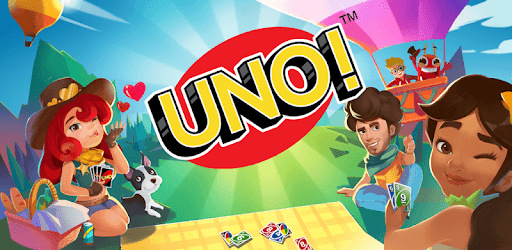
UNO!™ is an Android app developed and published by Mattel163 Limited at Google Play Store on Nov 14, 2018 for Android users. UNO!™ is so popular that it has gained 1000000 installs so far and growing.
UNO!™ is a fantastic card game that brings friends and family together for hours of fun. Whether you are playing offline or enjoying the online version, this game never fails to entertain. If you haven’t tried it yet, you're in for a treat!
One of the best things about UNO!™ is how it helps you become better at the game. You can go from being a beginner to a pro in no time. The game offers different modes and challenges that keep you on your toes and improve your strategic thinking.
Playing UNO!™ with friends and family can be a blast. The online version lets you connect with people from all around the world. Whether you’re playing with someone next door or across the globe, the fun never stops. You might even find yourself winning more often and surprising your friends and family with your new skills!
One of the standout features of UNO!™ is its amazing graphics. The bright colors and engaging design make the game even more enjoyable. Every match is visually appealing, adding to the overall excitement of playing.
One common issue with many games is the constant bombardment of ads. Luckily, UNO!™ offers an ad-free experience, allowing you to focus solely on the game. No interruptions mean more fun and a smoother gaming experience.
UNO!™ keeps things fresh and exciting with a variety of modes and challenges. Whether you prefer classic play or want to explore new twists, there is always something new to try. This diversity keeps players engaged and coming back for more.
Another fantastic aspect of UNO!™ is the option to play in teams. Whether it's with your sibling or a friend, teaming up adds a new layer of strategy and cooperation. Plus, the funny moments you share during the game make it even more memorable.
Even if you’re new to UNO!™, getting started is a breeze. The game guides you through the basics and helps you pick up the rules quickly. Before you know it, you'll be strategizing like a pro!
UNO!™ is a fantastic game for players of all ages. Kids and adults alike can enjoy the simple rules and the challenge of outsmarting opponents. It's a perfect way to spend quality time with family and friends.
The more you play UNO!™, the better you get. As you improve, you’ll win more matches and climb the ranks. The sense of achievement and progression keeps you motivated to play more and reach new heights.
Overall, UNO!™ offers a fun and friendly gaming experience. Whether you're playing alone or with others, the game never fails to bring joy and laughter. It's a must-have for anyone looking to have a good time.
Yes, you can run UNO!™ on PC, but first, you will need emulator software installed on your Windows or MAC, which you can download for free. In the below video, you will find UNO!™ in action. Before you install the emulator, check out the minimum and recommended system requirements to run it seamlessly. They may change depending on which version of the emulator you choose. Therefore, we recommend you download the latest version of the emulator. Below you will find three free Android emulators that we have shortlisted based on their popularity:
Up to date graphics drivers from Microsoft or the chipset vendor.
Storage: 1 GB available under installation path, 1.5GB available hard drive space
Internet: Broadband Internet connection
Regardless of which Android emulator you install, the steps to install, configure, and running the UNO!™ app on PC are the same.