Published by Lumos Labs, Inc.
Updated September 26, 2025
Lumosity is the world's most popular brain training program.
| Version | 10.19.84 |
| Size | 158.7 MB |
| What's New | New and improved games, updates to integrate the latest cognitive research, and new tools for tracking progress and staying motivated. |
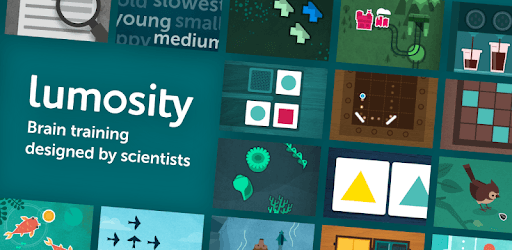
Lumosity: #1 Brain Games & Cognitive Training App is an Android app developed and published by Lumos Labs, Inc. at Google Play Store on Jun 8, 2014 for Android users. Lumosity: #1 Brain Games & Cognitive Training App is so popular that it has gained 10000000 installs so far and growing.
Are you looking for a fun and engaging way to boost your brainpower? Look no further than Lumosity! This app offers a variety of games designed to enhance your cognitive abilities. With Lumosity, you can practice vital mental skills daily, from memory and attention to problem-solving. Let's dive into what makes Lumosity the top choice for brain training.
Lumosity excels in providing a wide range of brain-training exercises. Each game is crafted to challenge different cognitive abilities. You’ll find brain teasers that test your memory, attention, and problem-solving skills. The diverse set of exercises ensures you never get bored and always have something new to look forward to.
These thoughtfully prepared games are not repetitive, making each session feel fresh and exciting. The variety of games also allows you to compete with your past performances, motivating you to improve continuously.
The app boasts an engaging interface that keeps you hooked. From the moment you start, the training mechanism guides you through the games, making it easy and comfortable to continue playing every day. Personalized challenges adapt to your progress, ensuring that the difficulty level matches your skills.
Lumosity helps keep your brain active with its daily cognitive exercises. By engaging in these activities, you can see an improvement in your mental strength and thought processes. The app aids in developing your mind and enhances problem-solving skills, making it a valuable tool for mental fitness.
The app is designed to be a holistic approach to mental stimulation, ideal for anyone looking to keep their brain sharp. Whether you’re young or old, Lumosity offers benefits that can be felt over time.
The design of Lumosity is beautiful and user-friendly. The games are visually appealing, and the app's layout is intuitive, making it easy to navigate. This thoughtful design contributes to a positive user experience, encouraging you to engage with the app regularly.
One of the standout features of Lumosity is the minimal presence of ads. Unlike other similar apps, Lumosity does not bombard you with annoying advertisements, allowing you to focus on your brain training. While the free version offers plenty of content, the subscription option provides access to more features and detailed reports on your progress.
Many users find the subscription worthwhile for the additional insights and comprehensive training experience it offers. However, the free version is still excellent for those who prefer not to pay but still want to enjoy quality brain games.
Lumosity is not just about playing games; it’s about real-life improvement. Engaging with the app daily can lead to noticeable enhancements in memory, attention, and problem-solving abilities. Some users have reported significant improvements in their cognitive functions, attributing their progress to consistent use of Lumosity.
For individuals with cognition and memory issues, Lumosity serves as a helpful tool to identify and improve necessary skills for everyday life. Even without scientific evidence, many find the app beneficial, claiming it helps them focus better than mindlessly scrolling through social media.
In summary, Lumosity offers a comprehensive and enjoyable way to train your brain. With its diverse games, engaging interface, and real-life benefits, it stands out as the top cognitive training app. Whether you choose the free or paid version, Lumosity is a fantastic tool to keep your mind sharp and active.
Yes, you can run Lumosity: #1 Brain Games & Cognitive Training App on PC, but first, you will need emulator software installed on your Windows or MAC, which you can download for free. In the below video, you will find Lumosity: #1 Brain Games & Cognitive Training App in action. Before you install the emulator, check out the minimum and recommended system requirements to run it seamlessly. They may change depending on which version of the emulator you choose. Therefore, we recommend you download the latest version of the emulator. Below you will find three free Android emulators that we have shortlisted based on their popularity:
Up to date graphics drivers from Microsoft or the chipset vendor.
Storage: 1 GB available under installation path, 1.5GB available hard drive space
Internet: Broadband Internet connection
Regardless of which Android emulator you install, the steps to install, configure, and running the Lumosity: #1 Brain Games & Cognitive Training App app on PC are the same.