Published by Line 6
Updated August 3, 2025
Spider Remote is a graphical editor app for Line 6 Spider V amplifiers.
| Version | 2.0.4 |
| Size | 56.5 MB |
| What's New | Bug fixes and compatibility with latest Android versions. |
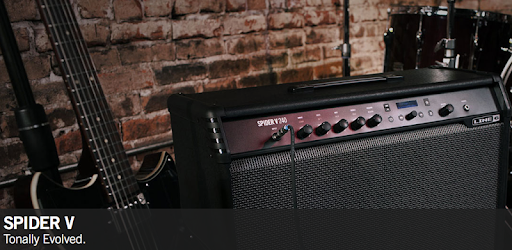
Spider Remote is an Android app developed and published by Line 6 at Google Play Store on Sep 27, 2016 for Android users. Spider Remote is so popular that it has gained 10000 installs so far and growing.
If you're a proud owner of a Line 6 Spider V amplifier, then you're in for a treat with the Spider Remote app. This app is designed to enhance your experience with your Spider V amplifier by providing a range of powerful features and easy-to-use controls. Whether you're a beginner or a seasoned guitarist, Spider Remote is a must-have tool for managing and editing your amplifier settings.
One of the standout features of Spider Remote is its seamless connectivity with the Spider V amplifier. Users have reported that the app works flawlessly from the moment it is connected to the amplifier. This means no more frustrating setup processes or compatibility issues.
But the real game-changer is the cloud integration feature. With Spider Remote, you can access a vast library of presets uploaded by other guitarists. Simply type in the name of a song or artist, and you'll be presented with a list of presets that match the desired sound. This feature is perfect for recreating iconic guitar tones, such as Prince's "Purple Rain." The presets even come with evaluation rankings from other users, ensuring you find the best match for your needs.
Line 6 has truly outdone themselves with the Spider V amplifier. Existing owners of the Spider V 5 will receive a free firmware upgrade to the MKII version, which includes new sounds and features. This commitment to customer satisfaction is commendable and sets Line 6 apart from other brands.
Spider Remote also allows users to save their own settings and share them with others. This feature is perfect for guitarists who want to showcase their unique sound and contribute to the ever-growing community of Spider V users.
Spider Remote has received rave reviews for its user-friendly interface and intuitive controls. Whether you're a beginner or an advanced user, you'll find the app easy to navigate and operate. Plus, Line 6 provides helpful troubleshooting support for any issues you may encounter. Their forums and online resources are a treasure trove of information, ensuring that you never feel stuck or frustrated.
While some users have reported minor compatibility issues with certain phone models, the majority have found Spider Remote to work seamlessly. Whether you're using a Samsung J7 Prime or an iPad, Line 6 has ensured that the app delivers a smooth experience across multiple devices.
If you own a Line 6 Spider V amplifier, the Spider Remote app is a must-have addition to your guitar gear. With its seamless connectivity, cloud integration, and customization options, Spider Remote takes your playing experience to a whole new level. Say goodbye to tedious setup processes and hello to a world of endless possibilities. Download Spider Remote today and unlock the full potential of your Line 6 Spider V amplifier!
Yes, you can run Spider Remote on PC, but first, you will need emulator software installed on your Windows or MAC, which you can download for free. In the below video, you will find Spider Remote in action. Before you install the emulator, check out the minimum and recommended system requirements to run it seamlessly. They may change depending on which version of the emulator you choose. Therefore, we recommend you download the latest version of the emulator. Below you will find three free Android emulators that we have shortlisted based on their popularity:
Up to date graphics drivers from Microsoft or the chipset vendor.
Storage: 1 GB available under installation path, 1.5GB available hard drive space
Internet: Broadband Internet connection
Regardless of which Android emulator you install, the steps to install, configure, and running the Spider Remote app on PC are the same.