#1 Online Coaching for NEET preparation | NEETprep for PC

#1 Online Coaching for NEET preparation | NEETprep for PC

Published by GoodEd Technologies Pvt Ltd

Updated November 22, 2025

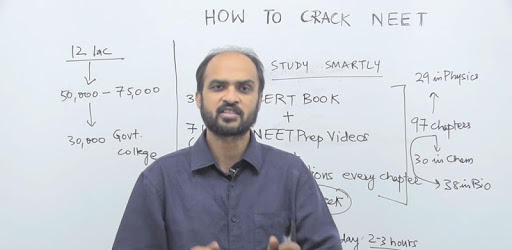
Score 500+ in NEET without having to go to Kota. Trusted by 50,000+ students.

What's New

Version14.4.0
Size114.0 MB
What's NewWhat's New in v14.4.0:🐛 Improved StabilityEnhanced error tracking to keep your study sessions running smoothly.📱 Refreshed Daily DPPCleaner layout with better spacing for easier reading.📊 Better Progress TrackingUpdated streak graphs with edge-to-edge display.🎯 Smarter Test ResultsLatest attempts now appear first for quick access.✨ Cleaner InterfaceStreamlined navigation and removed unused elements.We're constantly improving NeetPrep to help you ace your exams. Keep practicing! 💪

#1 Online Coaching for NEET preparation | NEETprep Screenshots

#1 Online Coaching for NEET preparation | NEETprep PC screenshot

About #1 Online Coaching for NEET preparation | NEETprep For PC

#1 Online Coaching for NEET preparation | NEETprep is an Android app developed and published by GoodEd Technologies Pvt Ltd at Google Play Store on May 26, 2016 for Android users. #1 Online Coaching for NEET preparation | NEETprep is so popular that it has gained 100000 installs so far and growing.

#1 Online Coaching for NEET Preparation | NEETprep

Looking for the ultimate tool to ace your NEET exams? Look no further than NEETprep. NEETprep is widely recognized as the top online coaching platform for NEET preparation. Delivering comprehensive study resources and engaging features, it stands out as the ideal choice for aspiring NEET candidates. Let's explore how NEETprep can elevate your NEET preparation to a whole new level.

Outstanding Question Practice

One of the standout features of NEETprep is its extensive question bank. The app provides an array of questions that are not only challenging but also aligned with the latest syllabus. Engaging with these questions helps you understand the core concepts clearly and prepares you effectively for the type of questions you'll face in the NEET exam. This is a key aspect to excel in NEET, as practicing varied questions sharpens your analytical and problem-solving skills.

Comprehensive Study Material

NEETprep goes beyond just offering questions. It also provides rich, detailed study materials that cover every subject you need for NEET. The materials are meticulously curated to match the syllabus of the NEET exam, making sure you don't waste time on outdated content. Furthermore, these resources are available even if you haven’t enrolled in a paid batch, offering a great head-start for free.

Flashcards and Interactive Features

Flashcards are one of the most beloved features of NEETprep. They are especially useful for subjects like Biology and Organic Chemistry. These flashcards break down complex topics into bite-sized, easily digestible information. This method not only aids in quick revision but also enhances long-term retention of crucial concepts.

Batch Programs Like ABHYAS

The ABHYAS Batch is another excellent feature of NEETprep. This batch offers a structured learning path, including targeted questions from important chapters. The questions are directly derived from NCERT textbooks, ensuring that you cover every vital detail. This saves you time, as you don't have to read the entire textbook separately. Questions in the ABHYAS Batch are designed to focus on weak areas and enforce a deeper understanding of the subject matter.

Reflex NEET UG Series

The Reflex NEET UG Series offers an organized framework to your preparation. This structured approach helps you to stay on track and gauge your progress effectively. Features like scheduled tests and mock exams simulate the actual exam environment, making you more comfortable and confident on the exam day.

Additional Tools and Features

NEETprep comes packed with other beneficial features such as DPP (Daily Practice Papers) generators and target setting functionalities. These tools help you define and meet your daily goals, keeping your preparation streamlined and focused. Such systematic practices ensure that you don’t miss out on any crucial topics and stay consistent throughout your preparation journey.

Cost-Effective Solutions

One of the most impressive aspects of NEETprep is its cost-effectiveness. Despite being packed with features, the platform remains affordable, providing high-quality education without burning a hole in your pocket. This makes NEETprep accessible to a wider range of students who aspire to crack NEET but are limited by financial constraints.

Professional Support and Assistance

NEETprep ensures that you are never alone in your preparation journey. With the support of qualified educators and responsive technical assistance, any issues—whether academic or technical—are resolved promptly. This ensures a smooth and uninterrupted learning experience.

Get started with NEETprep today to give your NEET preparation the boost it deserves. With its excellent resources, interactive features, and supportive environment, you're well on your way to acing your NEET exams!

Can I run #1 Online Coaching for NEET preparation | NEETprep on PC?

Yes, you can run #1 Online Coaching for NEET preparation | NEETprep on PC, but first, you will need emulator software installed on your Windows or MAC, which you can download for free. In the below video, you will find #1 Online Coaching for NEET preparation | NEETprep in action. Before you install the emulator, check out the minimum and recommended system requirements to run it seamlessly. They may change depending on which version of the emulator you choose. Therefore, we recommend you download the latest version of the emulator. Below you will find three free Android emulators that we have shortlisted based on their popularity:

How to Install #1 Online Coaching for NEET preparation | NEETprep on Windows PC

BlueStacks

Minimum
  • OS: Microsoft Windows 7 and above.
  • Processor: Intel or AMD Processor.
  • RAM: Your PC must have at least 4GB of RAM. (Note that having 4GB or more disk space is not a substitute for RAM)
  • Storage: 5GB Free Disk Space.
  • You must be an Administrator on your PC.
Recommended:
  • OS: Microsoft Windows 10
  • Processor: Intel or AMD Multi-Core Processor with Single Thread benchmark score > 1000.
  • Graphics: Intel/Nvidia/ATI, Onboard or Discrete controller with benchmark score >= 750.
  • Please ensure Virtualization is enabled on your PC/Laptop.
  • RAM: 8GB or higher
  • Storage: SSD (or Fusion/Hybrid Drives)
  • Internet: Broadband connection to access games, accounts and related content.

Up to date graphics drivers from Microsoft or the chipset vendor.

  • To start with, download Bluestacks from its official website. The latest version of BluesStacks is v 5, and it is around 400 MB.
  • Once the download is done, click on the Bluestacks set up file to install it on your Windows PC. Follow the on-screen instructions and install it accordingly.
  • The next step is to launch the emulator using the desktop shortcut and sign in using your Google account.
  • Now, head over to Bluestacks home screen and click on the Google Play Store icon.
  • Hit the search bar in Google Play and search for #1 Online Coaching for NEET preparation | NEETprep.
  • Install #1 Online Coaching for NEET preparation | NEETprep from the Play Store by clicking the Install option, which completes downloading of #1 Online Coaching for NEET preparation | NEETprep on PC.

NoxPlayer

Minimum
  • Operating System: Windows XP SP3, Windows Vista, Windows 7, Windows 8, Windows 10, and DirectX 9.0c
  • Processor: At least dual-core processor, both Intel, and AMD are OK
  • Video: Supports Open GL 2.0 or above
  • Memory: 1.5 GB RAM
Recommended
  • Operating System: Windows 7, Windows 8, Windows 10
  • Processor: Multiple core processors which support VT-x or AMB-V Virtualization Technology, better performance with this function enabled
  • Video: The higher performance, the better
  • Memory: 4 GB RAM

Storage: 1 GB available under installation path, 1.5GB available hard drive space

Internet: Broadband Internet connection

  • Download NoxPlayer from the official website. The latest version of NoxPlayer is v 3, and it is around 600 MB.
  • Now install the emulator using the downloaded setup file. Just go through the on-screen instructions and install NoxPlayer on your computer or laptop.
  • After the installation process, launch the Nox Android emulator and log in using your Google account when it asks you.
  • Click on the Google Play Store icon and head over to the search bar to search #1 Online Coaching for NEET preparation | NEETprep. Once found, click on the Install button to install #1 Online Coaching for NEET preparation | NEETprep for PC.
  • If you do not find #1 Online Coaching for NEET preparation | NEETprep on Google Play Store or if you want to skip logging in to Google, you can sideload APK (download the .APK file from this page and open it with NoxPlayer).
  • Launch #1 Online Coaching for NEET preparation | NEETprep from home-screen and start playing it on PC right away!

MEmu

Minimum
  • 2 cores x86/x86_64 Processor (Intel or AMD CPU)
  • WinXP SP3 / Win7 / Win8 / Win10 (Not recommended to run on Server/Enterprise)
  • Latest Windows DirectX 11 / Graphics driver with OpenGL 2.0
  • Hardware Virtualization Technology (Intel VT-x/AMD-V) shall be enabled in BIOS
  • 2GB of RAM (4GB for x64 system)
  • 5GB of hard disk free space
Recommended
  • OS: Microsoft Windows 10 with VT Enabled
  • CPU: Single Thread PassMark score > 1500 (Intel/AMD Multi-Core).
  • Graphics: Intel/Nvidia/ATI, Onboard or Discrete controller with PassMark score > 750.
  • Latest Windows DirectX 11 / Graphics driver with OpenGL 4.5 or higher
  • RAM: 8GB or higher
  • HDD: SSD, 10GB of hard disk free space
  • Internet: Broadband connection with low latency for FPS games
  • Download MEmu Play from the official website. The latest version of NoxPlayer is v 7.5.
  • When the download is completed, install the MEmu emulator on your PC. Follow the on-screen instructions and keep on clicking the Next button until the final step.
  • Now, using the desktop shortcut, look for the MEmu Play emulator and launch it. Once done, it will ask you to log in using your Google account, proceed with the same.
  • MEmu Play will ask you to log in using your Google account. When you log in, it will sync your Google account to MEmu Play. Launch the Google Play Store by clicking on the icon and search for #1 Online Coaching for NEET preparation | NEETprep.
  • Click on the Install button once you find #1 Online Coaching for NEET preparation | NEETprep from the search results. You can also sideload APK (download the .APK file from this page and open it with MEmu) if you want to skip above step.
  • After the installation of #1 Online Coaching for NEET preparation | NEETprep, you're all set to use the app on PC!

Regardless of which Android emulator you install, the steps to install, configure, and running the #1 Online Coaching for NEET preparation | NEETprep app on PC are the same.


Download #1 Online Coaching for NEET preparation | NEETprep For PC