Published by Gaea Mobile Limited
Updated September 15, 2025
Join thousands of players as you build your kingdom in Kingdoms of Camelot!
| Version | 22.5.2 |
| Size | 62.1 MB |
| What's New | Minor bug fixes and improvements. Install or update to the newest version to check it out! |
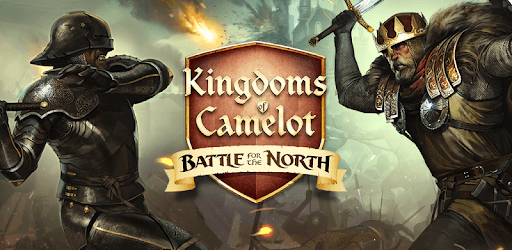
Kingdoms of Camelot: Battle is an Android app developed and published by Gaea Mobile Limited at Google Play Store on Sep 12, 2012 for Android users. Kingdoms of Camelot: Battle is so popular that it has gained 1000000 installs so far and growing.
Welcome to the extraordinary world of Kingdoms of Camelot: Battle, a game that has captivated the hearts of countless players around the world. With its engaging gameplay and rich storyline, it continues to be an top choice for those who love strategy games. Whether you are a seasoned player or just starting out, there's something here for everyone to enjoy.
Kingdoms of Camelot: Battle is one of those games that you simply can't put down. From building your kingdom to engaging in epic battles, there are endless activities to keep you entertained. The game is designed to draw you in and hold your interest, making it a perfect pastime that you can immerse yourself in for hours.
One of the most unique aspects of Kingdoms of Camelot: Battle is the chance to meet and interact with people from all over the world. As you build and expand your kingdom, you'll have the opportunity to form alliances and make friends. This social dimension adds an extra layer of enjoyment to the game, as you share experiences and strategies with fellow players.
While some may choose to spend extra money on game enhancements, Kingdoms of Camelot: Battle provides ample opportunities for all players to succeed. Spending money can speed up progress, but diligent and patient players can achieve great things without spending a dime. The game offers various contests where players can win rewards, making it inclusive and fair for everyone.
Success in Kingdoms of Camelot: Battle requires more than just time and effort. Understanding the importance of each part of the game is crucial. Learning how to build a balanced and powerful kingdom will greatly enhance your experience. The more you play, the more you will understand the strategies needed to become a better player.
No matter your background or interests, Kingdoms of Camelot: Battle has something to offer. It's a game that people from all walks of life can enjoy. From thrilling battles to peaceful construction, there are various aspects that will appeal to different players. Whether you are a casual gamer or a dedicated strategist, you'll find your place in this thrilling world.
Playtime with Kingdoms of Camelot: Battle can be very engrossing, so it's important to balance it with your daily life. Set aside dedicated time for the game and be mindful of maintaining a healthy balance between gaming and other responsibilities.
Adding mini-games could make Kingdoms of Camelot: Battle even more engaging. These would provide quick and enjoyable activities that could offer a break from the main game, adding a refreshing variety to the gameplay experience.
Kingdoms of Camelot: Battle has set the standard for what a strategy game should be. Its blend of social interaction, strategy, and fun makes it a standout game that is well worth your time. Dive into the world of Camelot and experience the excitement that awaits!
Yes, you can run Kingdoms of Camelot: Battle on PC, but first, you will need emulator software installed on your Windows or MAC, which you can download for free. In the below video, you will find Kingdoms of Camelot: Battle in action. Before you install the emulator, check out the minimum and recommended system requirements to run it seamlessly. They may change depending on which version of the emulator you choose. Therefore, we recommend you download the latest version of the emulator. Below you will find three free Android emulators that we have shortlisted based on their popularity:
Up to date graphics drivers from Microsoft or the chipset vendor.
Storage: 1 GB available under installation path, 1.5GB available hard drive space
Internet: Broadband Internet connection
Regardless of which Android emulator you install, the steps to install, configure, and running the Kingdoms of Camelot: Battle app on PC are the same.