
Published by LALALAB
Updated April 10, 2026
The best app to print your photos - Prints, Poster, Postcard, Magnet...
| Version | 11.16.0 |
| Size | 84.2 MB |
| What's New | Hello LALAfamily, We're back with a fresh update :) In this new version we bring bug fixes and improvements Write to us at [email protected] for any questions, suggestions or to say hello |
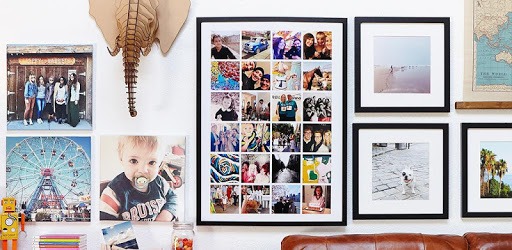
LALALAB prints your photos, photobooks and magnets is an Android app developed and published by LALALAB at Google Play Store on Sep 19, 2012 for Android users. LALALAB prints your photos, photobooks and magnets is so popular that it has gained 1000000 installs so far and growing.
When it comes to printing photos, creating photobooks, and ordering magnets, LALALAB is the app that stands out from the rest. With its user-friendly interface and wide range of products, it has quickly become the go-to app for photo enthusiasts.
One of the standout features of LALALAB is its simplicity. Ordering prints, photobooks, and magnets has never been easier. The app allows you to effortlessly organize, edit, and customize your photos, ensuring that the final product is exactly what you envisioned.
Unlike other photo apps that can be slow and frustrating to use, LALALAB provides a seamless experience. You can easily change your mind when selecting photos, without the fear of losing your progress. This level of convenience sets LALALAB apart from its competitors.
What sets LALALAB apart from other apps is the extensive range of products it offers. Whether you're looking for prints, photobooks, or magnets, LALALAB has got you covered.
The prints from LALALAB are of excellent quality, making them perfect for gifting or displaying in your own home. The photobooks are another standout product, allowing you to create beautiful keepsakes filled with your favorite memories. And let's not forget about the magnets, which come in a cute tote bag and make for a great gift.
When it comes to photo printing, quality is of utmost importance. Thankfully, LALALAB never disappoints. The prints, magnets, and photobooks are all of excellent quality, ensuring that your memories are preserved in the best possible way.
In addition to the quality, LALALAB also offers fast delivery. You won't have to wait weeks to receive your order. Instead, you can expect your prints, photobooks, or magnets to arrive at your doorstep in a timely manner.
Yes, LALALAB is available for both iOS and Android devices. You can download the app from the App Store or Google Play Store.
Yes, LALALAB offers a range of editing tools within the app. You can crop, adjust brightness, and apply filters to your photos before placing your order.
The delivery time varies depending on your location. However, LALALAB strives to deliver your order as quickly as possible. You can expect your prints, photobooks, or magnets to arrive within a reasonable timeframe.
LALALAB accepts various payment methods, including credit/debit cards and PayPal. You can choose the option that is most convenient for you during the checkout process.
Yes, LALALAB provides order tracking for your convenience. You will receive a tracking number once your order has been shipped, allowing you to keep an eye on its progress.
In conclusion, LALALAB is the ultimate app for printing photos, creating photobooks, and ordering magnets. With its user-friendly interface, wide range of products, exceptional quality, and fast delivery, it's no wonder that LALALAB has become the go-to app for photo enthusiasts. Try it out for yourself and see the difference it can make in preserving your precious memories.
Yes, you can run LALALAB prints your photos, photobooks and magnets on PC, but first, you will need emulator software installed on your Windows or MAC, which you can download for free. In the below video, you will find LALALAB prints your photos, photobooks and magnets in action. Before you install the emulator, check out the minimum and recommended system requirements to run it seamlessly. They may change depending on which version of the emulator you choose. Therefore, we recommend you download the latest version of the emulator. Below you will find three free Android emulators that we have shortlisted based on their popularity:
Up to date graphics drivers from Microsoft or the chipset vendor.
Storage: 1 GB available under installation path, 1.5GB available hard drive space
Internet: Broadband Internet connection
Regardless of which Android emulator you install, the steps to install, configure, and running the LALALAB prints your photos, photobooks and magnets app on PC are the same.