Published by iGP Games
Updated June 14, 2026
Create your race team in the multiplayer motorsport manager game.
| Version | 6.008 |
| Size | 201.1 MB |
| What's New | New! - Wheel-to-Wheel Racing - cars race each other and must find space to perform overtakes - Tyre Model - tyres now heat based on cornering g-forces and cool on straights - Netherlands circuit - go Dutch with our new race track! - Sprint Race system with scheduled races and splits - League system with auto-rotation, auto-population and synchronised scheduling - Daily Donut - a new and exciting way to earn rewards for your team |
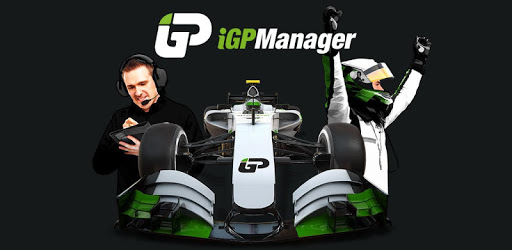
iGP Manager is an Android app developed and published by iGP Games at Google Play Store on Mar 22, 2017 for Android users. iGP Manager is so popular that it has gained 2217457 installs so far and growing.
Are you a fan of racing games? Do you have a passion for managing a team and making strategic decisions? Look no further than iGP Manager, the ultimate racing management game that will keep you hooked for hours on end. With its realistic graphics, immersive gameplay, and a dedicated community, iGP Manager is a masterpiece in the world of driving management games.
iGP Manager offers a unique gaming experience that combines 3D graphics, realistic track layouts, and a perfect blend of strategy and progression. As a player, you'll find yourself calculating all the possibilities and circumstances to ensure your team's success. It's a game that rewards your ability to strategize and make calculated decisions, and we guarantee you'll love every moment of it.
One of the things that sets iGP Manager apart is its dedicated community of players. With years of development and continuous updates, the game has built a loyal fanbase that supports and engages with each other. Whether you're a seasoned player or just starting out, you'll find a community that is always ready to help, share tips, and make the experience even more enjoyable.
One of the standout features of iGP Manager is its real-time, real-world weather system. Each race is influenced by the current weather conditions, adding an element of unpredictability and realism to the game. You'll have to adapt your strategies on the fly, making the races even more exciting and challenging.
The developers behind iGP Manager are constantly working to improve the game and provide the best possible experience for players. They listen to feedback, address issues, and introduce new features to keep the game fresh and engaging. With regular updates and improvements, you can rest assured that iGP Manager will continue to evolve and provide endless hours of entertainment.
Yes, iGP Manager is compatible with refurbished phones. However, if you're experiencing issues installing the game or joining 3D races, we recommend reaching out to the developers for assistance.
If you're unable to open the game on your device, it's best to contact the developers for support. They will be able to investigate the issue and provide a solution.
iGP Manager has been developed over the years, and the developers have put in significant effort to ensure a bug-free experience. However, if you encounter any issues, it's recommended to report them to the developers for prompt resolution.
Yes, iGP Manager allows you to race with your friends. The game offers various multiplayer options, including leagues that can fit everyone's schedule.
No, iGP Manager is completely ad-free. You can enjoy the game without any interruptions, allowing you to fully immerse yourself in the racing management experience.
In conclusion, iGP Manager is a must-play game for any racing enthusiast. With its stunning graphics, immersive gameplay, and a supportive community, it offers an unparalleled gaming experience. Whether you're a seasoned manager or just starting out, iGP Manager will keep you engaged and entertained for hours on end. So, what are you waiting for? Get behind the wheel and start managing your team to victory!
Yes, you can run iGP Manager on PC, but first, you will need emulator software installed on your Windows or MAC, which you can download for free. In the below video, you will find iGP Manager in action. Before you install the emulator, check out the minimum and recommended system requirements to run it seamlessly. They may change depending on which version of the emulator you choose. Therefore, we recommend you download the latest version of the emulator. Below you will find three free Android emulators that we have shortlisted based on their popularity:
Up to date graphics drivers from Microsoft or the chipset vendor.
Storage: 1 GB available under installation path, 1.5GB available hard drive space
Internet: Broadband Internet connection
Regardless of which Android emulator you install, the steps to install, configure, and running the iGP Manager app on PC are the same.