Published by H2S
Updated May 16, 2026
Lets try this extraordinary word game and crush some words!
| Version | 2.1 |
| Size | 26.2 MB |
| What's New | Bombs are back! Fixed issue making bombs gone. (thx to Tracie :))Reported missing words added. |
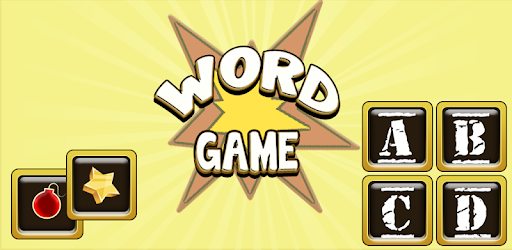
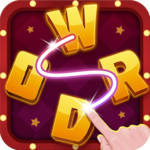
Word Crush is an Android app developed and published by H2S at Google Play Store on Jul 16, 2014 for Android users. Word Crush is so popular that it has gained 10000 installs so far and growing.
Are you a fan of word games? Look no further! Word Crush is here to provide you with endless hours of fun and excitement. With its unique and refreshing take on word puzzles, this game is a must-have for all word enthusiasts. Whether you're a casual player or a seasoned word game pro, Word Crush offers a challenge that will keep you coming back for more.
Word Crush combines the addictive gameplay of Tetris with the thrill of finding hidden words. As the letters pile up, your task is to form as many words as possible before the screen fills up. It's a race against the clock, and every second counts. Can you keep up with the increasing speed and complexity of the game?
Unlike other word games, Word Crush offers a refreshing twist by incorporating a timed element. This adds an extra layer of excitement and urgency to the gameplay, pushing you to think quickly and strategically. It's a test of your word power and mental agility.
Word Crush is not just a game; it's a tool that can help individuals with visual impairments maintain their cognitive abilities. One player, Michael MacGregor, shared his experience, stating, "I have retinitis pigmentosa, and games like Word Crush help me keep as much of my vision as long as I can, according to my doctor." It's heartwarming to see how a simple word game can make a difference in someone's life.
However, we understand that not everyone enjoys the pressure of a timed game. That's why we are constantly working on updates and improvements to cater to all players. We hear you, and we are committed to providing a version of Word Crush that allows for a more relaxed and untimed gameplay experience.
One of the standout features of Word Crush is its user-friendly interface. The game is designed to be easy to navigate, allowing you to dive right into the word puzzle action without any hassle. The sleek and visually appealing design adds to the overall gaming experience, making it a joy to play.
But don't just take our word for it. Players have been raving about the game, with one reviewer stating, "The UI is great, it is easy to play, and the game itself is brilliant. Well done! Keep it up!" We take pride in delivering a seamless and enjoyable user experience, and we are constantly striving to improve and exceed your expectations.
If you're a fan of the popular game Candy Crush, you'll love Word Crush. It takes the addictive and satisfying gameplay of Candy Crush and adds a wordy twist to it. Finally, someone has brought to life the idea of combining word puzzles with the excitement of matching colorful candies. It's a match made in word game heaven!
However, we believe in continuous improvement, and we value your feedback. One suggestion we've received is the ability to select words by swiping. We hear you, and we are actively working on incorporating this feature into future updates. Stay tuned for even more exciting and innovative additions to Word Crush!
Yes! Word Crush is available for download on both Android and iOS devices. Simply visit the Google Play Store or the App Store and search for "Word Crush" to start playing.
Yes, you can enjoy Word Crush even without an internet connection. It's perfect for those moments when you're on the go or in areas with limited connectivity. Take the word puzzle fun with you wherever you are!
Word Crush offers in-app purchases for those who want to enhance their gaming experience. However, these purchases are completely optional, and you can enjoy the game to its fullest without spending a dime. We believe in providing a fair and enjoyable gaming experience for all players.
We understand that players crave new challenges, and we are committed to delivering fresh content regularly. We strive to add new levels and exciting gameplay features to keep you engaged and entertained. Stay tuned for updates!
Currently, Word Crush does not offer a direct multiplayer feature. However, you can always challenge your friends by comparing your high scores and achievements. Who will reign supreme as the ultimate word master?
Word Crush is more than just a game; it's an immersive word puzzle experience that will test your skills and keep you entertained for hours on end. Download it today and embark on a wordy adventure like no other!
Yes, you can run Word Crush on PC, but first, you will need emulator software installed on your Windows or MAC, which you can download for free. In the below video, you will find Word Crush in action. Before you install the emulator, check out the minimum and recommended system requirements to run it seamlessly. They may change depending on which version of the emulator you choose. Therefore, we recommend you download the latest version of the emulator. Below you will find three free Android emulators that we have shortlisted based on their popularity:
Up to date graphics drivers from Microsoft or the chipset vendor.
Storage: 1 GB available under installation path, 1.5GB available hard drive space
Internet: Broadband Internet connection
Regardless of which Android emulator you install, the steps to install, configure, and running the Word Crush app on PC are the same.