Published by Google LLC
Updated August 11, 2025
Lights! Camera! Play!
| Version | 1.0.5 |
| Size | 214.8 MB |
| What's New | Bug Fixes |
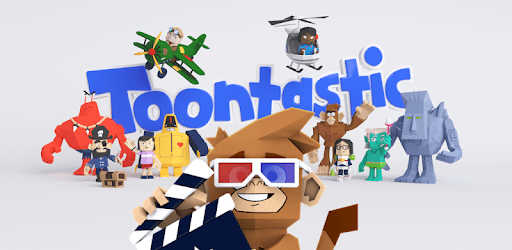
Toontastic 3D is an Android app developed and published by Google LLC at Google Play Store on Jan 11, 2017 for Android users. Toontastic 3D is so popular that it has gained 5427135 installs so far and growing.
Toontastic 3D is an amazing game that brings out the inner storyteller in everyone. Whether you're a child, a teen, or an adult, this game has something for you. The app allows you to create your own animated stories, complete with characters, stages, and plenty of creative tools to express your ideas.
Toontastic 3D is ideal for making your own stories and movies. With a variety of characters to choose from and stages filled with fun Easter eggs, your imagination can truly come alive. It's a fun and simple way to bring your ideas to life, whether you're making a funny cartoon or a dramatic tale.
This game is not just about fun; it’s also a great tool for learning. Kids can develop their storytelling skills, and it’s a fantastic way to teach them how to structure a story. It's a tool that can inspire young minds and make them think creatively. Even teachers make use of it to craft educational and engaging stories.
One of the best things about Toontastic 3D is how easy it is to understand and use. Anyone above the age of 5 can dive right in and start creating without a hitch. The interface is friendly and straightforward, making it accessible for everyone.
Despite its many strengths, fans are eager for some updates. More clothing options, new scenes, and additional characters like a farmer or farm animals would be a welcome addition. Enhancements in the drawing feature would also make it even more appealing. Even though the game hasn't seen an update in a while, the vibrant community hopes for new features soon.
Toontastic 3D caters to a wide range of age groups. For kids, it’s a realm of fun and creativity. For teens, it's a nostalgic trip down memory lane. And for adults, it offers plenty of meme potential. Everyone can find something enjoyable in Toontastic 3D.
As with any app, it’s essential to ensure your device is compatible. Sometimes, errors may pop up, causing the need to reinstall. Also, exporting videos may require specific apps like a photos app to work seamlessly with editing software. Keeping these tips in mind can make your experience smoother.
Toontastic 3D impresses with its diverse characters and stages. Customization adds depth, allowing you to create unique stories that reflect your vision. With more updates, the potential can be limitless.
Dive into the world of Toontastic 3D and let your creativity shine. Whether you’re making a single episode or a full series, the app provides the tools you need to make your stories memorable. It’s a fun, educational, and versatile game that deserves all the stars it gets!
Yes, you can run Toontastic 3D on PC, but first, you will need emulator software installed on your Windows or MAC, which you can download for free. In the below video, you will find Toontastic 3D in action. Before you install the emulator, check out the minimum and recommended system requirements to run it seamlessly. They may change depending on which version of the emulator you choose. Therefore, we recommend you download the latest version of the emulator. Below you will find three free Android emulators that we have shortlisted based on their popularity:
Up to date graphics drivers from Microsoft or the chipset vendor.
Storage: 1 GB available under installation path, 1.5GB available hard drive space
Internet: Broadband Internet connection
Regardless of which Android emulator you install, the steps to install, configure, and running the Toontastic 3D app on PC are the same.