Published by Plotagon
Updated March 22, 2026
Create your own animated movie simply by writing a story and pressing play.
| Version | 1.33.0 |
| Size | 218.1 MB |
| What's New | - Subscription support- Bug fixes and optimizations. |
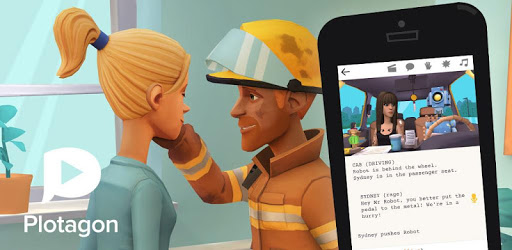
Plotagon Story is an Android app developed and published by Plotagon at Google Play Store on Jul 20, 2017 for Android users. Plotagon Story is so popular that it has gained 100000 installs so far and growing.
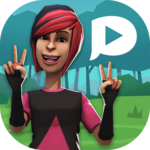
Plotagon Story is an incredible app that allows users to unleash their creativity and bring their stories to life. With its intuitive interface and wide range of features, this app has become a favorite among storytellers and content creators. Let's dive into what makes Plotagon Story so special and why it's a must-have for anyone looking to create captivating animations.
One of the standout features of Plotagon Story is its ability to express the mimics of characters in a truly remarkable way. The animations are so realistic that it feels like you're watching a movie. Whether it's a smile, a frown, or a gesture, the characters come to life and captivate the audience.
Plotagon Story offers a wide range of scenes, character accessories, gestures, and interactions between characters. This allows users to create unique and engaging stories that resonate with their audience. But the possibilities don't stop there. Plotagon Story also provides users with the option to create their own scenes, giving them complete creative control over their narratives.
One feature that users have been eagerly requesting is the ability to command the characters to act according to their story. This would add a whole new level of depth and immersion to the animations created with Plotagon Story. Imagine being able to direct the characters and bring your vision to life with just a few taps. It's a feature that would take storytelling to the next level.
Plotagon Story is already a fantastic app, but the developers are constantly working to make it even better. They regularly update the app, adding new features and improving the overall user experience. This commitment to continuous improvement ensures that users always have access to the latest tools and features to create their best work.
Unfortunately, Plotagon Story does not currently work on Huawei products. Users have reported that the app stops loading at 24% and crashes. We hope that Plotagon will address this issue in the future.
Plotagon Story currently supports multiple languages, but Bahasa Indonesia is not yet available. However, the developers are constantly expanding the language options, so it's possible that Bahasa Indonesia will be added in the future.
Yes, you can save your animations created with Plotagon Story. However, some users have reported issues with saving their work. If you're experiencing difficulties, make sure you have the latest version of the app installed and enough storage space on your device. If the problem persists, reach out to Plotagon's support team for assistance.
Plotagon Story is a game-changer for storytellers and content creators. With its expressive characters, realistic animations, and endless possibilities for storytelling, it's no wonder that users are raving about this app. Whether you're a seasoned animator or just starting out, Plotagon Story is the perfect tool to bring your stories to life. Download it today and let your creativity soar!
Yes, you can run Plotagon Story on PC, but first, you will need emulator software installed on your Windows or MAC, which you can download for free. In the below video, you will find Plotagon Story in action. Before you install the emulator, check out the minimum and recommended system requirements to run it seamlessly. They may change depending on which version of the emulator you choose. Therefore, we recommend you download the latest version of the emulator. Below you will find three free Android emulators that we have shortlisted based on their popularity:
Up to date graphics drivers from Microsoft or the chipset vendor.
Storage: 1 GB available under installation path, 1.5GB available hard drive space
Internet: Broadband Internet connection
Regardless of which Android emulator you install, the steps to install, configure, and running the Plotagon Story app on PC are the same.