Published by TIHN PTE. LIMITED
ToTalk is a great VoIP dialpad, free and low bandwidth, enjoy it!!
| Version | 2.20.45 |
| Size | 76.3 MB |
| What's New | Fix some problems to make ToTalk better. |
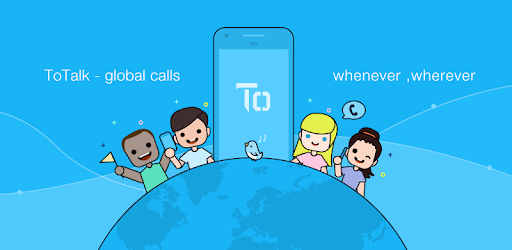
ToTalk is an Android app developed and published by TIHN PTE. LIMITED at Google Play Store on Jun 5, 2017 for Android users. ToTalk is so popular that it has gained 50000 installs so far and growing.
Are you tired of spending a fortune on international calls? Do you wish there was a way to connect with your loved ones abroad without breaking the bank? Look no further than ToTalk, the revolutionary app that is changing the way we communicate across borders.
With ToTalk, you can enjoy crystal-clear calls, absolutely free of charge. Say goodbye to expensive phone bills and hello to unlimited conversations with your friends and family, no matter where they are in the world.
One of the standout features of ToTalk is its reliability. Users have praised the app for its seamless performance, with only occasional minor glitches. But fret not, these issues can easily be resolved by simply uninstalling and reinstalling the app. You'll be back to making calls in no time, without any hassle.
Another feature that sets ToTalk apart is its user-friendly interface. Even if you're not tech-savvy, you'll have no trouble navigating through the app and making calls. It's as simple as downloading the app, creating an account, and dialing the number you wish to reach.
Not only does ToTalk offer free calls, but it also allows you to earn load credits. Yes, you read that right! By using ToTalk, you can redeem loads and enjoy the convenience of staying connected without spending a dime. Imagine the possibilities!
But that's not all. ToTalk is constantly striving to enhance user experience. They have recently introduced a daily log-in bonus feature. By logging in every day, you can earn additional rewards and make your ToTalk experience even more rewarding. It's a win-win situation!
ToTalk has become a lifeline for people living abroad. It provides a seamless and affordable way to stay connected with loved ones back home. No matter where you are in the world, ToTalk makes it easy to bridge the distance and share precious moments with those who matter most.
Whether you're an expatriate, a frequent traveler, or simply someone who wants to save money on international calls, ToTalk is the app for you. It's time to say goodbye to expensive communication methods and embrace the future of connectivity.
If you've forgotten your password and are unable to log in to your ToTalk account, don't worry! Simply follow the password recovery process within the app. You'll receive instructions on how to reset your password and regain access to your account.
We apologize for the inconvenience you've faced while trying to top up your account. Please ensure that you have a stable internet connection and sufficient funds in your payment method. If the issue persists, we recommend reaching out to our support team for further assistance.
We apologize for any inconvenience caused. If you've encountered an issue with exchanging dct and not receiving the expected rewards, please contact our support team with the necessary details. We will investigate the matter and work towards resolving it as soon as possible.
Experience the power of ToTalk today and revolutionize the way you communicate with the world. Download the app now and start enjoying free calls and exciting rewards!
Yes, you can run ToTalk on PC, but first, you will need emulator software installed on your Windows or MAC, which you can download for free. In the below video, you will find ToTalk in action. Before you install the emulator, check out the minimum and recommended system requirements to run it seamlessly. They may change depending on which version of the emulator you choose. Therefore, we recommend you download the latest version of the emulator. Below you will find three free Android emulators that we have shortlisted based on their popularity:
Up to date graphics drivers from Microsoft or the chipset vendor.
Storage: 1 GB available under installation path, 1.5GB available hard drive space
Internet: Broadband Internet connection
Regardless of which Android emulator you install, the steps to install, configure, and running the ToTalk app on PC are the same.