Published by Apps Gempro
Updated September 7, 2025
A never seen game before, destroy the castle which is built by mahjong.
| Version | 2.1.02 |
| Size | 53.6 MB |
| What's New | Added new 200 levels. |
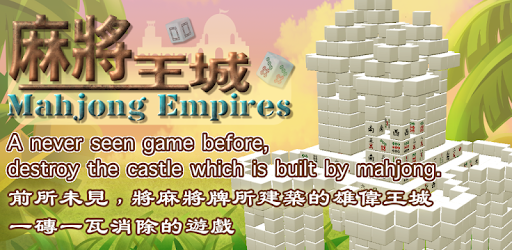
Mahjong Empires is an Android app developed and published by Apps Gempro at Google Play Store on Jul 19, 2017 for Android users. Mahjong Empires is so popular that it has gained 100000 installs so far and growing.
Mahjong Empires is a game that offers a refreshing twist to the classic Mahjong gameplay. With its diverse designs and addictive nature, this app provides hours of entertainment without the need for multiple game apps. Each design presents a new challenge, making it feel like you're playing a different game every time.
One of the standout features of Mahjong Empires is the ability to compete against yourself. You can strive to beat your own completion time for each empire, adding an extra layer of excitement and motivation. It's a game that keeps you hooked and constantly striving for improvement.
One of the best aspects of Mahjong Empires is its captivating graphics. The game is visually engaging, immersing you in a world of beautifully designed buildings. As you progress through the game, you'll feel a sense of accomplishment with each new building you conquer.
To ensure that you never lose your progress, Mahjong Empires provides a simple and convenient way to save your game. By tapping the icon that resembles a house at the top of the screen, you can easily save your progress and pick up where you left off when you return to the game. It's a feature that adds convenience and allows you to play at your own pace.
Many players have praised the gameplay of Mahjong Empires, describing it as "very good" and "challenging." The multi-level structure of the game allows you to work on it at your own pace, making it perfect for those who want to play in short bursts or have a few minutes to spare throughout the day.
While some players have expressed a desire for more levels, the overall concept of the game has been highly enjoyable. The unique approach of building structures out of the tiles adds a fun and creative element to the gameplay, setting it apart from other Mahjong games.
Mahjong Empires stands out from other games in its genre by providing a pleasant and immersive experience without invasive ads. The game is completely free, allowing you to enjoy it without any interruptions. It's a refreshing change from the typical ad-heavy games that can detract from the overall enjoyment.
While the game doesn't automatically save your progress when you leave, many players have expressed their willingness to restart the game because of how much they love it. The addictive nature and engaging gameplay make it worth starting over, even if it means replaying the entire game.
Yes, you can save your progress in Mahjong Empires by tapping the house icon at the top of the screen. This allows you to easily pick up where you left off when you return to the game.
Yes, Mahjong Empires offers a multi-level structure, allowing you to work on the game at your own pace. It provides a variety of challenges to keep you engaged and entertained.
Yes, Mahjong Empires is completely free to play. It offers a pleasant gaming experience without any invasive ads, making it a game that truly cares about your enjoyment.
While the latest version of Mahjong Empires doesn't offer the option to erase and start over, many players have expressed their desire for this feature. However, the addictive gameplay and unique designs make it worth playing through again, even without the ability to restart.
Absolutely! Mahjong Empires is a game that can be enjoyed by players of all ages. It provides a mentally stimulating experience, keeping your mind active and alert. It's a game that offers fun and entertainment for everyone.
Yes, you can run Mahjong Empires on PC, but first, you will need emulator software installed on your Windows or MAC, which you can download for free. In the below video, you will find Mahjong Empires in action. Before you install the emulator, check out the minimum and recommended system requirements to run it seamlessly. They may change depending on which version of the emulator you choose. Therefore, we recommend you download the latest version of the emulator. Below you will find three free Android emulators that we have shortlisted based on their popularity:
Up to date graphics drivers from Microsoft or the chipset vendor.
Storage: 1 GB available under installation path, 1.5GB available hard drive space
Internet: Broadband Internet connection
Regardless of which Android emulator you install, the steps to install, configure, and running the Mahjong Empires app on PC are the same.