
Published by FLIR Systems, INC
Updated August 16, 2025
FLIR ONE app with the FLIR ONE accessory turns your phone into a thermal camera.
| Version | 5.3.13 |
| Size | 113.2 MB |
| What's New | Updating to new Flir One iconUpdating Atlas Mobile SDK 2.14.2Fixing Flir One Customer Help link to point to the right page |
FLIR ONE is an Android app developed and published by FLIR Systems, INC at Google Play Store on Jun 15, 2015 for Android users. FLIR ONE is so popular that it has gained 1597077 installs so far and growing.
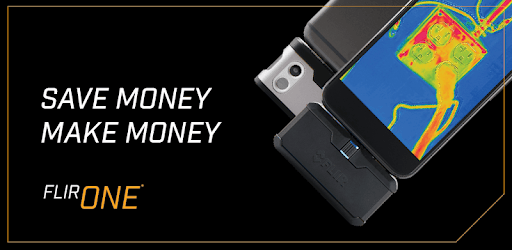
FLIR ONE is a thermal imaging camera that attaches to your smartphone, allowing you to see and measure heat. This device and its accompanying app offer a unique and convenient way to detect heat patterns, identify problems, and explore the world in thermal vision.
To begin, ensure you download the latest version of the app compatible with your device. Some users have noticed improvements and new features with updates. Once installed, the initial setup is straightforward, guiding you through the process of connecting your thermal camera to your phone.
FLIR ONE is not just for professionals. While it might not match high-end thermal imaging tools in performance, it offers significant value for its price. You can use it to find HVAC leaks, identify drafty windows, and detect electrical issues. With just a few taps, you can uncover hidden problems around your home or workplace.
The app provides various features to enhance your thermal imaging experience:
It's important to ensure your device is fully charged and compatible with your phone. If issues arise, switching to different modes within the app, such as FLIR EDGE, can sometimes resolve them. The support team is responsive, offering solutions that may help improve your experience.
FLIR ONE is designed to be robust, capable of withstanding drops and regular use. Users report it working well across various devices without significant issues. Its telescoping plug adds to its durability, making it a reliable tool for regular thermal imaging needs.
For those seeking more customization, the app offers a wealth of settings to play with. You can adjust color palettes, save stills and videos, and calibrate the device for accuracy. While some might wish for additional features, the current capabilities are sufficient for most everyday tasks.
Battery life is a key factor to consider. While it won't last indefinitely, a fully charged FLIR ONE provides ample time to complete inspections. It's ideal for quick checks rather than extended use. Keeping an eye on battery levels ensures you are always ready to capture thermal images.
FLIR ONE is not limited to specific tasks. It finds use in various scenarios beyond industrial applications. From ensuring safe pipe temperatures to assessing electrical components, its versatility makes it a valuable addition to any toolkit. The ability to switch seamlessly between still images and videos adds to its flexibility.
FLIR ONE stands out as a user-friendly, reliable, and versatile thermal imaging tool. Its broad compatibility, intuitive app interface, and robust design make it a valuable aid for both professionals and home users. By offering key features that help identify temperature-related issues, it serves as an essential gadget for anyone looking to explore the world in thermal vision.
Yes, you can run FLIR ONE on PC, but first, you will need emulator software installed on your Windows or MAC, which you can download for free. In the below video, you will find FLIR ONE in action. Before you install the emulator, check out the minimum and recommended system requirements to run it seamlessly. They may change depending on which version of the emulator you choose. Therefore, we recommend you download the latest version of the emulator. Below you will find three free Android emulators that we have shortlisted based on their popularity:
Up to date graphics drivers from Microsoft or the chipset vendor.
Storage: 1 GB available under installation path, 1.5GB available hard drive space
Internet: Broadband Internet connection
Regardless of which Android emulator you install, the steps to install, configure, and running the FLIR ONE app on PC are the same.