
Published by Chessify
Updated December 13, 2025
Scan chessboards from books/screens. Play. Analyze with Stockfish cloud free.
| Version | 6.5.5 |
| Size | 109.7 MB |
| What's New | Minor bug fixes and improvements. Install or update to the newest version to check it out! |
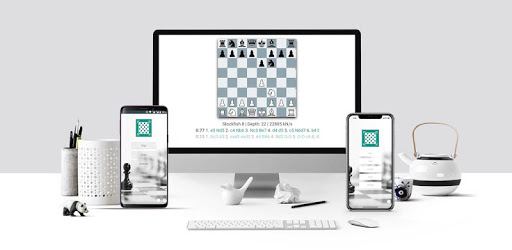
Chessify - Scan, Analyze, Play is an Android app developed and published by Chessify at Google Play Store on Jun 24, 2016 for Android users. Chessify - Scan, Analyze, Play is so popular that it has gained 1197058 installs so far and growing.
Chessify is a revolutionary app that has taken the chess community by storm. With its powerful features and user-friendly interface, it has become a go-to tool for chess enthusiasts of all levels. Whether you are a beginner looking to improve your skills or a seasoned player seeking new challenges, Chessify has got you covered.
One of the standout features of Chessify is its ability to analyze chess positions from videos on the internet. Imagine watching a recap of a Gotham Games video and coming across a mind-boggling move. Instead of scratching your head in confusion, simply take a screenshot and share it with Chessify. Within seconds, the app will evaluate the position and provide you with valuable insights. It's like having a personal chess coach right at your fingertips.
But Chessify doesn't stop there. It goes above and beyond to make your chess analysis experience seamless and efficient. The app even notifies you when the analysis is running in the background, so you can continue with your other tasks without any interruptions. Plus, the scanning capability of Chessify, which can generate PGN files, is a game-changer. It allows you to save and share your analyzed positions effortlessly.
Chessify is not just about analysis. It offers a plethora of features that cater to all your chess needs. Whether you want to play online with other players, use OCR scanning for chess books, or challenge yourself against the powerful Stockfish 12 analyzer, Chessify has got you covered. The clock function also allows you to play with friends and test your skills against different time limits.
One of the standout aspects of Chessify is its versatility. It provides multiple engine options for position study, allowing you to choose the one that suits your playing style and preferences. From beginners to grandmasters, Chessify is designed to meet the needs of players at every level.
Chessify has garnered rave reviews from users worldwide. Its simplicity and effectiveness have won over the hearts of chess enthusiasts. Users have praised the app for its scanning feature, which has proven to be a game-changer while reading chess books. The ability to capture a position and instantly view the move has made learning and understanding complex positions a breeze.
Furthermore, Chessify's dedicated team is committed to providing excellent user support. They promptly address user concerns and fix any issues that may arise. Users have expressed their appreciation for the responsive team, highlighting how their complaints were resolved in a timely manner.
Unfortunately, Chessify is currently not compatible with iOS devices. However, the developers are continuously working to expand its availability to a wider range of platforms.
Currently, Chessify does not offer a native resolution for iPad users. However, the app's functionality remains intact, and users can still enjoy its features on their iPads.
While the YouTube search feature may not be functional at the moment, the developers are actively working on improving this aspect. Rest assured, Chessify is committed to providing a comprehensive chess training experience, and updates will be rolled out to enhance the app's functionality.
Chessify is not just another chess app; it is a game-changer. With its powerful analysis capabilities, versatile features, and dedicated team, it has become an indispensable tool for chess enthusiasts worldwide. Download Chessify today and unlock a world of possibilities in your chess journey.
Yes, you can run Chessify - Scan, Analyze, Play on PC, but first, you will need emulator software installed on your Windows or MAC, which you can download for free. In the below video, you will find Chessify - Scan, Analyze, Play in action. Before you install the emulator, check out the minimum and recommended system requirements to run it seamlessly. They may change depending on which version of the emulator you choose. Therefore, we recommend you download the latest version of the emulator. Below you will find three free Android emulators that we have shortlisted based on their popularity:
Up to date graphics drivers from Microsoft or the chipset vendor.
Storage: 1 GB available under installation path, 1.5GB available hard drive space
Internet: Broadband Internet connection
Regardless of which Android emulator you install, the steps to install, configure, and running the Chessify - Scan, Analyze, Play app on PC are the same.