Published by Vesync
Updated October 16, 2025
Works with ESF17 & ESF24 scales
| Version | V1.7.0 |
| Size | 12.7 MB |
| What's New | Bug fixes and improvements |
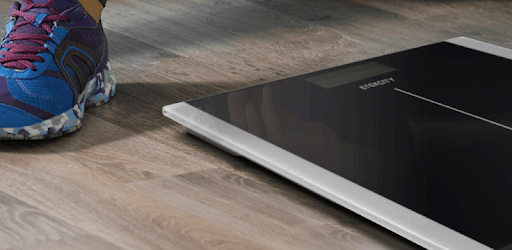
VeSyncFit is an Android app developed and published by Vesync at Google Play Store on Mar 8, 2018 for Android users. VeSyncFit is so popular that it has gained 10000 installs so far and growing.
Are you looking for a reliable and accurate fitness app to help you track your health and fitness goals? Look no further than VeSyncFit! With its seamless integration with smart scales and a wide range of features, this app is designed to help you stay on track and achieve your desired results.
One of the standout features of VeSyncFit is its effortless connectivity with smart scales. In just a matter of seconds, you can connect the scale to the app and start tracking your weight, BMI, metabolic age, water weight, bone weight, muscle weight, and more. No more waiting around or dealing with complicated setup processes!
VeSyncFit provides you with accurate and informative measurements that can help you better understand your body and progress. Whether you're looking to lose weight, gain muscle, or simply maintain a healthy lifestyle, this app has got you covered. Track your weight loss or gain, body fat percentage, BMR, body age, and more to stay motivated and informed.
With VeSyncFit, simplicity is key. The app features a user-friendly interface that is easy to navigate, making it a breeze to track your progress and access all the information you need. Set up profiles for yourself and your family members, and keep track of everyone's health and fitness journey in one convenient place.
Staying motivated is crucial when it comes to achieving your health and fitness goals. VeSyncFit provides you with the tools you need to stay motivated and accountable. Set reminders to step on the scale every morning, track your progress on the trends section, and even monitor your body water levels to ensure you're staying hydrated. This app is designed to keep you on track and motivated every step of the way.
Yes, VeSyncFit is compatible with Android devices. Whether you have a Samsung, Motorola, or any other Android phone, you can easily download and use this app to track your health and fitness goals.
While VeSyncFit strives to provide accurate measurements, it's important to note that they are general readings and may not be 100% accurate. However, these measurements can still be useful for tracking your health and progress.
At the moment, VeSyncFit does not offer integration with other fitness apps. However, the app itself provides a wealth of information and features to help you achieve your health and fitness goals.
If you experience any connectivity issues with the app and scale, try closing the app and removing the batteries from the scale. This simple troubleshooting step often resolves any connectivity problems.
VeSyncFit can be used for children, but please note that some features may not be suitable for younger users. Additionally, their feet may not be big enough to reach all the sensors on the scale.
Overall, VeSyncFit is a great app for anyone looking to track their health and fitness goals. With its seamless connectivity, accurate measurements, user-friendly interface, and motivation features, this app is a must-have for anyone serious about their health and well-being. Get started with VeSyncFit today and take control of your fitness journey!
Yes, you can run VeSyncFit on PC, but first, you will need emulator software installed on your Windows or MAC, which you can download for free. In the below video, you will find VeSyncFit in action. Before you install the emulator, check out the minimum and recommended system requirements to run it seamlessly. They may change depending on which version of the emulator you choose. Therefore, we recommend you download the latest version of the emulator. Below you will find three free Android emulators that we have shortlisted based on their popularity:
Up to date graphics drivers from Microsoft or the chipset vendor.
Storage: 1 GB available under installation path, 1.5GB available hard drive space
Internet: Broadband Internet connection
Regardless of which Android emulator you install, the steps to install, configure, and running the VeSyncFit app on PC are the same.