Published by eduweb
Updated August 17, 2025
Live the life of a wild wolf!
| Version | 2.7.4p4 |
| Size | 427.9 MB |
| What's New | Fixes respawning in multiplayer games |
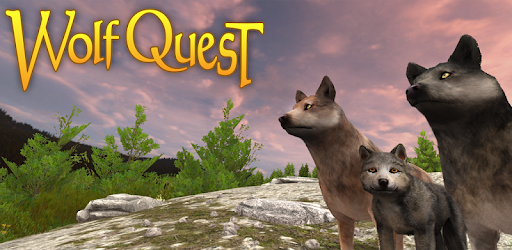
WolfQuest is an Android app developed and published by eduweb at Google Play Store on Sep 16, 2016 for Android users. WolfQuest is so popular that it has gained 500000 installs so far and growing.
WolfQuest offers an immersive experience where you play as a wolf living in Yellowstone National Park. The game allows players to explore the wild terrain, hunt for food, and form a pack. It's a remarkable 3D simulation that is as educational as it is entertaining.
In WolfQuest, players can engage in a variety of activities that mimic the life of a real wolf. You can hunt elk, avoid grizzly bears, and even fend off coyotes. The game also features complex social interactions within the wolf pack, making it much more than a simple wildlife simulator.
The graphics are impressively detailed, bringing the wild landscapes of Yellowstone National Park to life. The animals are realistically animated, adding to the immersive experience. The visual quality is best experienced on a PC, though it is also available on mobile devices.
One of the standout features of WolfQuest is the ability to customize your wolf. Players can choose different coat colors and unlock new options by achieving certain milestones in the game. These small details add a personal touch to your wolf’s appearance.
While the game is loved by many, it does have some technical issues. There are instances of the game freezing during cutscenes, especially on mobile devices. This can disrupt gameplay and make it difficult to progress. Moreover, some players have faced difficulties with the multiplayer mode, such as overlapping buttons that interfere with actions.
The WolfQuest Anniversary Edition brings new enhancements and features that elevate the original game to new heights. The graphics are even more stunning, and the gameplay has been refined for a smoother experience. This version has captured the hearts of many players and is highly anticipated in its future updates.
WolfQuest is available on various platforms, including PC and mobile devices. While there are in-app purchases that unlock additional features, the base game offers plenty of content for free. For those who want the full experience, the purchase price is quite reasonable.
If you're new to WolfQuest, consider starting with the tutorial to get a feel for the controls and objectives. Joining a pack can significantly enhance your experience, as it allows you to collaborate with other wolves and tackle larger challenges. Lastly, don't forget to explore and enjoy the stunning landscapes that make this game so special.
WolfQuest is more than just a game; it's an adventure that lets you experience the life of a wolf in a beautifully crafted virtual world. With its engaging gameplay, fantastic graphics, and educational value, it's a must-try for anyone interested in wildlife simulators. Dive in and embrace the wild world of Yellowstone National Park!
Yes, you can run WolfQuest on PC, but first, you will need emulator software installed on your Windows or MAC, which you can download for free. In the below video, you will find WolfQuest in action. Before you install the emulator, check out the minimum and recommended system requirements to run it seamlessly. They may change depending on which version of the emulator you choose. Therefore, we recommend you download the latest version of the emulator. Below you will find three free Android emulators that we have shortlisted based on their popularity:
Up to date graphics drivers from Microsoft or the chipset vendor.
Storage: 1 GB available under installation path, 1.5GB available hard drive space
Internet: Broadband Internet connection
Regardless of which Android emulator you install, the steps to install, configure, and running the WolfQuest app on PC are the same.