Published by Augus
Updated September 4, 2025
Music Cam & Video Editor
| Version | 5.13.3 |
| Size | 82.2 MB |
| What's New | Noizz (Formerly Biugo) - Magic video maker1.App has been renamed to Noizz (formerly known as Biugo), icon was redesigned, brand new slogan updated. Join us and let's "Make some Noizz!"2.Bugs fixed, and user experience optimized; 3.More magic templates and funny stickers provided;4.New face changing filter is online now! Swap famous artist`s faces for your face and see yourself as a big movie star in just a few steps. Play and share your face changing videos on social media |
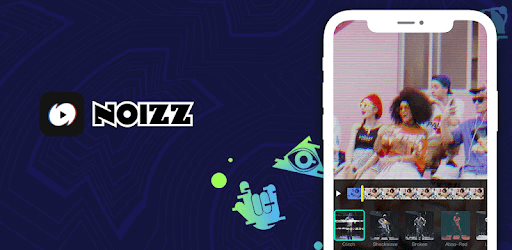
Noizz is an Android app developed and published by Augus at Google Play Store on Apr 28, 2018 for Android users. Noizz is so popular that it has gained 1000000 installs so far and growing.
If you're looking for an excellent app to make your videos stand out, then Noizz is the app you need. Noizz makes the editing process fun and simple, giving you a multitude of options to create amazing content. From adding music to incorporating various effects, Noizz is a game changer for anyone interested in video editing.
Noizz provides a diverse range of tools to make your videos shine. You can add words, transitions, filters, and even music to your clips. The app offers endless possibilities to make your edits unique. It's perfect for anyone who loves experimenting with their videos and making them look professional.
The app has several features that make it a must-have for any aspiring video editor. You can choose from different transition effects and filters to give your videos a polished look. The music library is another fantastic feature, offering a variety of tracks to suit any mood or theme. You can even request specific songs to be added, making the app even more personalized.
Noizz is particularly popular among users of social media platforms like TikTok. The easy-to-use interface and extensive range of features make it a breeze to create and share your videos. If you want to make creative and fun content for your followers, this app is a fantastic choice. It's simple yet powerful, allowing you to produce high-quality videos without needing professional skills.
Creativity flows naturally with Noizz. The app inspires users to let their imagination run wild. The availability of various editing tools makes it easy to experiment and have fun with your videos. Whether you want to add trendy transitions or cool effects, the app provides all the necessary tools to make your videos stand out.
While Noizz is packed with numerous features, there is always room for improvement. Adding more trendy transitions could enhance the user experience even more. Allowing users to create their own transitions would be a very welcome addition. Despite these minor setbacks, the app still does an excellent job at making video editing accessible and enjoyable.
User-friendliness is one of Noizz's strongest suits. It's very easy to navigate, making it perfect for beginners. You don’t even need to create an account to start editing, which makes the whole process even more convenient. The app is designed to make video editing simple and enjoyable for everyone.
Noizz is geared towards a younger audience, creating a safe space for teens to express their creativity. While the app does not offer direct messaging, users can still interact through the comment section on videos. This feature ensures that the app remains a fun and secure environment.
Noizz is an outstanding app for anyone interested in video editing. With its wide array of features, easy-to-use interface, and focus on creativity, it provides all you need to make amazing videos. Whether you're a beginner or a seasoned editor, Noizz offers something for everyone.
Yes, you can run Noizz on PC, but first, you will need emulator software installed on your Windows or MAC, which you can download for free. In the below video, you will find Noizz in action. Before you install the emulator, check out the minimum and recommended system requirements to run it seamlessly. They may change depending on which version of the emulator you choose. Therefore, we recommend you download the latest version of the emulator. Below you will find three free Android emulators that we have shortlisted based on their popularity:
Up to date graphics drivers from Microsoft or the chipset vendor.
Storage: 1 GB available under installation path, 1.5GB available hard drive space
Internet: Broadband Internet connection
Regardless of which Android emulator you install, the steps to install, configure, and running the Noizz app on PC are the same.