Published by Bird Home Automation
Updated August 14, 2025
Answer your door anywhere
| Version | 5.52 |
| Size | 35.0 MB |
| What's New | • Support for new hardware modules• Minor bug fixes and improvements |
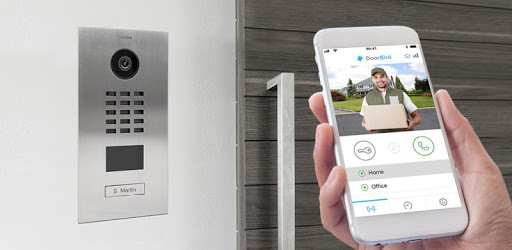
DoorBird is an Android app developed and published by Bird Home Automation at Google Play Store on Feb 17, 2015 for Android users. DoorBird is so popular that it has gained 247793 installs so far and growing.
Are you tired of missing important visitors at your doorstep? Do you want a reliable and efficient way to monitor your property? Look no further than DoorBird, the innovative app that revolutionizes access control and enhances your home security. With its seamless integration, exceptional features, and user-friendly interface, DoorBird is the ultimate solution for all your security needs.
DoorBird offers unparalleled convenience and functionality, ensuring that you never miss a visitor again. With this app, you can answer your doorbell anytime, anywhere, directly from your smartphone or tablet. Whether you're at home, at work, or on vacation, you can effortlessly communicate with your visitors through high-quality audio and video.
But that's not all – DoorBird goes above and beyond by allowing you to leave a message for your visitors when you're unable to answer the door. This feature ensures that you can always stay connected and provide instructions or important information, even when you're not physically present.
As an installer, I can confidently say that DoorBird works flawlessly and delivers outstanding performance. It has been a game-changer for my customers, and the tech support provided by DoorBird has been exceptional in addressing any issues that arise. The app seamlessly integrates with the call box, providing a hassle-free experience for both users and installers.
One of the standout features of DoorBird is its compatibility with CCTV NVR. By integrating the camera's live feed into your existing CCTV system, you can ensure that all activities are recorded and monitored round the clock. Additionally, DoorBird creates log events on your intruder alarm system, eliminating the need for a traditional doorbell and saving you the cost of additional equipment.
Moreover, DoorBird's push notification feature sets it apart from other security products. You'll receive instant alerts on your smartphone whenever someone approaches your door, providing you with real-time updates and peace of mind.
Just installed a D202 DoorBird? Congratulations! You're about to experience the perfect combination of style, functionality, and reliability. Both the app and the actual product are meticulously designed, ensuring a consistent and seamless user experience. Now, you can seamlessly integrate DoorBird with your existing ecosystem, further enhancing your smart home setup.
But what if you want to store data to FTP? DoorBird has got you covered. With its advanced features, you can easily configure the app to save images directly to your FTP server. This ensures that all important footage is securely stored and accessible whenever you need it.
At times, you may encounter minor issues while using the app. For example, some users have reported difficulty in finding saved images on their Android devices. However, rest assured that the DoorBird team is committed to addressing such concerns promptly and providing the necessary guidance to resolve any technical hiccups.
Absolutely! DoorBird allows you to leave personalized messages for your visitors, ensuring that you can always stay connected and provide instructions or important information.
Yes, DoorBird seamlessly integrates with CCTV NVR, allowing you to incorporate the camera's live feed into your existing CCTV system. This ensures that all activities are recorded and monitored round the clock.
Yes, DoorBird sends instant push notifications to your smartphone whenever someone approaches your door. This feature keeps you informed in real-time, providing you with peace of mind.
DoorBird offers advanced configuration options that allow you to save images directly to your FTP server. This ensures that all important footage is securely stored and easily accessible whenever you need it.
If you're unable to locate saved images on your Android device, rest assured that the DoorBird team is here to assist you. Reach out to our dedicated support team, and they will provide you with the necessary guidance to resolve any technical issues.
Experience the future of access control with DoorBird – the app that combines convenience, security, and innovation. Download DoorBird today and take control of your home's security like never before!
Yes, you can run DoorBird on PC, but first, you will need emulator software installed on your Windows or MAC, which you can download for free. In the below video, you will find DoorBird in action. Before you install the emulator, check out the minimum and recommended system requirements to run it seamlessly. They may change depending on which version of the emulator you choose. Therefore, we recommend you download the latest version of the emulator. Below you will find three free Android emulators that we have shortlisted based on their popularity:
Up to date graphics drivers from Microsoft or the chipset vendor.
Storage: 1 GB available under installation path, 1.5GB available hard drive space
Internet: Broadband Internet connection
Regardless of which Android emulator you install, the steps to install, configure, and running the DoorBird app on PC are the same.