Phone Guardian Mobile Security for PC

Phone Guardian Mobile Security for PC

Published by Distimo Apps

Updated August 1, 2025

Keeps your private information safe from hackers when using free WiFi networks

What's New

Version5.14.0
Size97.7 MB
What's NewMinor bug fixes and improvements. Install or update to the newest version to check it out!

Phone Guardian Mobile Security Screenshots

Phone Guardian Mobile Security PC screenshot

About Phone Guardian Mobile Security For PC

Phone Guardian Mobile Security is an Android app developed and published by Distimo Apps at Google Play Store on Sep 25, 2018 for Android users. Phone Guardian Mobile Security is so popular that it has gained 38820154 installs so far and growing.

Phone Guardian Mobile Security: Your Ultimate Mobile Protector

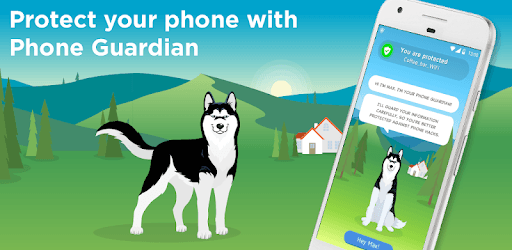
In a world where mobile security is vital, Phone Guardian Mobile Security stands out not just for its robust protection but also for its engaging user experience. This unique app features a friendly husky named Max, who makes safeguarding your phone both effective and enjoyable.

User-Friendly with an Adorable Touch

One of the first things you'll notice about Phone Guardian Mobile Security is its ease of use. The intuitive design ensures that even those who are not tech-savvy can navigate and utilize the app efficiently. And let's not forget Max, the cute husky who guides you through the steps, making the whole experience more delightful. Max's presence adds a personal touch, making security feel less like a chore and more like a game. You can even interact with Max by petting him, playing fetch, and choosing different collars.

Ad-Free Experience

Random ads popping up can be a nuisance. Luckily, Phone Guardian Mobile Security addresses this issue effectively. Once installed, you can bid farewell to those pesky ads that interrupt your app usage. It's a relief to know that your mobile experience won't be hindered by unwanted advertisements anymore.

Comprehensive Virus Protection

Viruses and malware are threats no user wants to deal with. Phone Guardian Mobile Security offers robust protection against potential threats. It actively scans and shields your device from harmful content, ensuring your phone remains secure. Max, your digital protector, diligently watches over your phone, making sure it stays virus-free.

Secure Wi-Fi Connection

Connecting to public Wi-Fi can be risky. However, with Phone Guardian Mobile Security, you can rest assured that your connections are safe. The app notifies you if a Wi-Fi network is secure to use or if it's best to avoid it. This feature is indispensable for those who frequently use public Wi-Fi networks.

Background Protection

One of the standout features of Phone Guardian Mobile Security is its ability to run seamlessly in the background. You don't need to intervene constantly; Max takes care of your phone's security automatically. This ensures continuous protection without any disruption to your daily activities.

Perfect for School Protection

If you're concerned about surveillance or control from schools or other institutions, Phone Guardian Mobile Security has got you covered. Your phone remains protected against unauthorized access, giving you peace of mind whenever you're using your device for sensitive activities.

VPN Protection for Safe Browsing

Phone Guardian Mobile Security provides reliable VPN protection, ensuring that your online activities are encrypted and secure. Whether you're browsing the web or playing a game, Max ensures that your data stays private and safe from prying eyes. The recent updates have made Max even more vigilant, providing enhanced protection with each new feature.

Interactive and Engaging

Phone Guardian Mobile Security is not just about protection; it’s also about interaction. Max, the lovable husky, keeps you engaged and entertained. You can play games with him, choose different collars, and generally enjoy his company while he works to keep your phone safe. This interactive element makes the app appealing, especially for younger users or those who enjoy a little fun with their functionality.

The Best Virtual Pet

If you've ever wanted a pet but couldn't commit to the responsibilities, Max is the perfect virtual companion. He provides the fun of having a pet without the mess or upkeep. Plus, he excels at his primary job—keeping your phone secure. Max is not just any pet; he's a guardian who ensures that your digital life remains private and protected.

In the ever-evolving world of mobile security, Phone Guardian Mobile Security shines brightly, offering both protection and engagement. With Max by your side, your phone is in safe hands.

Can I run Phone Guardian Mobile Security on PC?

Yes, you can run Phone Guardian Mobile Security on PC, but first, you will need emulator software installed on your Windows or MAC, which you can download for free. In the below video, you will find Phone Guardian Mobile Security in action. Before you install the emulator, check out the minimum and recommended system requirements to run it seamlessly. They may change depending on which version of the emulator you choose. Therefore, we recommend you download the latest version of the emulator. Below you will find three free Android emulators that we have shortlisted based on their popularity:

How to Install Phone Guardian Mobile Security on Windows PC

BlueStacks

Minimum
  • OS: Microsoft Windows 7 and above.
  • Processor: Intel or AMD Processor.
  • RAM: Your PC must have at least 4GB of RAM. (Note that having 4GB or more disk space is not a substitute for RAM)
  • Storage: 5GB Free Disk Space.
  • You must be an Administrator on your PC.
Recommended:
  • OS: Microsoft Windows 10
  • Processor: Intel or AMD Multi-Core Processor with Single Thread benchmark score > 1000.
  • Graphics: Intel/Nvidia/ATI, Onboard or Discrete controller with benchmark score >= 750.
  • Please ensure Virtualization is enabled on your PC/Laptop.
  • RAM: 8GB or higher
  • Storage: SSD (or Fusion/Hybrid Drives)
  • Internet: Broadband connection to access games, accounts and related content.

Up to date graphics drivers from Microsoft or the chipset vendor.

  • To start with, download Bluestacks from its official website. The latest version of BluesStacks is v 5, and it is around 400 MB.
  • Once the download is done, click on the Bluestacks set up file to install it on your Windows PC. Follow the on-screen instructions and install it accordingly.
  • The next step is to launch the emulator using the desktop shortcut and sign in using your Google account.
  • Now, head over to Bluestacks home screen and click on the Google Play Store icon.
  • Hit the search bar in Google Play and search for Phone Guardian Mobile Security.
  • Install Phone Guardian Mobile Security from the Play Store by clicking the Install option, which completes downloading of Phone Guardian Mobile Security on PC.

NoxPlayer

Minimum
  • Operating System: Windows XP SP3, Windows Vista, Windows 7, Windows 8, Windows 10, and DirectX 9.0c
  • Processor: At least dual-core processor, both Intel, and AMD are OK
  • Video: Supports Open GL 2.0 or above
  • Memory: 1.5 GB RAM
Recommended
  • Operating System: Windows 7, Windows 8, Windows 10
  • Processor: Multiple core processors which support VT-x or AMB-V Virtualization Technology, better performance with this function enabled
  • Video: The higher performance, the better
  • Memory: 4 GB RAM

Storage: 1 GB available under installation path, 1.5GB available hard drive space

Internet: Broadband Internet connection

  • Download NoxPlayer from the official website. The latest version of NoxPlayer is v 3, and it is around 600 MB.
  • Now install the emulator using the downloaded setup file. Just go through the on-screen instructions and install NoxPlayer on your computer or laptop.
  • After the installation process, launch the Nox Android emulator and log in using your Google account when it asks you.
  • Click on the Google Play Store icon and head over to the search bar to search Phone Guardian Mobile Security. Once found, click on the Install button to install Phone Guardian Mobile Security for PC.
  • If you do not find Phone Guardian Mobile Security on Google Play Store or if you want to skip logging in to Google, you can sideload APK (download the .APK file from this page and open it with NoxPlayer).
  • Launch Phone Guardian Mobile Security from home-screen and start playing it on PC right away!

MEmu

Minimum
  • 2 cores x86/x86_64 Processor (Intel or AMD CPU)
  • WinXP SP3 / Win7 / Win8 / Win10 (Not recommended to run on Server/Enterprise)
  • Latest Windows DirectX 11 / Graphics driver with OpenGL 2.0
  • Hardware Virtualization Technology (Intel VT-x/AMD-V) shall be enabled in BIOS
  • 2GB of RAM (4GB for x64 system)
  • 5GB of hard disk free space
Recommended
  • OS: Microsoft Windows 10 with VT Enabled
  • CPU: Single Thread PassMark score > 1500 (Intel/AMD Multi-Core).
  • Graphics: Intel/Nvidia/ATI, Onboard or Discrete controller with PassMark score > 750.
  • Latest Windows DirectX 11 / Graphics driver with OpenGL 4.5 or higher
  • RAM: 8GB or higher
  • HDD: SSD, 10GB of hard disk free space
  • Internet: Broadband connection with low latency for FPS games
  • Download MEmu Play from the official website. The latest version of NoxPlayer is v 7.5.
  • When the download is completed, install the MEmu emulator on your PC. Follow the on-screen instructions and keep on clicking the Next button until the final step.
  • Now, using the desktop shortcut, look for the MEmu Play emulator and launch it. Once done, it will ask you to log in using your Google account, proceed with the same.
  • MEmu Play will ask you to log in using your Google account. When you log in, it will sync your Google account to MEmu Play. Launch the Google Play Store by clicking on the icon and search for Phone Guardian Mobile Security.
  • Click on the Install button once you find Phone Guardian Mobile Security from the search results. You can also sideload APK (download the .APK file from this page and open it with MEmu) if you want to skip above step.
  • After the installation of Phone Guardian Mobile Security, you're all set to use the app on PC!

Regardless of which Android emulator you install, the steps to install, configure, and running the Phone Guardian Mobile Security app on PC are the same.


Download Phone Guardian Mobile Security For PC