Published by Dewmobile, Inc.
Updated May 3, 2026
Plain and Simple Way to Transfer and Share Files Free From Your Phone
| Version | 2.6.6 |
| Size | 13.3 MB |
| What's New | 1.Fixed some previous bugs.2.No longer supports installation of apps shared in other apps. |
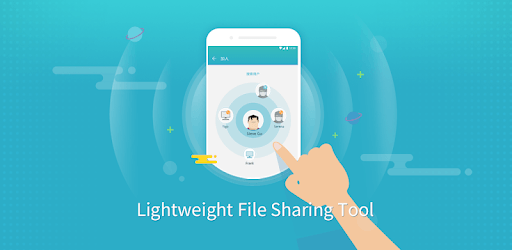
Zapya Go - Free File Transfer & Sharing is an Android app developed and published by Dewmobile, Inc. at Google Play Store on Jun 29, 2018 for Android users. Zapya Go - Free File Transfer & Sharing is so popular that it has gained 5295130 installs so far and growing.
Are you tired of dealing with the hassle of transferring files between your phone and laptop using cords? Look no further than Zapya Go - the ultimate app for seamless file transfer and sharing. With its user-friendly interface and lightning-fast speed, Zapya Go is revolutionizing the way we share files.
Zapya Go eliminates the need for cords and cables, making file transfer a breeze. Whether you want to send large files or simply share documents, photos, or videos, this app has got you covered. Say goodbye to the limitations of traditional methods and embrace the convenience of wireless file transfer.
With just a few taps, you can easily transfer files between your phone and laptop, saving you time and effort. No more waiting for files to upload or dealing with slow transfer speeds. Zapya Go ensures a smooth and efficient sharing experience, allowing you to focus on what matters most.
One of the standout features of Zapya Go is its impressive speed. Users rave about how quickly they can transfer files, making it the go-to app for those who value efficiency. Whether you're sharing large multimedia files or important documents, Zapya Go delivers unparalleled speed, ensuring your files reach their destination in no time.
Forget about the frustration of slow transfer speeds that hinder productivity. With Zapya Go, you can transfer files at lightning speed, allowing you to focus on your work or enjoy your media without any interruptions.
Zapya Go is designed with the user in mind. Its intuitive interface makes it easy for anyone to navigate and utilize its features. You don't need to be a tech expert to enjoy the benefits of this app. Simply download, install, and start sharing files effortlessly.
Whether you're a student, professional, or casual user, Zapya Go caters to all your file sharing needs. Its simplicity combined with its powerful features makes it a must-have app for anyone who values convenience and efficiency.
Zapya Go uses wireless technology to facilitate file transfer between devices. By connecting your phone and laptop, you can easily share files without the need for cords or cables.
Absolutely! Zapya Go is specifically designed to handle large file transfers. Whether it's high-resolution videos, extensive documents, or multimedia files, this app can handle it all.
Zapya Go is compatible with a wide range of devices, including smartphones, tablets, and laptops. It supports both Android and iOS platforms, ensuring seamless file transfer across different devices.
Zapya Go prioritizes the security and privacy of its users. Your files are encrypted during the transfer process, ensuring that only the intended recipient can access them. Rest assured that your data is safe and protected.
Yes, Zapya Go provides real-time progress updates during file transfers. You can easily monitor the transfer status and estimated time remaining, allowing you to stay informed and plan accordingly.
Experience the convenience and speed of Zapya Go for yourself. Download the app today and say goodbye to the limitations of traditional file transfer methods. Embrace the future of sharing with Zapya Go - the ultimate file transfer solution.
Yes, you can run Zapya Go - Free File Transfer & Sharing on PC, but first, you will need emulator software installed on your Windows or MAC, which you can download for free. In the below video, you will find Zapya Go - Free File Transfer & Sharing in action. Before you install the emulator, check out the minimum and recommended system requirements to run it seamlessly. They may change depending on which version of the emulator you choose. Therefore, we recommend you download the latest version of the emulator. Below you will find three free Android emulators that we have shortlisted based on their popularity:
Up to date graphics drivers from Microsoft or the chipset vendor.
Storage: 1 GB available under installation path, 1.5GB available hard drive space
Internet: Broadband Internet connection
Regardless of which Android emulator you install, the steps to install, configure, and running the Zapya Go - Free File Transfer & Sharing app on PC are the same.