Published by DAMI APP
Updated April 1, 2026
Software defined USB cable, send contents wirelessly at lightning fast speed
| Version | 7.1 |
| Size | 6.2 MB |
| What's New | • Add "Delete all logs" support in "File transfer history"• Enlarge the "Create new" dialog size• Fix the current tab not switch issue (when app opened through notifications)• Various bug fix |
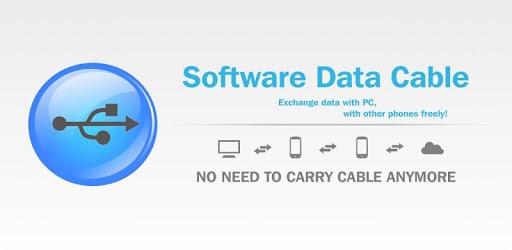
Software Data Cable is an Android app developed and published by DAMI APP at Google Play Store on Dec 5, 2013 for Android users. Software Data Cable is so popular that it has gained 10000000 installs so far and growing.
Software Data Cable is a convenient and efficient tool that allows you to transfer files between your mobile device and computer without the need for a physical cable. Whether you need to move photos, videos, music, or documents, this application makes it incredibly easy to handle data transfer wirelessly.
One of the greatest advantages of Software Data Cable is that it eliminates the need for a physical data cable. If your phone’s data slot is broken or if you simply forgot your cable, you can still transfer important files without any hassle. Just connect your devices via WiFi, and you're all set.
Navigating through Software Data Cable is a breeze. The application offers a straightforward interface that makes it simple for anyone to use. Deciphering how to connect and transfer files is easy, even for those who are not tech-savvy. This simplicity means you can focus more on getting your tasks done rather than troubleshooting connection issues.
This application lets you connect your phone and computer in a variety of ways. Using WiFi for connection ensures fast and secure data transfer. Since you don’t need to install any additional software on your computer, the setup process is quick and efficient. All you need is a stable WiFi network, and you're ready to go.
Speed is one of the standout features of Software Data Cable. The app boasts a data transfer rate that is significantly faster than many other file-sharing apps. You can quickly move files without the typical delays, making it an excellent solution for urgent transfers.
Worried about whether the app will work with your device? Software Data Cable is highly compatible with various Android devices, including older models and the latest smartphones. Whether you're using a Galaxy S8+ or another Android phone, you’ll find that the app seamlessly integrates to manage your file transfers.
Reliability is key when it comes to transferring important files, and Software Data Cable doesn't disappoint. The app rarely hangs or crashes, ensuring a smooth and consistent experience. It’s designed to handle large files efficiently, making it ideal for users with significant data transfer needs.
Software Data Cable is regularly updated to include new features and improvements. Continuous enhancements mean the app keeps getting better and more versatile over time. You can expect a reliable tool that adapts to meet evolving needs, thus providing a long-term solution for file transfer.
Software Data Cable is a standout application that offers a reliable, fast, and convenient way to transfer files between your mobile device and computer. With its easy setup, fast performance, and strong compatibility, it is no wonder that so many users prefer it over other file-sharing options. Try it for yourself and revolutionize the way you manage your data transfers.
Yes, you can run Software Data Cable on PC, but first, you will need emulator software installed on your Windows or MAC, which you can download for free. In the below video, you will find Software Data Cable in action. Before you install the emulator, check out the minimum and recommended system requirements to run it seamlessly. They may change depending on which version of the emulator you choose. Therefore, we recommend you download the latest version of the emulator. Below you will find three free Android emulators that we have shortlisted based on their popularity:
Up to date graphics drivers from Microsoft or the chipset vendor.
Storage: 1 GB available under installation path, 1.5GB available hard drive space
Internet: Broadband Internet connection
Regardless of which Android emulator you install, the steps to install, configure, and running the Software Data Cable app on PC are the same.