Published by Creative Mobile
Updated September 29, 2026
Still the best racing game available on Android! Nice cars & a great time killer
| Version | 5.4.5 |
| Size | 124.2 MB |
| What's New | Minor bug fixes |
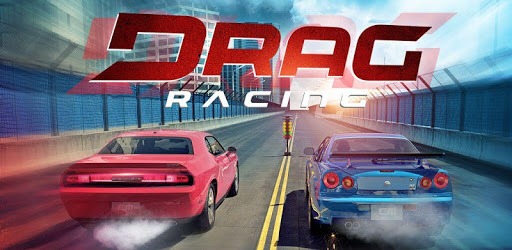
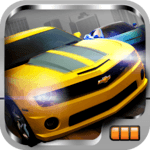
Drag Racing is an Android app developed and published by Creative Mobile at Google Play Store on Apr 9, 2011 for Android users. Drag Racing is so popular that it has gained 191265739 installs so far and growing.
Are you ready to rev your engines and experience the adrenaline-pumping world of drag racing? Look no further than the exciting app, "Drag Racing." Since its release in 2011, this game has provided years of endless fun for car enthusiasts and gamers alike. With its cool features and addictive gameplay, it's no wonder that players keep coming back for more.
One of the standout features of "Drag Racing" is its authentic and original gameplay. Whether you're a real car fanatic or just love the thrill of speed, this game is sure to satisfy your cravings. With both offline and online modes available, you can enjoy the game at your own pace or compete against players from around the world.
The developers of "Drag Racing" have put in a tremendous amount of time and thought to create a game that stands out from the rest. While other games may have unique upgrading systems, this one keeps things simple and accessible, making it perfect for players with limited car knowledge. Get ready to fire on all cylinders and dominate the drag racing scene!
Like any game, "Drag Racing" has its share of challenges. Some players have reported difficulties with progressing past level 10 in the career mode, specifically with the Hennessy Venom GT. However, the dedicated developers are constantly working to improve the game and address these issues. By supporting them and providing valuable feedback, we can help make "Drag Racing" even better.
One of the standout aspects of "Drag Racing" is the opportunity to interact with the developers. Unlike other games, the team behind this app takes the time to listen to their players and make improvements based on their feedback. This level of engagement creates a unique and enjoyable experience that sets "Drag Racing" apart from the competition.
To transfer your game progress to another device, you can follow these steps:
- Step 1: Install "Drag Racing" on your new device.
- Step 2: Open the game and go to the settings menu.
- Step 3: Look for the "Transfer Progress" option.
- Step 4: Follow the prompts to transfer your progress from the old device to the new one.
If you're experiencing issues with the sound of the car turning off while driving, try the following troubleshooting steps:
- Check your device's volume settings and ensure they are not muted or set to a low level.
- Close any other apps running in the background that may be interfering with the game's audio.
- Restart the game and see if the issue persists.
Currently, "Drag Racing" does not offer the option to save game progress using Facebook or Gmail accounts. However, you can transfer your progress to another device using the steps mentioned in the first FAQ.
Remember, "Drag Racing" is all about the thrill of speed and the excitement of drag racing. With its addictive gameplay, engaging features, and dedicated developers, this game is a must-play for any car enthusiast. So, buckle up, hit the gas, and get ready to experience the ultimate drag racing adventure!
Yes, you can run Drag Racing on PC, but first, you will need emulator software installed on your Windows or MAC, which you can download for free. In the below video, you will find Drag Racing in action. Before you install the emulator, check out the minimum and recommended system requirements to run it seamlessly. They may change depending on which version of the emulator you choose. Therefore, we recommend you download the latest version of the emulator. Below you will find three free Android emulators that we have shortlisted based on their popularity:
Up to date graphics drivers from Microsoft or the chipset vendor.
Storage: 1 GB available under installation path, 1.5GB available hard drive space
Internet: Broadband Internet connection
Regardless of which Android emulator you install, the steps to install, configure, and running the Drag Racing app on PC are the same.