
Published by Rishi Apps
Updated August 31, 2025
Copy any text on the mobile screen to your clipboard.
| Version | 1.1 |
| Size | 29.2 MB |
| What's New | Fixing some errors.Additional Language Support French: You can now enjoy using the application in French.Arabic: Welcome! We now support the Arabic language to provide a better experience for Arabic speakers. |
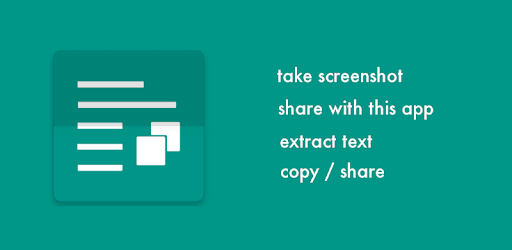
Copy Text On Screen is an Android app developed and published by Rishi Apps at Google Play Store on Aug 18, 2014 for Android users. Copy Text On Screen is so popular that it has gained 500000 installs so far and growing.
Copy Text On Screen is an outstanding tool that makes copying text from images or other inaccessible formats a breeze. With its smart functionalities, you can convert any text displayed on your device's screen into editable text. This can be especially useful in situations where direct text selection is not possible.
Copy Text On Screen simplifies the process of text extraction. Taking a screenshot and sharing it with the app allows it to read the text and quickly convert it into a clipboard copy. Whether you are extracting English text from social media like Twitter or dealing with other languages, this app handles it smoothly.
One of the standout features of Copy Text On Screen is its ability to recognize multiple languages. You can extract text written in English, Arabic, or any other language. This means you are not limited by language barriers, making it a truly versatile tool for everyone.
Speed and reliability are essential, and Copy Text On Screen excels in both areas. The app can convert photos into text within seconds, ensuring you get what you need, swiftly and without hassle. It's a handy tool for getting around applications or platforms that restrict text copying and pasting.
Copy Text On Screen offers an easy-to-use interface. Its design is intuitive, ensuring even first-time users can navigate through the features without any hindrance. You just need to take a screenshot of the text, and the app does the rest. The multitasking capabilities and simplicity make the app highly appealing.
Whether it's copying text from a PDF or capturing content from a video, Copy Text On Screen handles it all. The tool ensures that taking screenshots and converting them into editable formats is quick and hassle-free. It is especially great for those who frequently switch between tabs or need to write text fast.
While the app's features are impressive, it is worth noting that Copy Text On Screen may require a subscription. However, the subscription fee is justified considering the convenience and time-saving features it offers. The app’s developers keep it ad-free for a seamless user experience, making the service well worth the investment.
Accuracy is another strong suit of Copy Text On Screen. The closer the screenshot is to the text, the more accurate the text extraction will be. This attention to detail ensures you get an exact copy of the text every time, minimizing the need for corrections.
There are suggestions for even more enhancements, such as the ability to copy emojis or edit text directly on a photo. These potential updates would further enrich the app’s usefulness and make text management even more intuitive.
Overall, Copy Text On Screen is an exceptional tool combining ease of use, multilingual support, and high-speed functionality to meet all your text extraction needs. It stands out as a reliable, efficient, and versatile app that makes copying text from screens an effortless experience.
Yes, you can run Copy Text On Screen on PC, but first, you will need emulator software installed on your Windows or MAC, which you can download for free. In the below video, you will find Copy Text On Screen in action. Before you install the emulator, check out the minimum and recommended system requirements to run it seamlessly. They may change depending on which version of the emulator you choose. Therefore, we recommend you download the latest version of the emulator. Below you will find three free Android emulators that we have shortlisted based on their popularity:
Up to date graphics drivers from Microsoft or the chipset vendor.
Storage: 1 GB available under installation path, 1.5GB available hard drive space
Internet: Broadband Internet connection
Regardless of which Android emulator you install, the steps to install, configure, and running the Copy Text On Screen app on PC are the same.


![Text Scanner [OCR] icon](https://cdn.desktoptwo.com/img/com.peace.TextScanner-logo.png)