Published by chebdev
Updated August 30, 2026
Make Trap music with professional sound packs and become a Pro Beatmaker.
| Version | 1.21 |
| Size | 9.4 MB |
| What's New | - Android 13 recording bug fixed- Pads grouping (cut groups) feature added to make playing process more comfortable - Tutorials for beginners buit in the app - Tutorials for all presets - Preset preview built in the app |
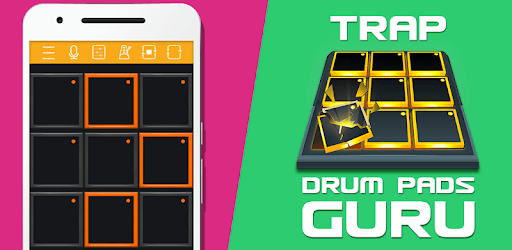
Trap Drum Pads Guru is an Android app developed and published by chebdev at Google Play Store on Apr 12, 2017 for Android users. Trap Drum Pads Guru is so popular that it has gained 2149581 installs so far and growing.
If you're a music enthusiast looking for an app that allows you to express your creativity and passion for music making, then look no further than the Trap Drum Pads Guru app. This incredible app is designed to provide you with a seamless experience in creating your own beats and exploring the world of trap music. With its user-friendly interface and impressive features, it's no wonder why this app has garnered such positive reviews from its users.
With the Trap Drum Pads Guru app, you have the power to unleash your musical talents and create unique beats that truly represent your style. Whether you're a seasoned musician or just starting out, this app offers a wide range of pads and loops that will make your music come alive. The simplicity of the app allows for easy navigation and quick access to all the essential tools you need to produce high-quality tracks.
For those who are new to music production, the Trap Drum Pads Guru app serves as a gateway to the world of audio recording and beat making. It provides a solid foundation for beginners to learn the basics of music production and develop their skills further. With the app's intuitive interface and comprehensive features, you'll find yourself immersed in the world of music creation in no time.
If you're already using digital audio workstations (DAWs) and services like Splice for samples, the Trap Drum Pads Guru app seamlessly integrates with these tools, allowing you to expand your creative possibilities. By combining the app's unique features with your existing resources, you'll have a vast library of sounds and samples at your fingertips, giving you endless opportunities to experiment and create.
One of the standout features of the Trap Drum Pads Guru app is its simplicity and ease of use. You don't need to be an expert to impress your friends with your music-making skills. The app's user-friendly interface and intuitive controls make it accessible to everyone, regardless of their level of expertise. Show off your beats and let the app do the talking as you effortlessly create impressive tracks.
No, the app is not designed for learning how to play a piano. However, it is an excellent tool for learning how to play an MPD or MPC.
No, the Trap Drum Pads Guru app is virtually ad-free, allowing you to focus on your music creation without any distractions.
Currently, the app offers a variety of presets and effects to enhance your music. However, it would be great to see more frequent updates with additional presets and expanded customization options in the future.
Currently, the app allows you to set the tempo up to 150. It would be beneficial for advanced users if the app could support higher tempos, such as 200, in a future update.
If you encounter any issues with sounds not playing when looping, try closing and reopening the app. This should resolve the problem and allow you to continue creating your beats seamlessly.
In conclusion, the Trap Drum Pads Guru app is a game-changer for music enthusiasts who want to explore the world of trap music and unleash their creativity. With its user-friendly interface, seamless integration with other tools, and impressive features, this app is a must-have for anyone looking to create unique beats and immerse themselves in the world of music production. Download the app now and start making music that will leave a lasting impression!
Yes, you can run Trap Drum Pads Guru on PC, but first, you will need emulator software installed on your Windows or MAC, which you can download for free. In the below video, you will find Trap Drum Pads Guru in action. Before you install the emulator, check out the minimum and recommended system requirements to run it seamlessly. They may change depending on which version of the emulator you choose. Therefore, we recommend you download the latest version of the emulator. Below you will find three free Android emulators that we have shortlisted based on their popularity:
Up to date graphics drivers from Microsoft or the chipset vendor.
Storage: 1 GB available under installation path, 1.5GB available hard drive space
Internet: Broadband Internet connection
Regardless of which Android emulator you install, the steps to install, configure, and running the Trap Drum Pads Guru app on PC are the same.