Published by The Chamberlain Group Inc.
Updated October 10, 2025
MyQ Smart Garage Control
| Version | 3.123.17.32800 |
| Size | 20.0 MB |
| What's New | Search for “myQ Garage & Access Control” to find and download our new app! We will no longer be supporting this app. |
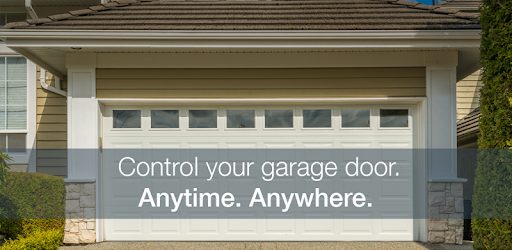
MyQ Smart Garage Control is an Android app developed and published by The Chamberlain Group Inc. at Google Play Store on Apr 24, 2013 for Android users. MyQ Smart Garage Control is so popular that it has gained 500000 installs so far and growing.
Introducing MyQ Smart Garage Control, the must-have app for anyone seeking to upgrade their garage door system. This innovative app brings a multitude of features designed to make your life easier, ensuring the security and efficiency of your garage door control. Whether you are at work, on vacation, or simply out running errands, MyQ Smart Garage Control keeps you connected with your home.
One of the standout features of MyQ Smart Garage Control is the ability to monitor and control your garage door remotely. Imagine being able to see if your garage door is closed from your phone. This added convenience brings peace of mind, knowing that your home is secure, even if you’re not there. No more turning back to double-check if the garage door is shut; a quick glance at your phone does the trick.
Safety is paramount with MyQ Smart Garage Control. The app provides a security deadbolt option, making it hard for intruders to gain access. Unlike traditional chain-driven garage openers, which can be noisy, MyQ stands out with its super quiet operation. This lets you come home late without disturbing the household, even your pets.
With MyQ Smart Garage Control, automation plays a significant role. The app features an auto-on light sensor that illuminates the garage whenever you step in, making it convenient to find what you need, especially in the dark. Additionally, it sends real-time push notifications when the door opens or closes, keeping you updated on your garage door's status.
The MyQ Smart Garage Control also features a built-in thermometer. This is extremely handy if you have items in your garage that are sensitive to temperature changes. Knowing the temperature inside your garage helps you make informed decisions about storage and safety.
Easy access and control are what set MyQ Smart Garage Control apart. You can invite guests to use the app, allowing them to open and close your garage door when necessary. This feature is perfect for family members or trusted friends who may need to access your garage while you are away. Moreover, scheduling automatic closes at specific times ensures that your garage is never left open unintentionally.
Setting up MyQ Smart Garage Control is straightforward. Even if your garage is distant from your main Wi-Fi router, a booster can help extend the signal, ensuring smooth operation. Once set up, users find the app's performance incredibly reliable, swiftly receiving alerts and seamlessly operating the garage door with minimal lag.
For families, MyQ Smart Garage Control is a game-changer. Parents can track when their children are coming home, providing an added layer of security and reassurance. The app simplifies daily routines, such as opening the garage door as you drive down the street—a small convenience that makes a big difference. MyQ Smart Garage Control integrates effortlessly into family life, improving both safety and convenience.
The MyQ Smart Garage Control redefines garage security and convenience. From remote locking features and real-time alerts to additional security measures, this app stands as an indispensable tool for modern homeowners. Upgrade your garage experience today with MyQ Smart Garage Control!
Yes, you can run MyQ Smart Garage Control on PC, but first, you will need emulator software installed on your Windows or MAC, which you can download for free. In the below video, you will find MyQ Smart Garage Control in action. Before you install the emulator, check out the minimum and recommended system requirements to run it seamlessly. They may change depending on which version of the emulator you choose. Therefore, we recommend you download the latest version of the emulator. Below you will find three free Android emulators that we have shortlisted based on their popularity:
Up to date graphics drivers from Microsoft or the chipset vendor.
Storage: 1 GB available under installation path, 1.5GB available hard drive space
Internet: Broadband Internet connection
Regardless of which Android emulator you install, the steps to install, configure, and running the MyQ Smart Garage Control app on PC are the same.