
Published by Byroid Apps
Updated November 12, 2025
Randomly pick items from a list of items.
| Version | 2.27 |
| Size | 3.4 MB |
| What's New | - dialog to rate app displayed after 3 days- share button to share app with friends- bug fixes / stability improvements |
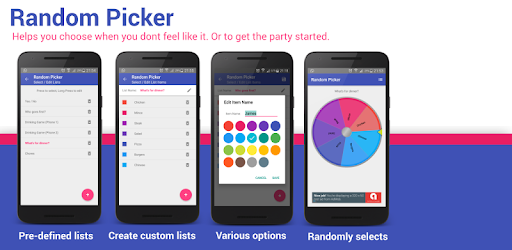
Random Picker is an Android app developed and published by Byroid Apps at Google Play Store on May 8, 2016 for Android users. Random Picker is so popular that it has gained 100000 installs so far and growing.
Random Picker is an engaging and simple tool designed to help you make decisions, add excitement to activities, and create a fun atmosphere for games, projects, and events. Whether you're stuck on choosing a scrapbooking item, picking a game, or even making decisions for a YouTube giveaway, this app has got you covered. With its user-friendly interface and customizable options, Random Picker offers endless possibilities for anyone looking to add a bit of randomness to their life.
One of the standout features of Random Picker is the ability to customize your lists. Whether you're selecting items for a scrapbooking project, exercises for a workout routine, or ingredients for a recipe, this app allows you to create and save personalized lists with ease. You can tailor the app to your specific needs and preferences, making decision-making a breeze.
Using Random Picker is straightforward. Simply create a list of items you want to randomize, spin the wheel, and let the app do the rest. You can use it for a variety of purposes like dictation exercises, classroom activities, and even family game nights. The app’s adaptability makes it suitable for any scenario where decision-making can be a fun, randomized process.
If you find it hard to make decisions, Random Picker is here to help. By letting the app choose for you, you can eliminate hesitation and move forward with your plans quickly and efficiently. Whether it’s selecting a game to play or deciding on a restaurant to visit, this app transforms decision-making into a simple and enjoyable task.
Privacy is important, and Random Picker respects that. Unlike some other apps that request access to your contacts or call data, this app focuses solely on its core purpose – helping you make random choices. You can use it without worrying about your personal information being accessed.
Setting up Random Picker is a breeze. Just download the app, create your customized lists, and start spinning. It’s designed to be intuitive and straightforward, making it perfect for users of all ages. Plus, the app saves your lists, so you don’t have to recreate them every time you use it.
Whether you’re a gamer adding challenges to your favorite games or a content creator looking for a fair way to select giveaway winners, Random Picker is an excellent tool. It brings an element of surprise and excitement, ensuring that you and your friends or audience stay entertained.
While Random Picker is nearly perfect in every way, some users might appreciate a few additional features. Options like enabling or disabling items temporarily, adding more color choices for the spinner, or having different sizes for the segments would enhance the user experience even more. Despite these suggestions, the app performs its primary function exceptionally well.
Random Picker is not just an app; it’s a fun, engaging way to add randomness to any activity. Its ease of use, customization options, and privacy considerations make it a must-have for anyone who enjoys a bit of spontaneity in their life.
Yes, you can run Random Picker on PC, but first, you will need emulator software installed on your Windows or MAC, which you can download for free. In the below video, you will find Random Picker in action. Before you install the emulator, check out the minimum and recommended system requirements to run it seamlessly. They may change depending on which version of the emulator you choose. Therefore, we recommend you download the latest version of the emulator. Below you will find three free Android emulators that we have shortlisted based on their popularity:
Up to date graphics drivers from Microsoft or the chipset vendor.
Storage: 1 GB available under installation path, 1.5GB available hard drive space
Internet: Broadband Internet connection
Regardless of which Android emulator you install, the steps to install, configure, and running the Random Picker app on PC are the same.